File Systems, Offline Registry & File Signatures
Identifying file systems in E01 images with The Sleuth Kit, pulling system, network and user details from offline registry hives, and identifying files by their magic numbers.
Overview
Second post in the Digital Forensics Labs series. Once evidence is acquired, the next questions are basic but essential: what’s on this image, what system did it come from, and what kind of files am I looking at?
- File system identification in E01 images with The Sleuth Kit
- Offline registry analysis — OS, network, and user accounts from raw hives
- File signature analysis — identifying files by content, not extension
All analysis was performed on course-provided evidence images inside isolated lab VMs.
Step 1: File System Identification with The Sleuth Kit
The images were in EWF / E01 format — the Expert Witness format used by EnCase and FTK, which stores the disk data along with metadata and an embedded hash. I worked through them with four tools:
| Tool | Purpose |
|---|---|
img_stat | Image format, size, sector size, stored hash |
ewfverify | Recompute the data hash and compare it to the stored one |
fsstat | File system type and layout details |
fls | List files and directories |
drive2.E01 — Ext4
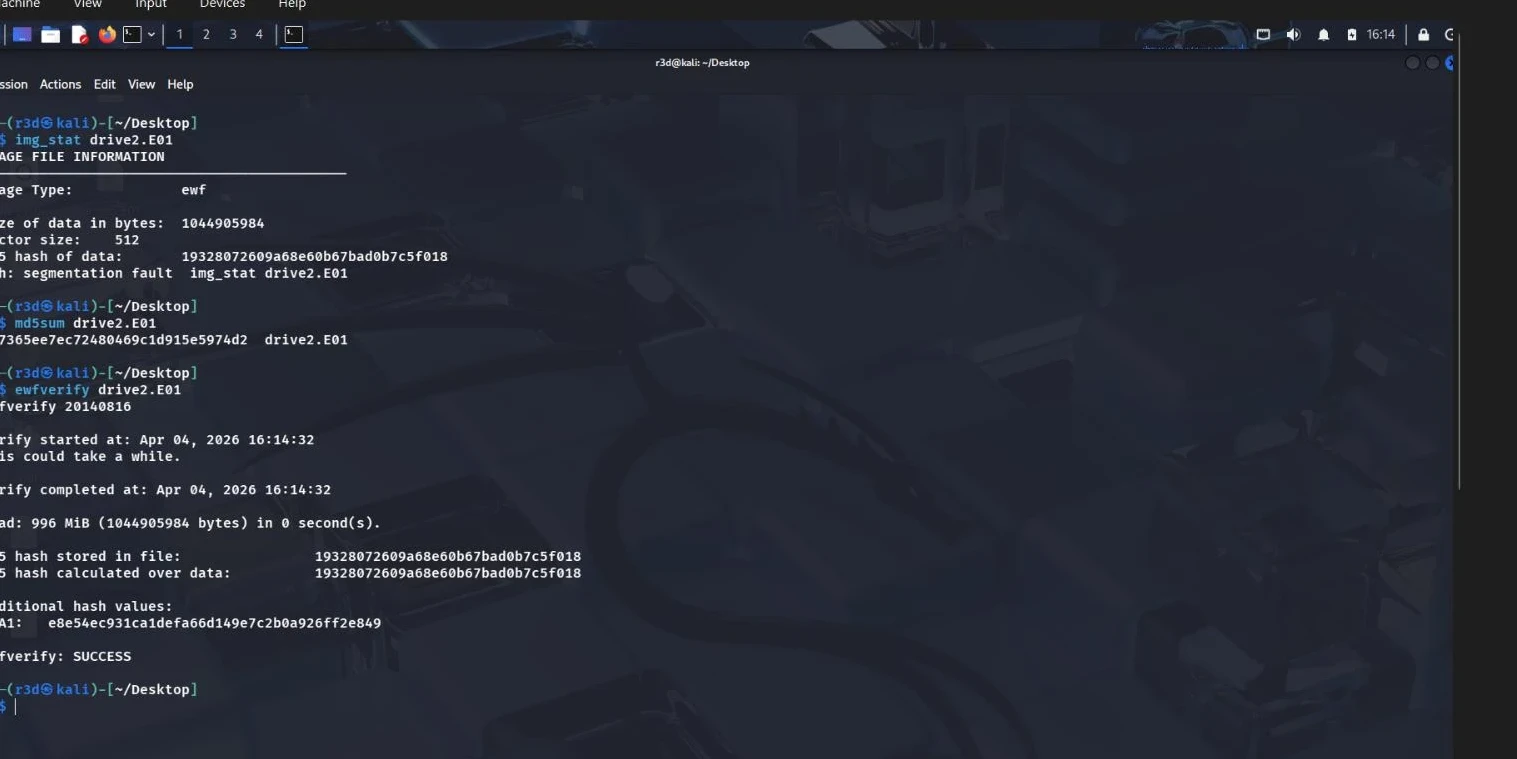
img_stat: EWF image, 1,044,905,984 bytes, 512-byte sectors, with the stored MD5 of the data
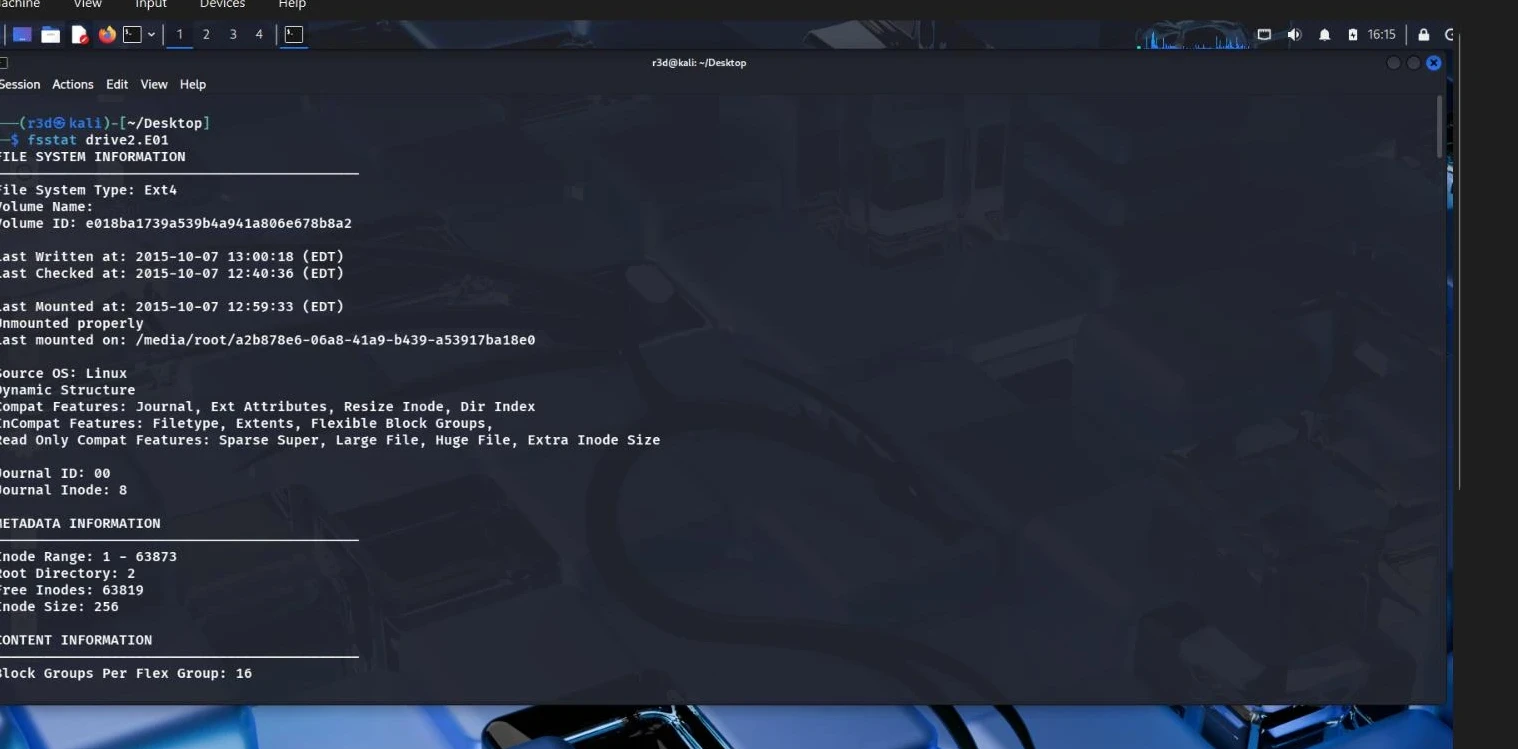
fsstat identifies an Ext4 file system from a Linux system
| Property | Value |
|---|---|
| File system | Ext4 |
| Likely OS | Linux |
| Volume ID | e018ba1739a539b4a941a806e678b8a2 |
| Volume label | none |
| Inode size | 256 bytes |
| Block size | 4,096 bytes |
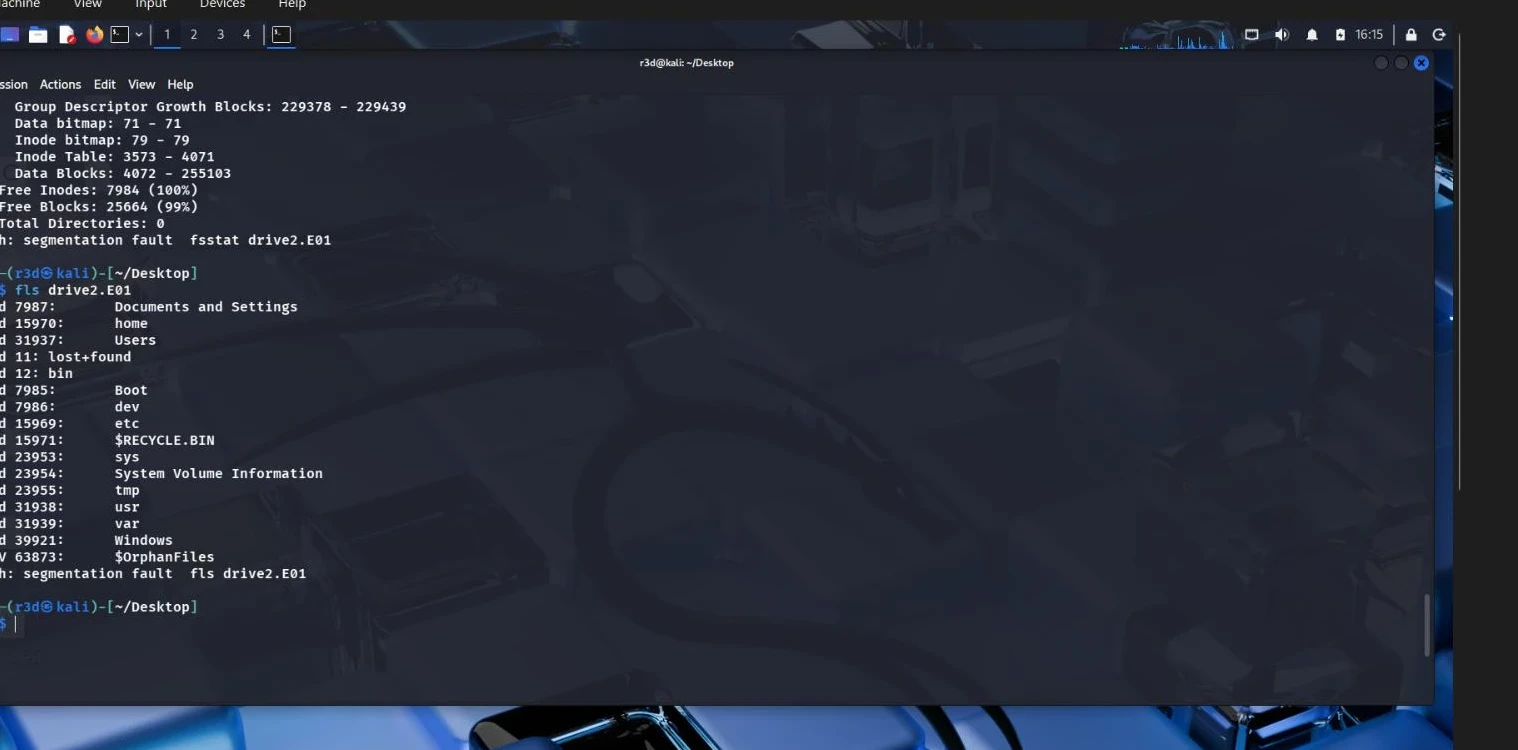
fls listing the root of the Ext4 volume
Running the Windows build of TSK against drive2 gives the same results:
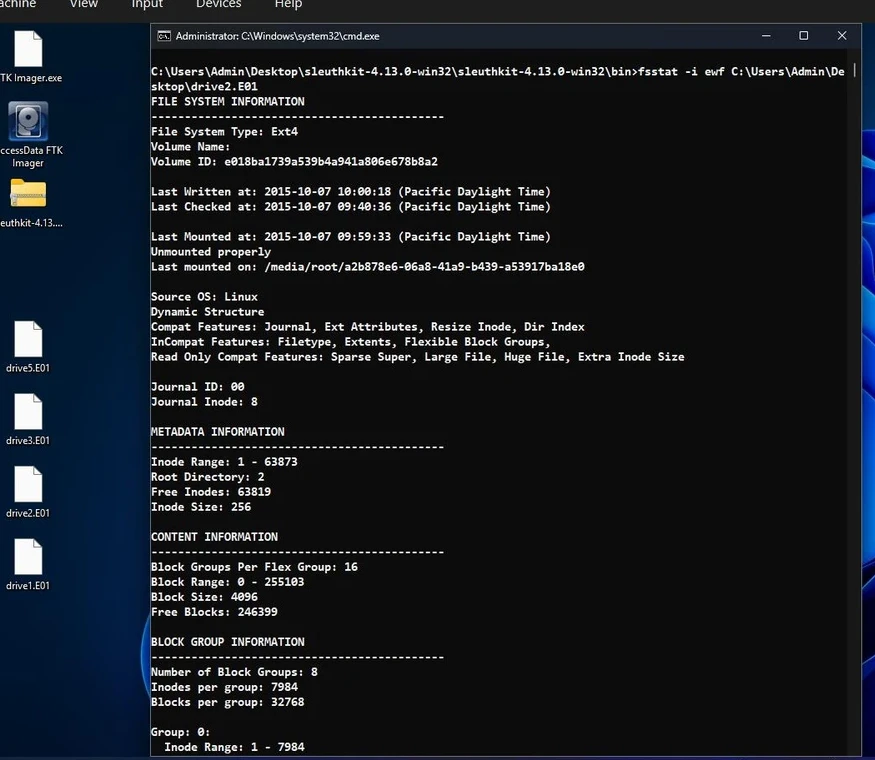
fsstat on drive2 from the Windows build of The Sleuth Kit
One detail worth noticing: md5sum drive2.E01 gives a different MD5 than the one img_stat reports. That’s expected — md5sum hashes the E01 container (headers, compression, metadata), while the stored hash covers only the disk data inside it. To verify an E01, compare against the data hash, which is exactly what ewfverify does.
drive3.E01 — no recognizable file system
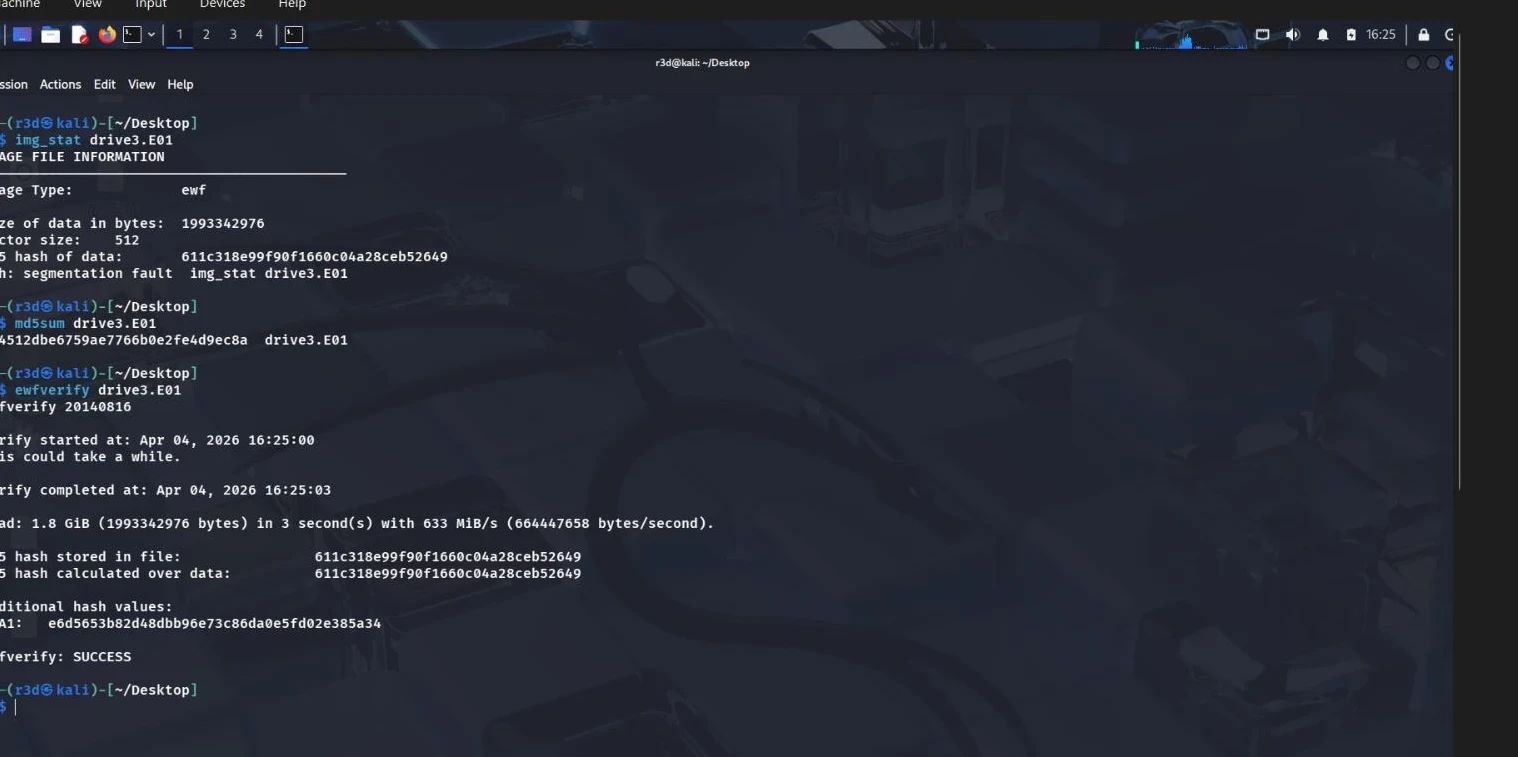
img_stat reads drive3 fine: 1,993,342,976 bytes of EWF data
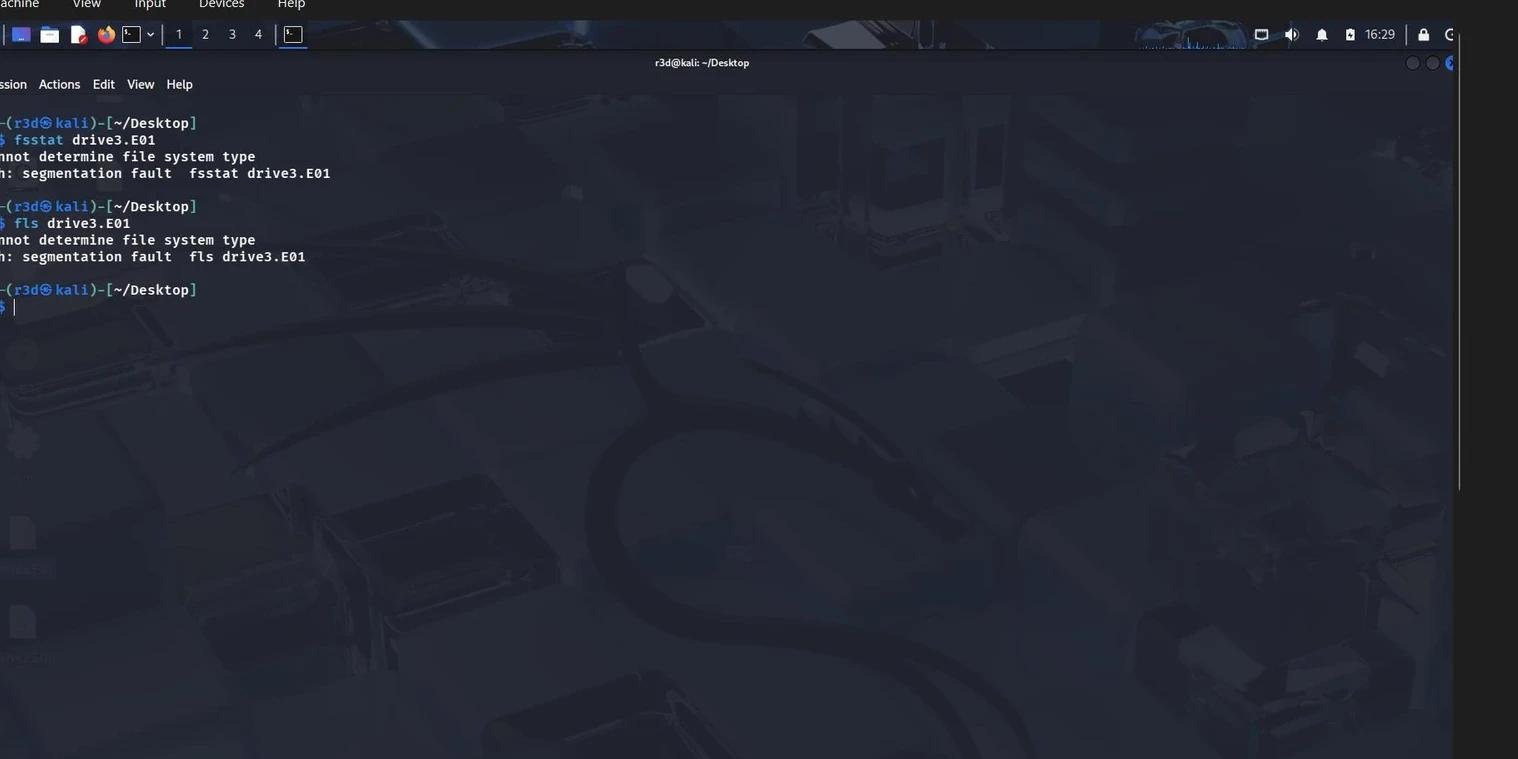
fsstat and fls: “Cannot determine file system type”
The image itself is valid, but neither tool found a file system at the start of it. That usually means the image contains a partition table rather than a bare volume — in which case mmls would show the partitions, and fsstat -o <offset> could analyse each one — or the volume is damaged, encrypted, or a type TSK doesn’t support. Either way, “no file system found” is a finding to explain, not a dead end.
drive5.E01 — exFAT
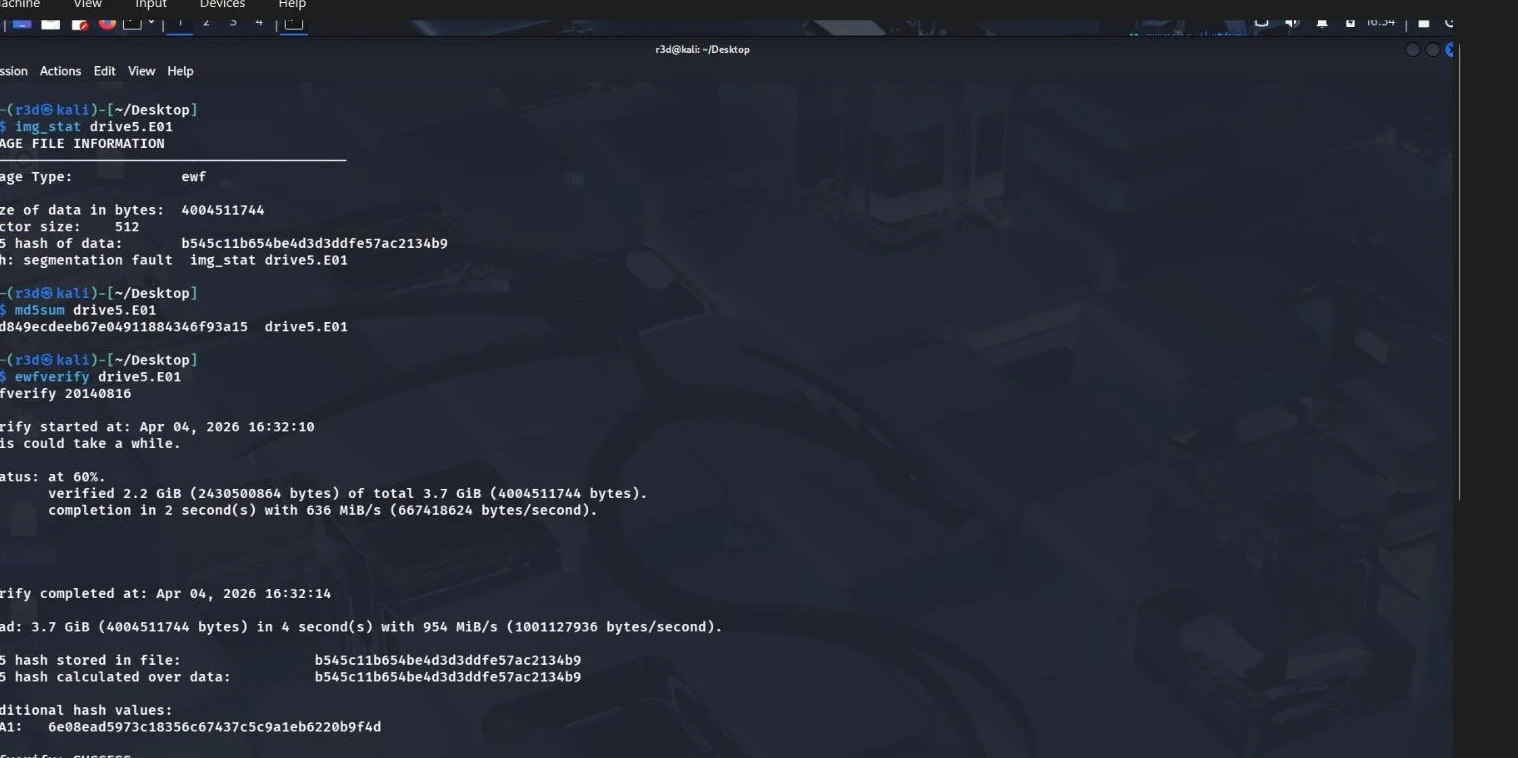
ewfverify: the MD5 stored in the file matches the MD5 calculated over the data
| Property | Value |
|---|---|
| File system | exFAT |
| Likely OS | Windows / removable media |
| Volume serial | 9cc1-6dbd |
| Volume label | empty |
| Sector size | 512 bytes |
| Cluster size | 32,768 bytes |
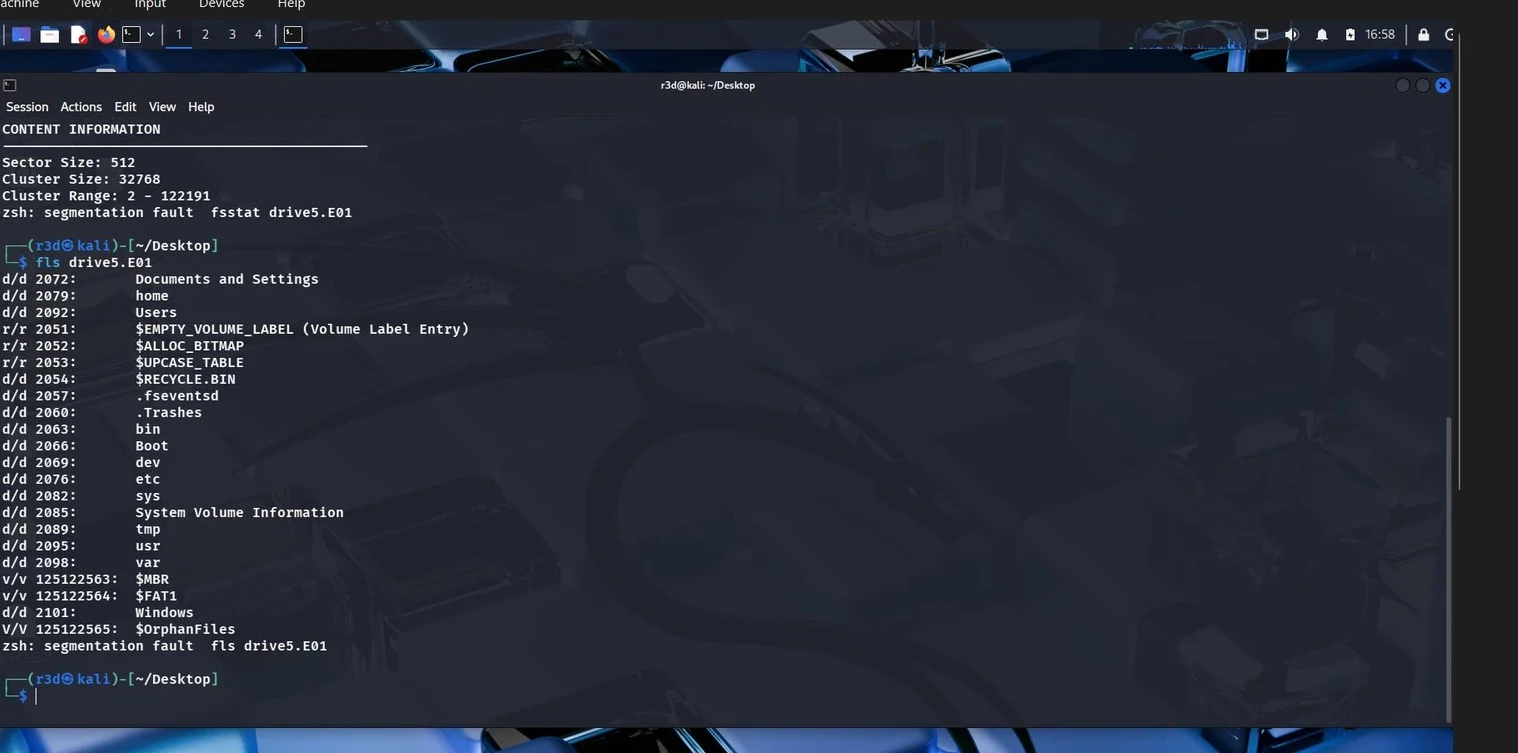
fls listing the exFAT volume
Step 2: Offline Registry Analysis
The Windows registry on disk is a set of hive files (SOFTWARE, SYSTEM, SAM, …) under Windows\System32\config. Analysing a copy of them “offline” reveals how the suspect machine was configured without ever booting it.
SOFTWARE hive in Regedit
Regedit can mount an external hive with File → Load Hive. I loaded the SOFTWARE hive under HKLM as TEST:
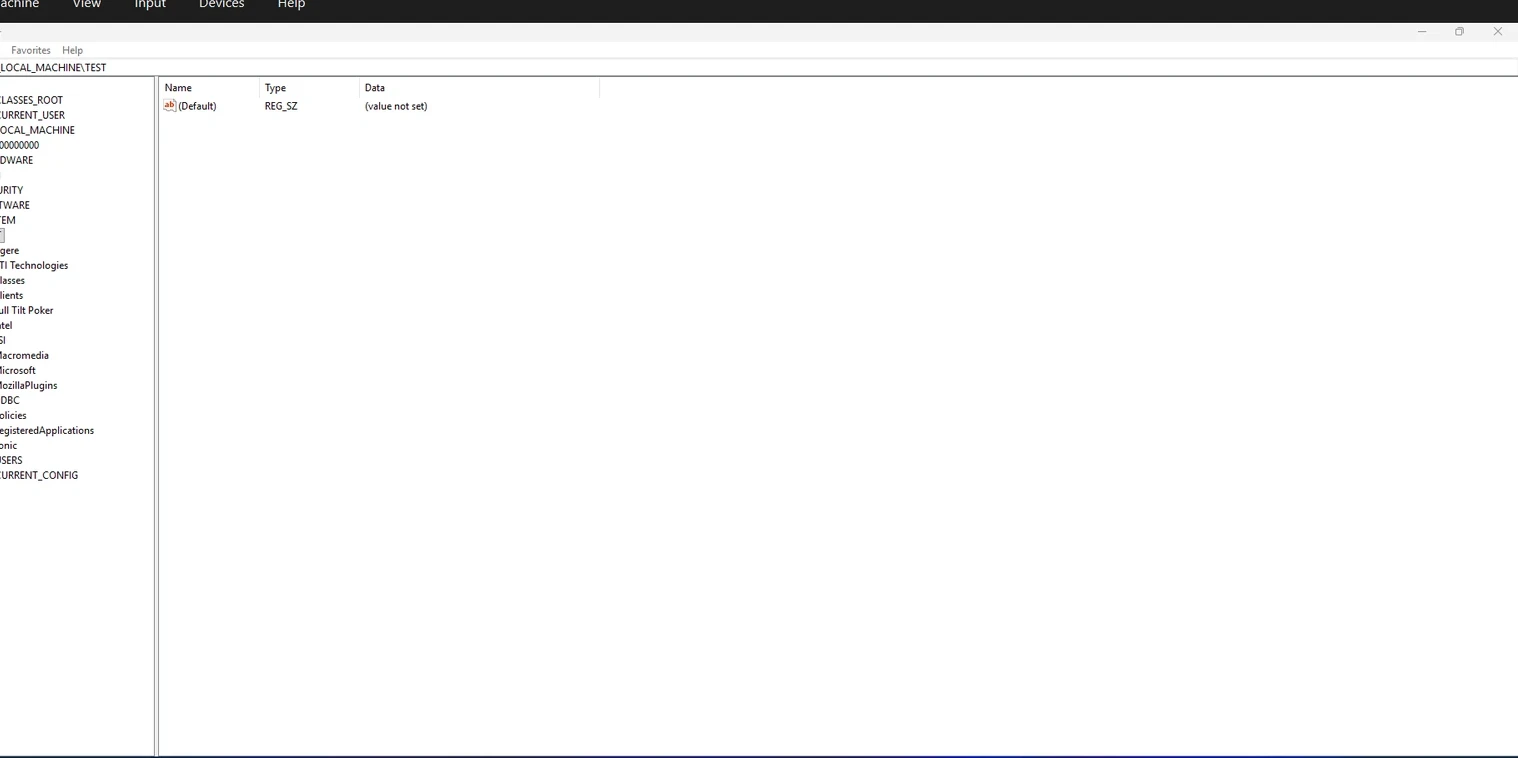 The offline SOFTWARE hive mounted as
HKLM\TEST
HKLM\TEST\Microsoft\Windows NT\CurrentVersion describes the installed OS:
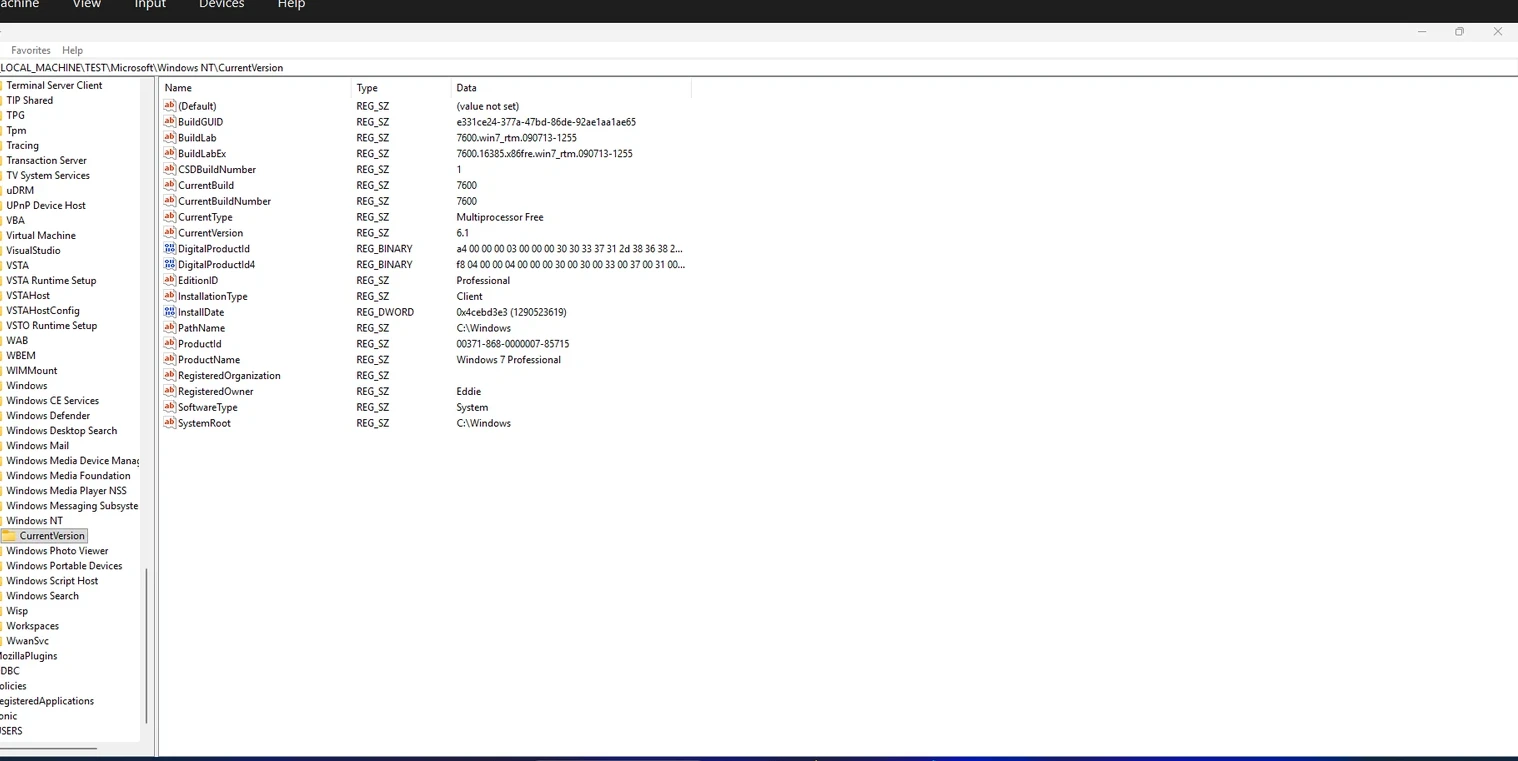 Product name, product ID, system root and install date
| Value | Finding |
|---|---|
| Product | Windows 7 Professional |
| Product ID | 00371-868-0000007-85715 |
| System root | C:\Windows |
| Installed | 23 November 2010, 14:46:59 |
The consent/logon banner lives under ...\CurrentVersion\Policies\System in the legalnoticecaption and legalnoticetext values.
SYSTEM and SAM hives in Windows Registry Recovery
Windows Registry Recovery parses hives into readable reports. The SYSTEM hive loaded with 147 services and 234 drivers:
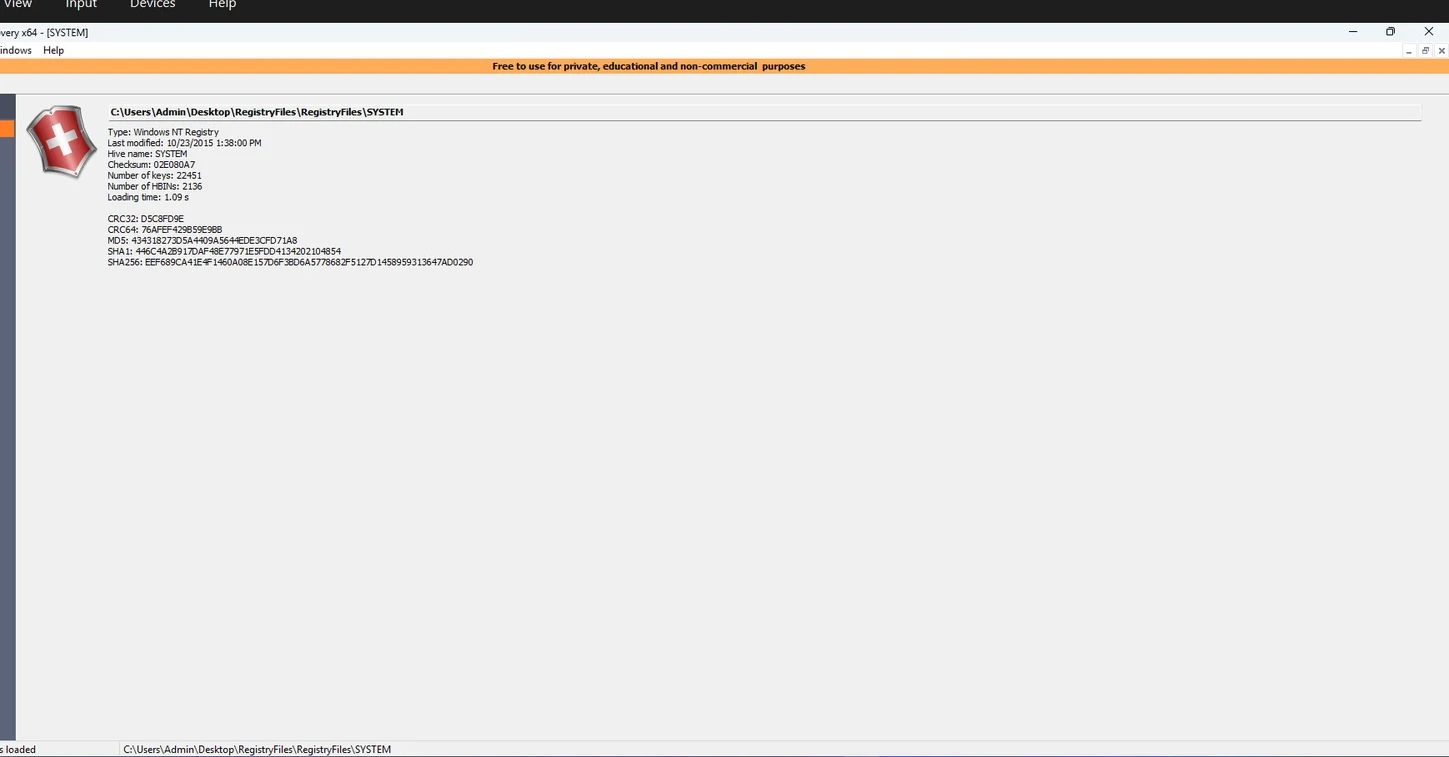 The SYSTEM hive parsed by Windows Registry Recovery
Network configuration comes from SYSTEM\ControlSet001\Services\Tcpip\Parameters\Interfaces:
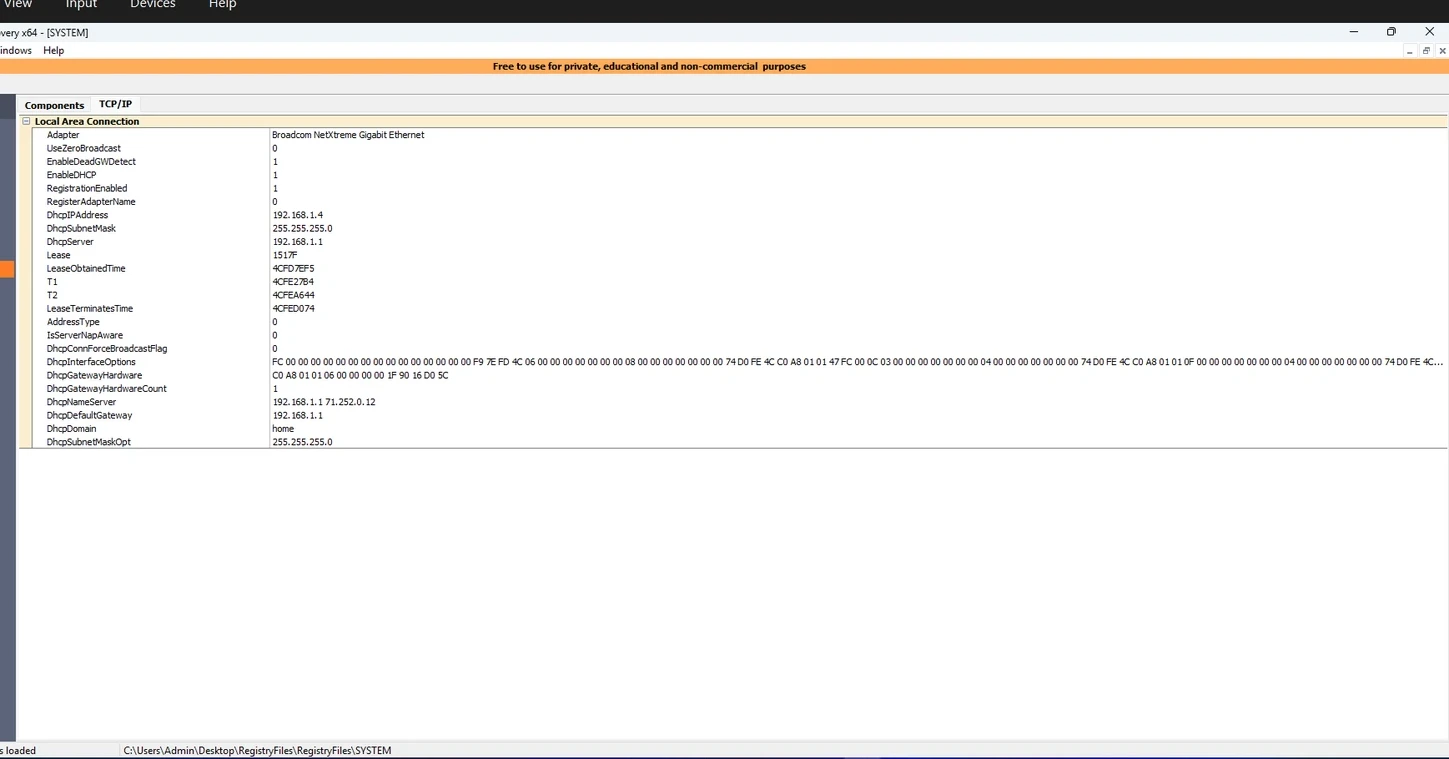 The adapter’s DHCP configuration recovered from the hive
| Setting | Value |
|---|---|
| Adapter | Broadcom NetXtreme Gigabit Ethernet |
| DHCP IP | 192.168.1.4 / 255.255.255.0 |
| DHCP server & gateway | 192.168.1.1 |
| Domain | home |
| Lease obtained | 4CFD7EF5 → 7 Dec 2010, 00:25:25 GMT |
| Lease expires | 4CFED074 → 8 Dec 2010, 00:25:24 GMT |
The lease times are stored as Unix timestamps in hex — 0x4CFD7EF5 is seconds since 1 January 1970.
User accounts come from the SAM hive:
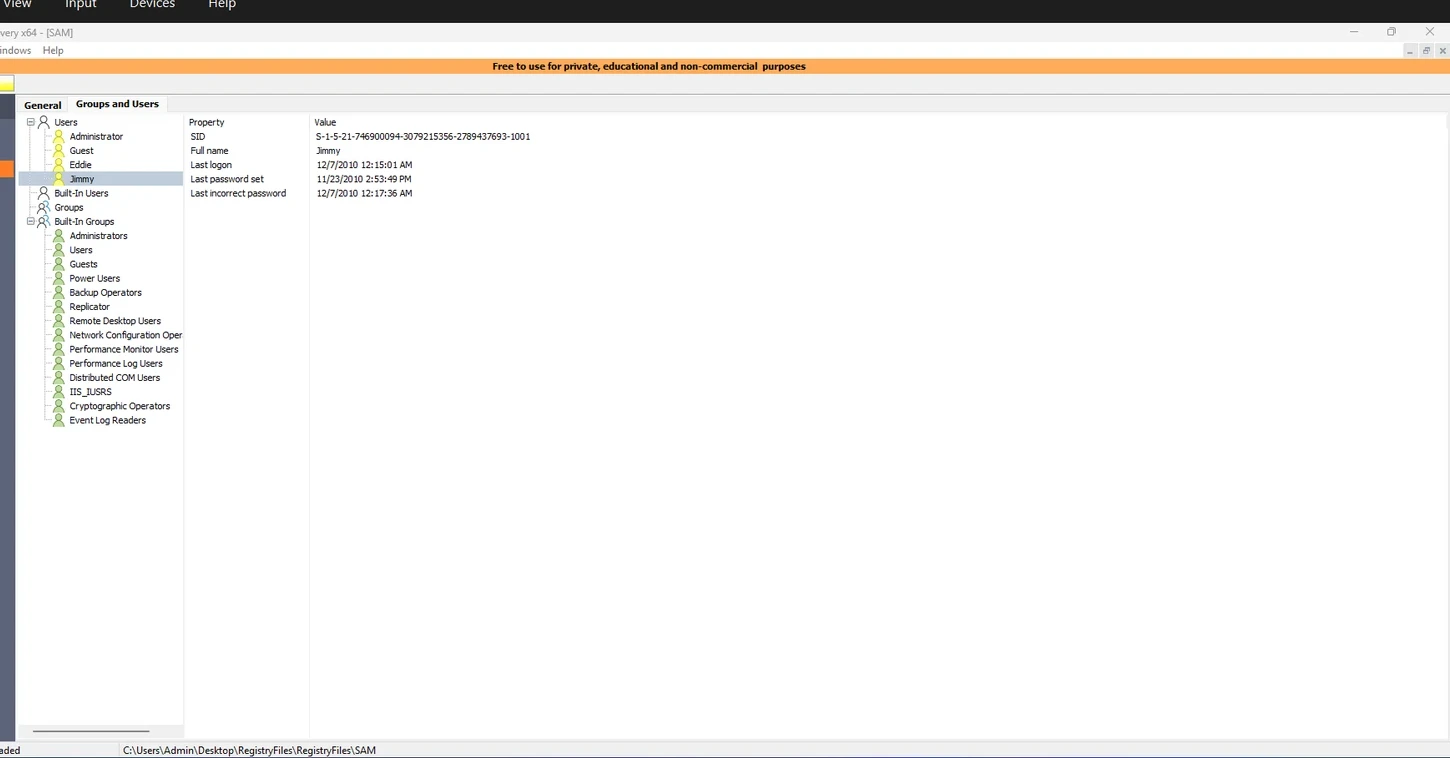 Accounts in the SAM hive, with logon details for user Jimmy
Four accounts exist — Administrator, Guest, Eddie, and Jimmy. For Jimmy:
| Field | Value |
|---|---|
| Last logon | 7 Dec 2010, 12:15:01 AM |
| Last password set | 23 Nov 2010, 2:53:49 PM |
| Last incorrect password | 7 Dec 2010, 12:17:36 AM |
A failed password attempt two minutes after a successful logon is the kind of small detail worth putting on a timeline.
Step 3: File Signature Analysis
File extensions are just part of the name — anyone can rename stolen.xlsx to holiday.jpg. The file signature (magic number) in the first bytes of the content is much harder to fake by accident.
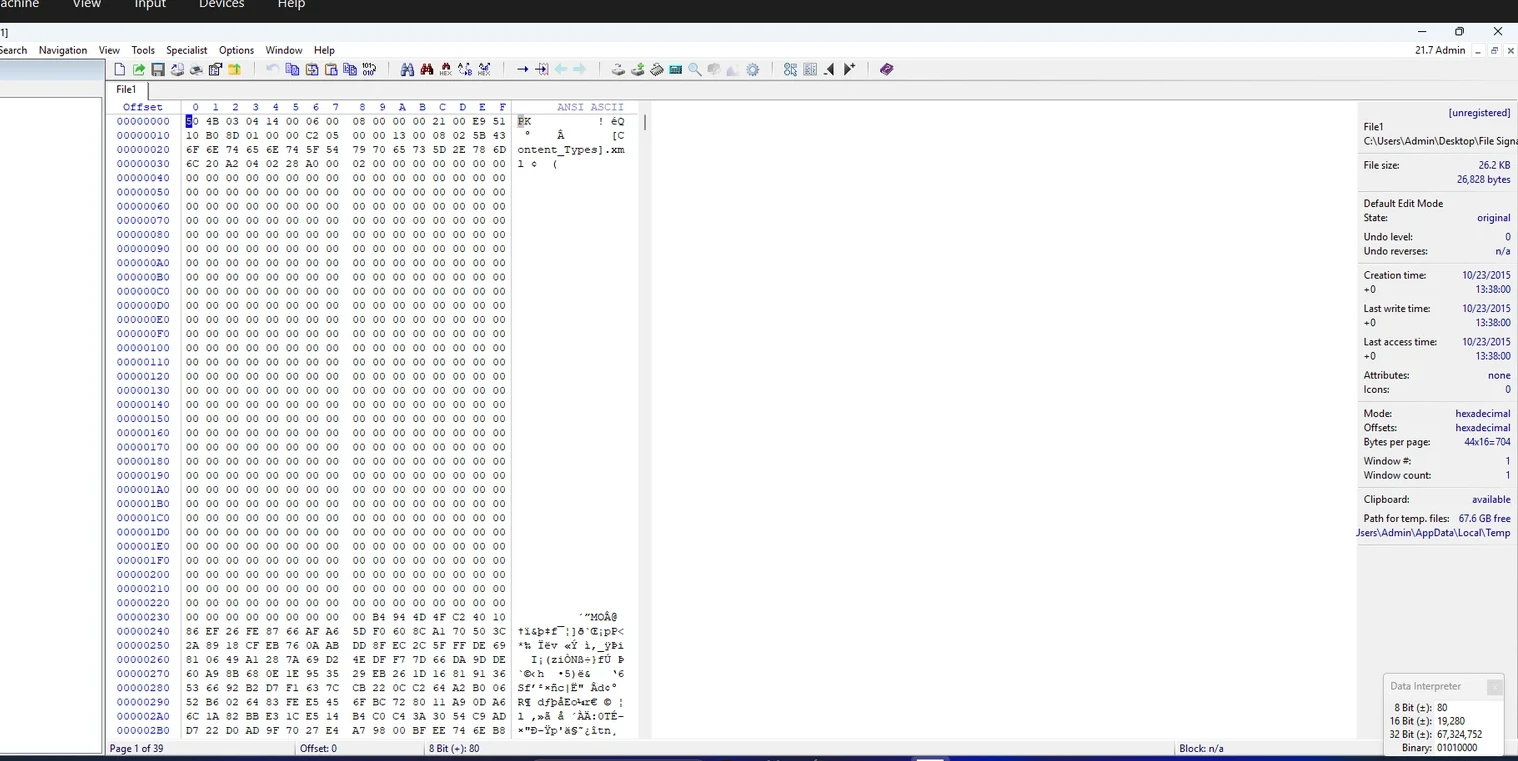 Reading a file’s first bytes in a hex editor
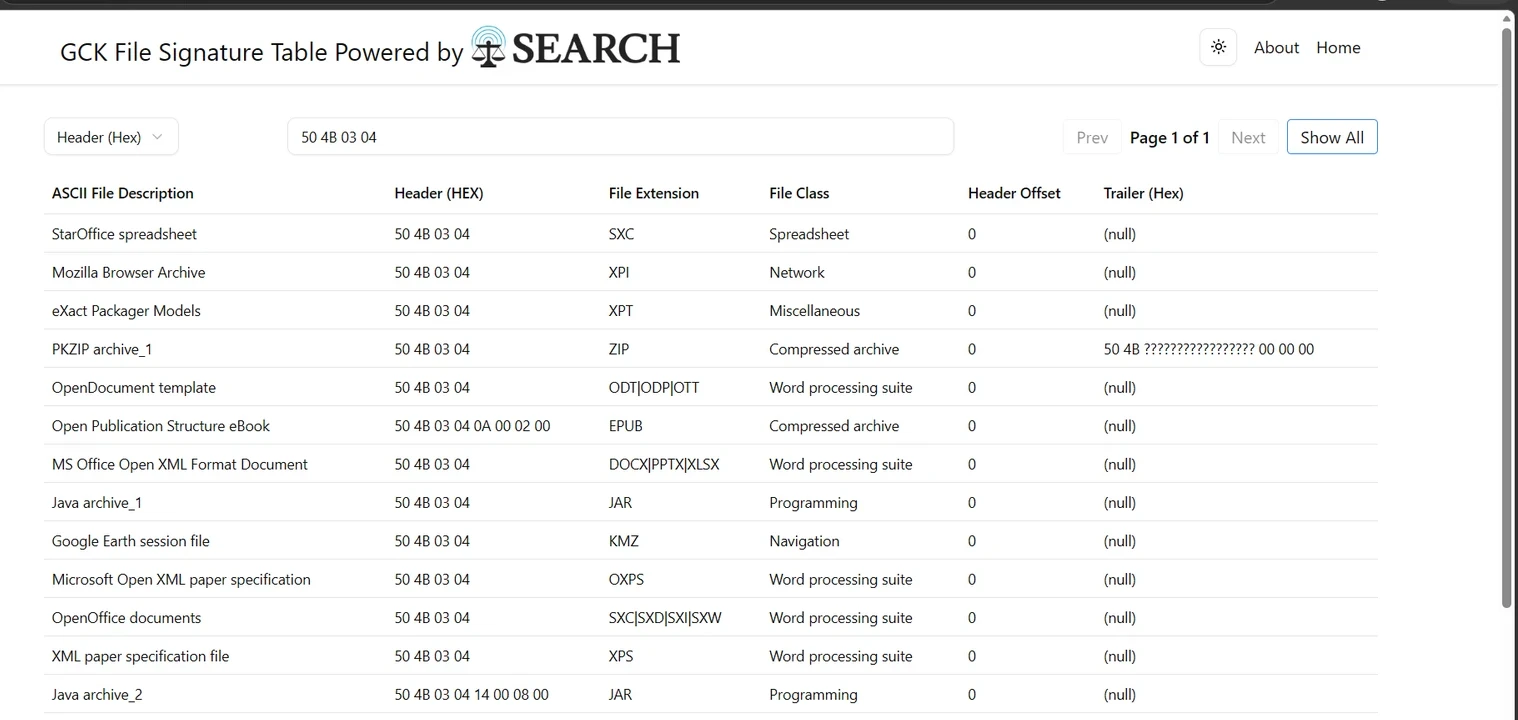 Looking up signatures in Gary Kessler’s file signature table
| File | Signature | Type |
|---|---|---|
| File1 | 50 4B 03 04 | ZIP container — used by Office Open XML (.docx / .xlsx / .pptx) |
| File2 | D0 CF 11 E0 A1 B1 1A E1 | OLE Compound File — legacy Office (.doc / .xls / .ppt) |
| File3 | 25 50 44 46 | PDF (%PDF) |
| File4 | FF D8 FF E0 | JPEG (JFIF) |
| File5 | 4C 00 00 00 01 14 02 00 | Windows shortcut (.lnk) |
50 4B 03 04 on its own only says “ZIP” — modern Office files are ZIP archives, so confirming a .docx means looking inside for [Content_Types].xml and the word/ folder.
Automating it with Python
A short script reads the first 8 bytes of each file and matches them against known signatures (tidied up here):
1
2
3
4
5
6
7
8
9
10
11
12
13
14
15
16
17
18
19
20
21
22
23
SIGNATURES = [
    (bytes.fromhex("25504446"), "PDF"),
    (bytes.fromhex("FFD8FF"), "JPEG"),
    (bytes.fromhex("504B0304"), "ZIP / Office Open XML (.docx .xlsx .pptx)"),
    (bytes.fromhex("D0CF11E0A1B11AE1"), "OLE compound file / legacy Office (.doc .xls .ppt)"),
    (bytes.fromhex("4C00000001140200"), "Windows shortcut (.lnk)"),
]


def identify_file_signature(path):
    try:
        with open(path, "rb") as f:
            header = f.read(8)
    except OSError:
        return "Error: file not accessible"
    for magic, name in SIGNATURES:
        if header.startswith(magic):
            return name
    return "Unknown file type"


if __name__ == "__main__":
    print(identify_file_signature(input("Enter file path: ")))
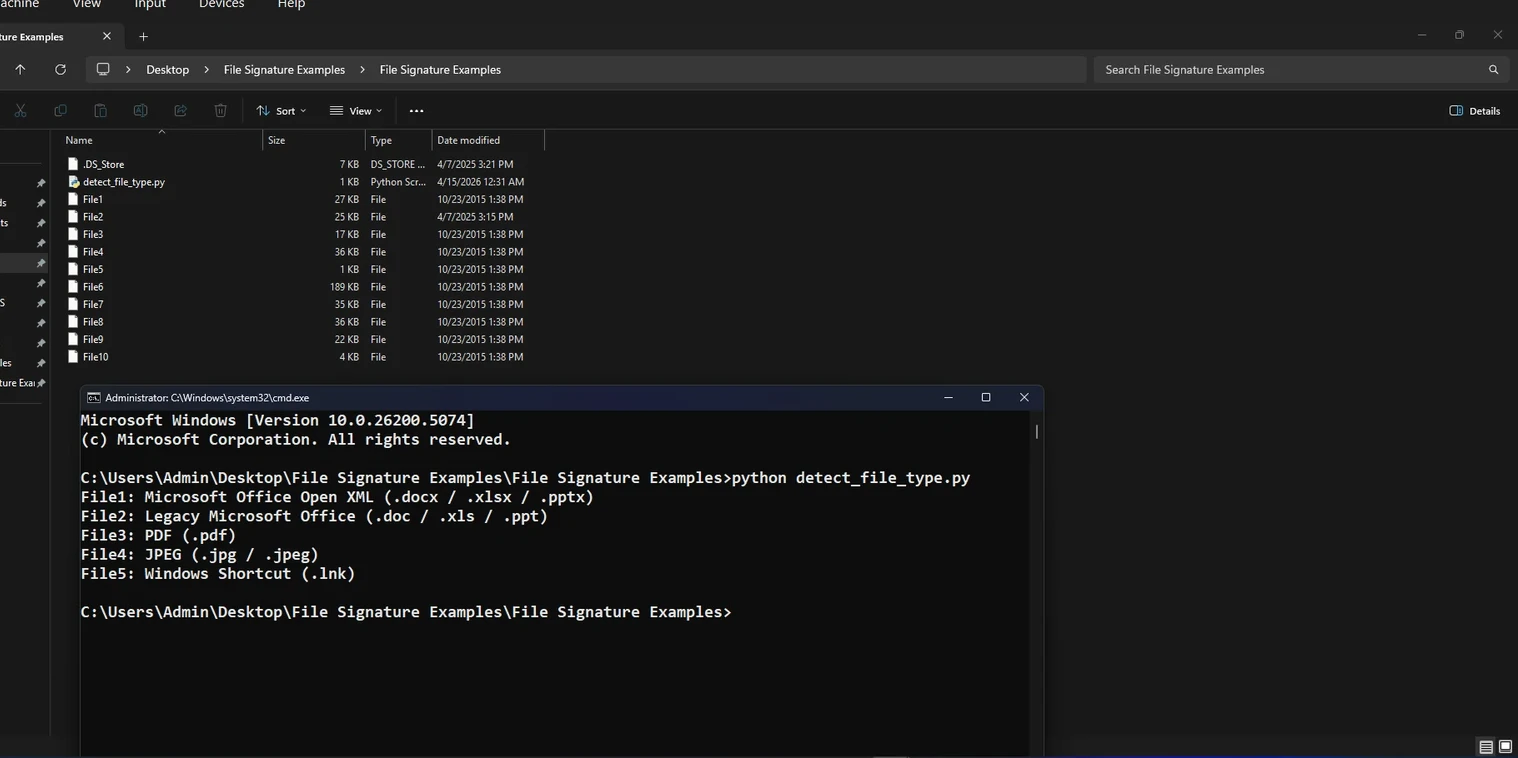 The script’s output: all five sample files identified by content alone
Conclusion
Before digging into individual files, an examiner needs the lay of the land. The Sleuth Kit identified what’s on each image (and flagged one that needed a closer look), the offline registry described the machine and its users without booting it, and file signatures identified files regardless of what they were named.
Key takeaways:
- Verify E01s against the embedded data hash, not
md5sumof the container file. - “Cannot determine file system type” is a lead — check for a partition table with
mmlsbefore concluding anything. - Offline hives tell the system’s story: OS and install date from SOFTWARE, network from SYSTEM, accounts and logon history from SAM.
- Trust signatures over extensions — and remember ZIP-based formats need a look inside to identify precisely.
Digital Forensics Labs series
- Evidence Acquisition: Write Blocking, Imaging & RAM Capture
- File Systems, Offline Registry & File Signatures (you are here)
- File Carving: Recovering a JPEG & PDF from Unallocated Space
- Autopsy Investigations & Office Document Metadata
- Browser & Email Artifacts: Chrome, Firefox & Mail Headers