File Carving: Recovering a JPEG & PDF from Unallocated Space
Carving files by hand from raw hex in FTK Imager, then comparing the result with Carver Recovery and Bulk Extractor — and finding a Poison Ivy RAT trail along the way.
Overview
Third post in the Digital Forensics Labs series. When a file is deleted, the file system forgets where it was — but the bytes usually stay on disk until something overwrites them. File carving recovers those files straight from raw data by looking for known file signatures (headers) and end-of-file markers (footers), with no help from the file system.
This lab works on a single evidence image, raw_image2.dd (FAT32), in three passes:
- Manual carving in FTK Imager’s hex view — a JPEG and a PDF
- Automated carving with Carver Recovery
- Artifact extraction with Bulk Extractor
All analysis was performed on a course-provided evidence image inside an isolated Windows VM. No live systems were involved.
Step 1: Manual Carving in FTK Imager
Finding the JPEG header
After loading the image (File → Add Evidence Item → Image File), I browsed to the unallocated space under the FAT32 volume and opened the first unallocated entry in the hex view. The very first bytes are a giveaway:
| Hex | Meaning | |
|---|---|---|
| Header | FF D8 FF E1 | JPEG (Exif) start of image |
| Footer | FF D9 | JPEG end of image |
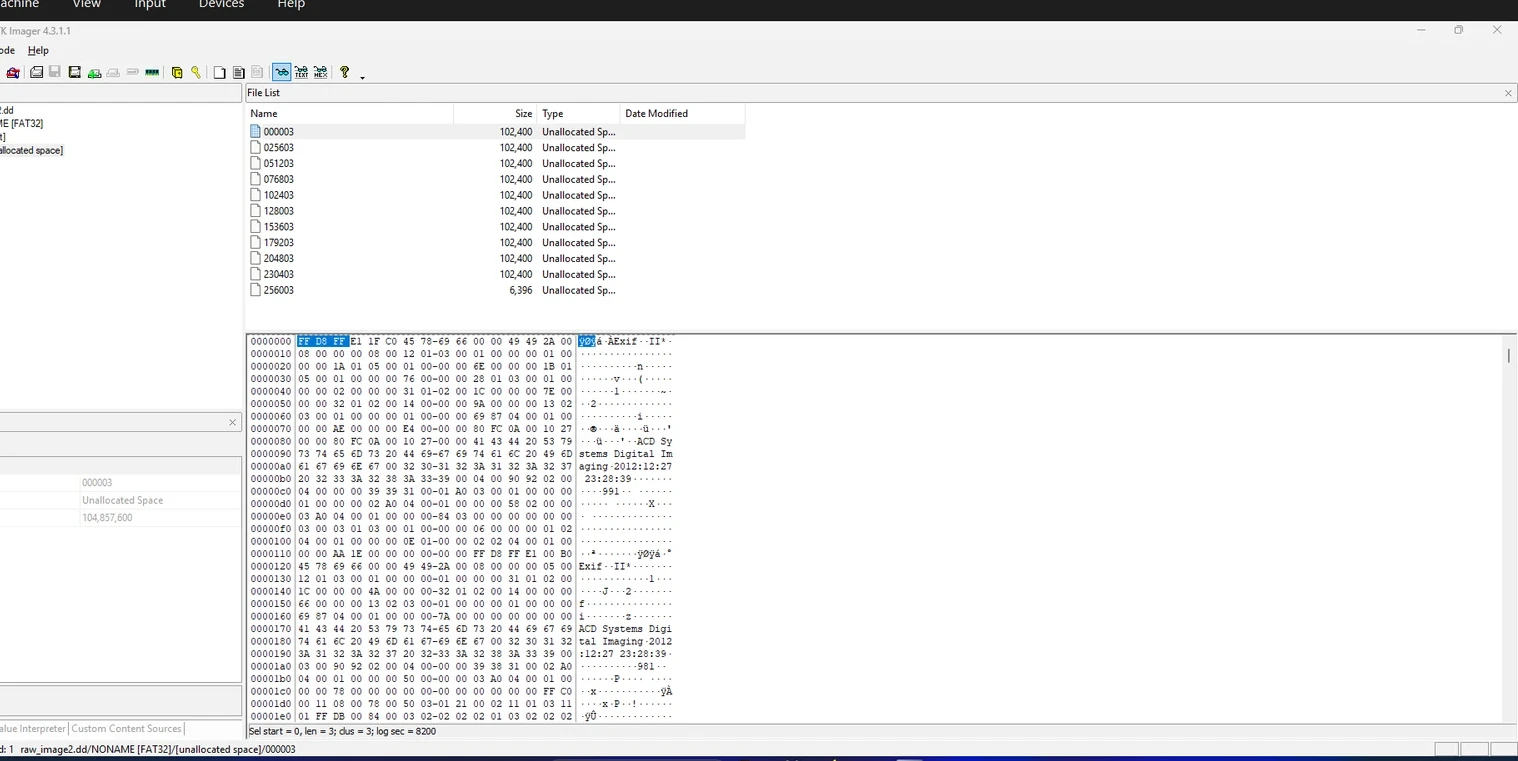
FF D8 FF E1 at the start of unallocated space — a JPEG with Exif data
Picking the right end-of-file marker
Searching for FF D9 finds a hit almost immediately, at offset 0x1FC2 — but that’s not the end of the file. The bytes after this first match are clearly still image data — most likely the end of the small preview thumbnail that Exif JPEGs embed, which carries its own FF D9.
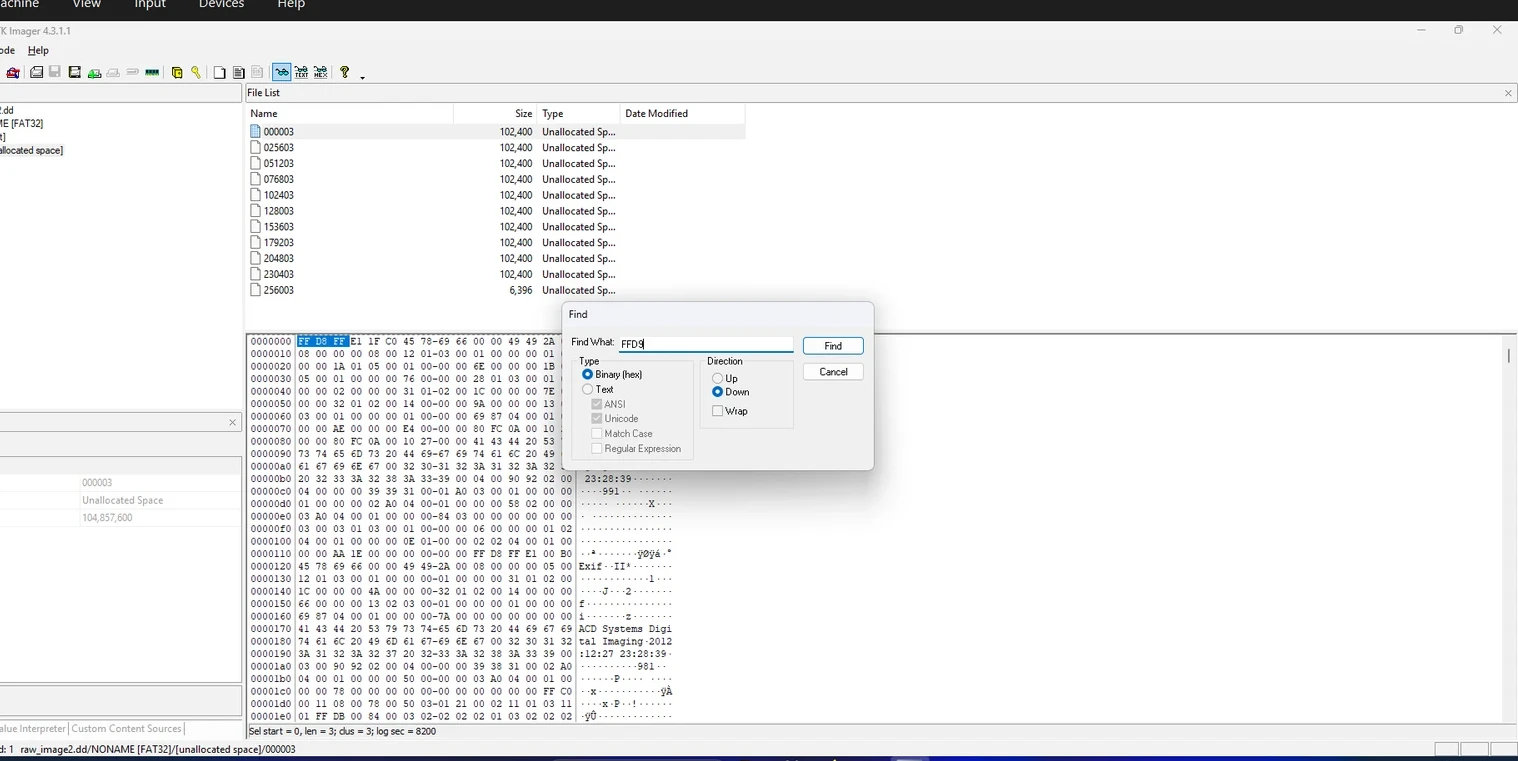 First
FF D9 at 0x1FC2 — image data continues after it, so this isn’t the real end
The next FF D9, at offset 0x400E2, is followed by nothing but null bytes — the end of the real file and the start of slack space.
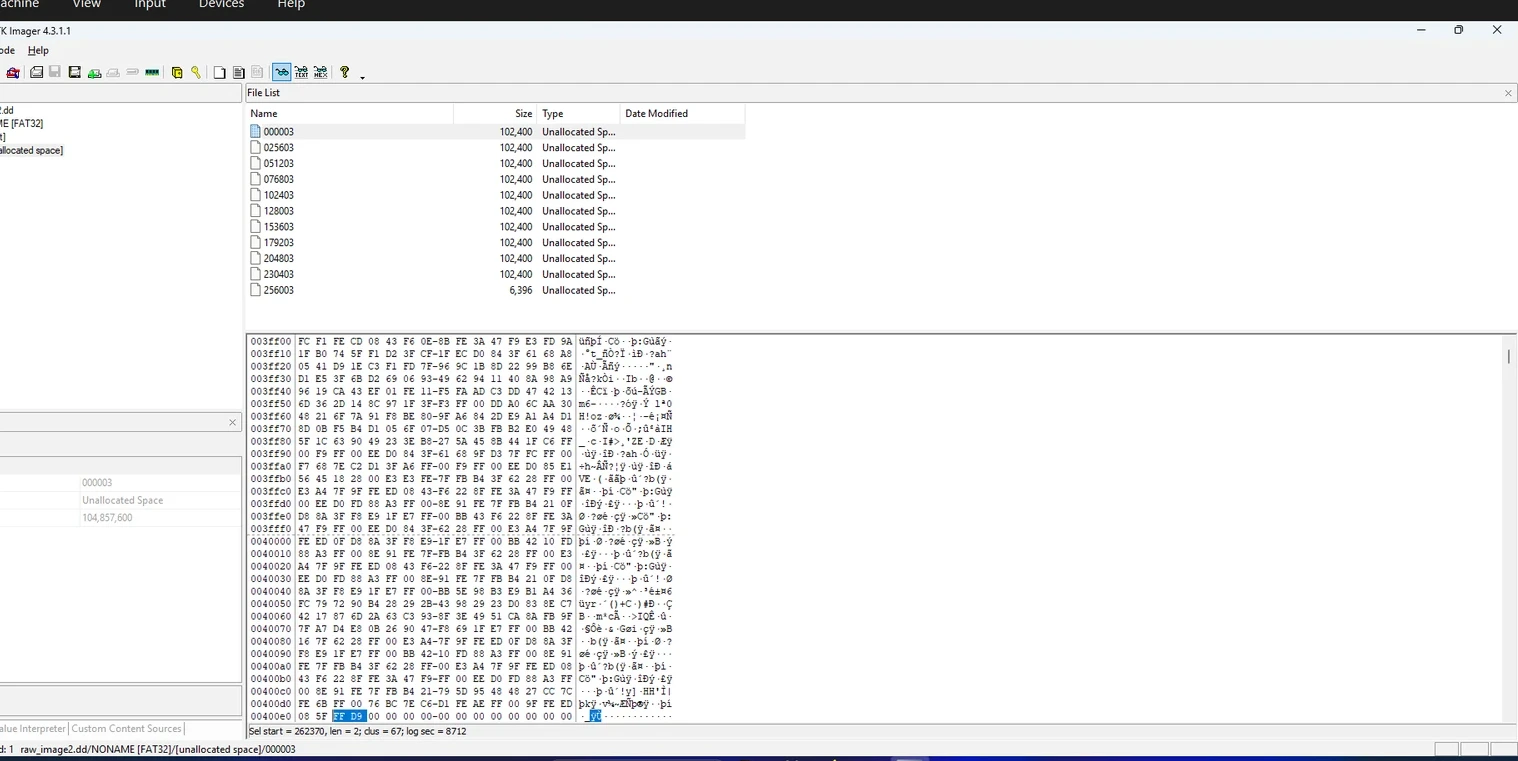 The real EOF at
0x400E2: data stops, zeros begin
Selecting everything from the header to this marker and saving it as .jpg recovered a complete, viewable image:
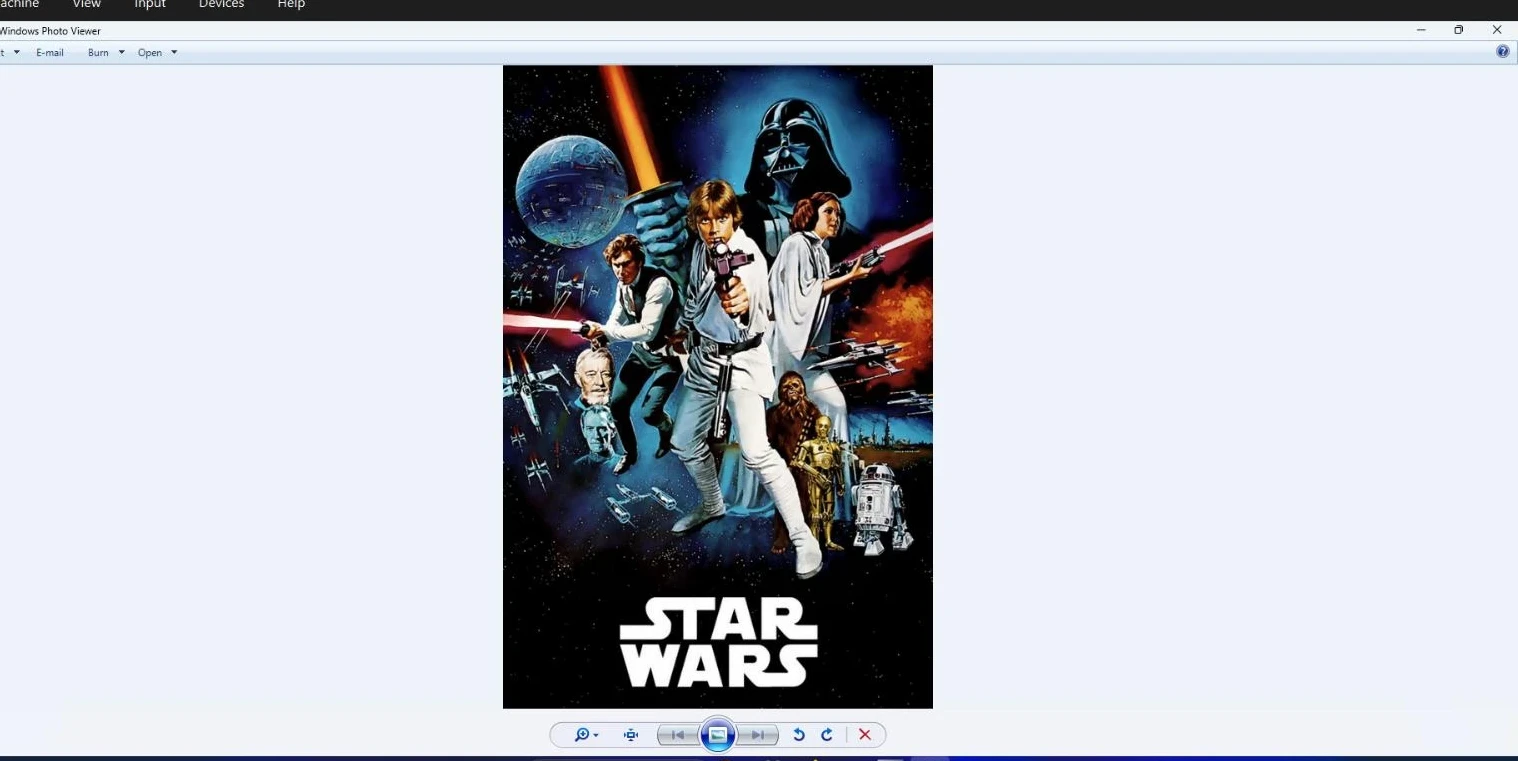 The carved JPEG opens cleanly — a Star Wars poster
The first footer you find isn’t always the right one. Check what comes after a candidate EOF: more structured data means keep going; null bytes or a new header mean you’ve found the end.
Carving the PDF
Same method, different signatures. Searching for the hex string 25 50 44 46 (ASCII %PDF) landed exactly on a sector boundary at offset 0x12A000 — a good sign that this is the true start of a file rather than a string inside another one.
| Hex | ASCII | |
|---|---|---|
| Header | 25 50 44 46 | %PDF |
| Footer | 25 25 45 4F 46 0A | %%EOF\n |
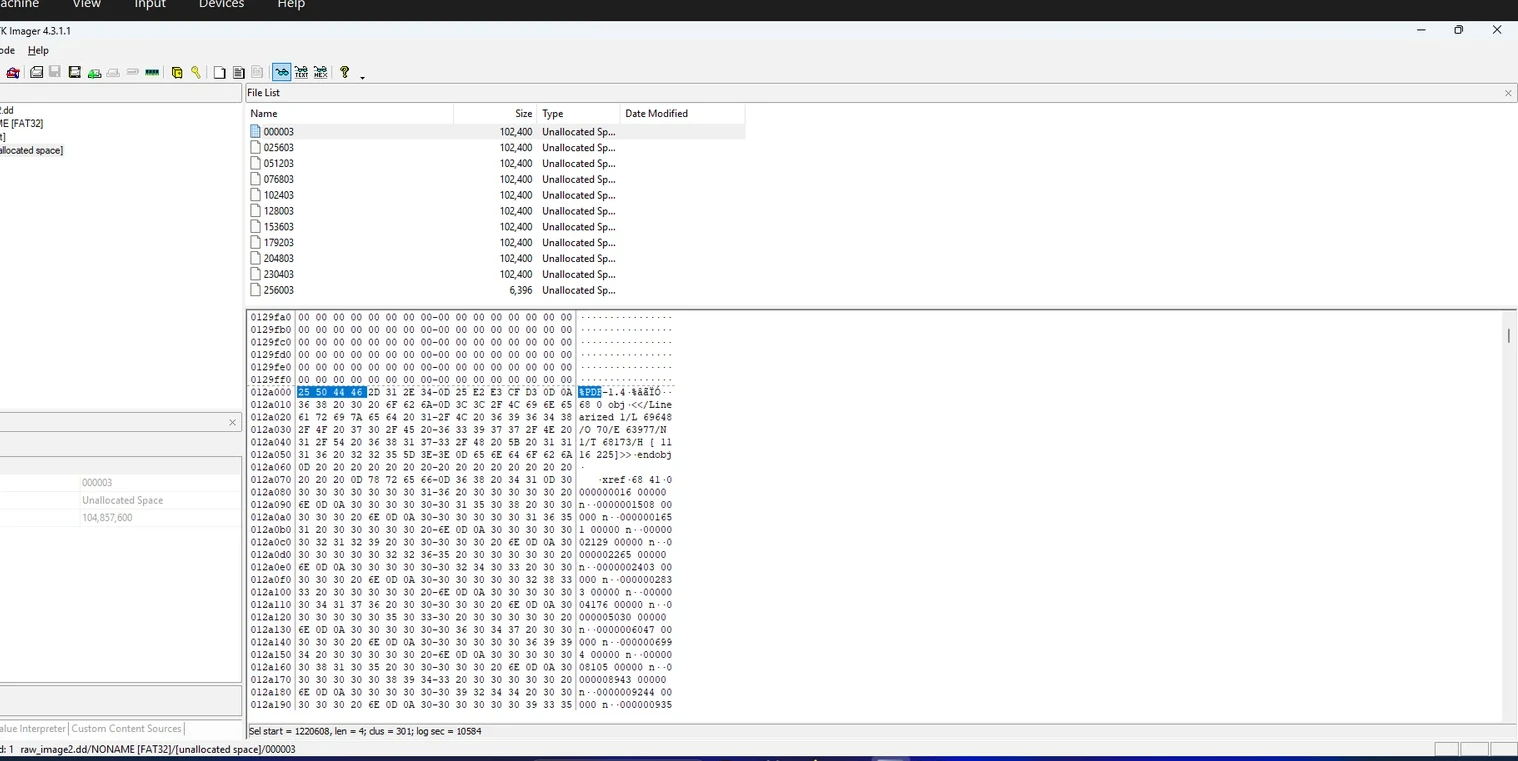
%PDF at 0x12A000, aligned to the start of a sector
The footer %%EOF\n appeared at 0x18FC26, followed by null bytes. Searching again returned no further matches, so this was the final marker — which matters, because incrementally-updated PDFs can contain several %%EOF markers and the last one is the real end.
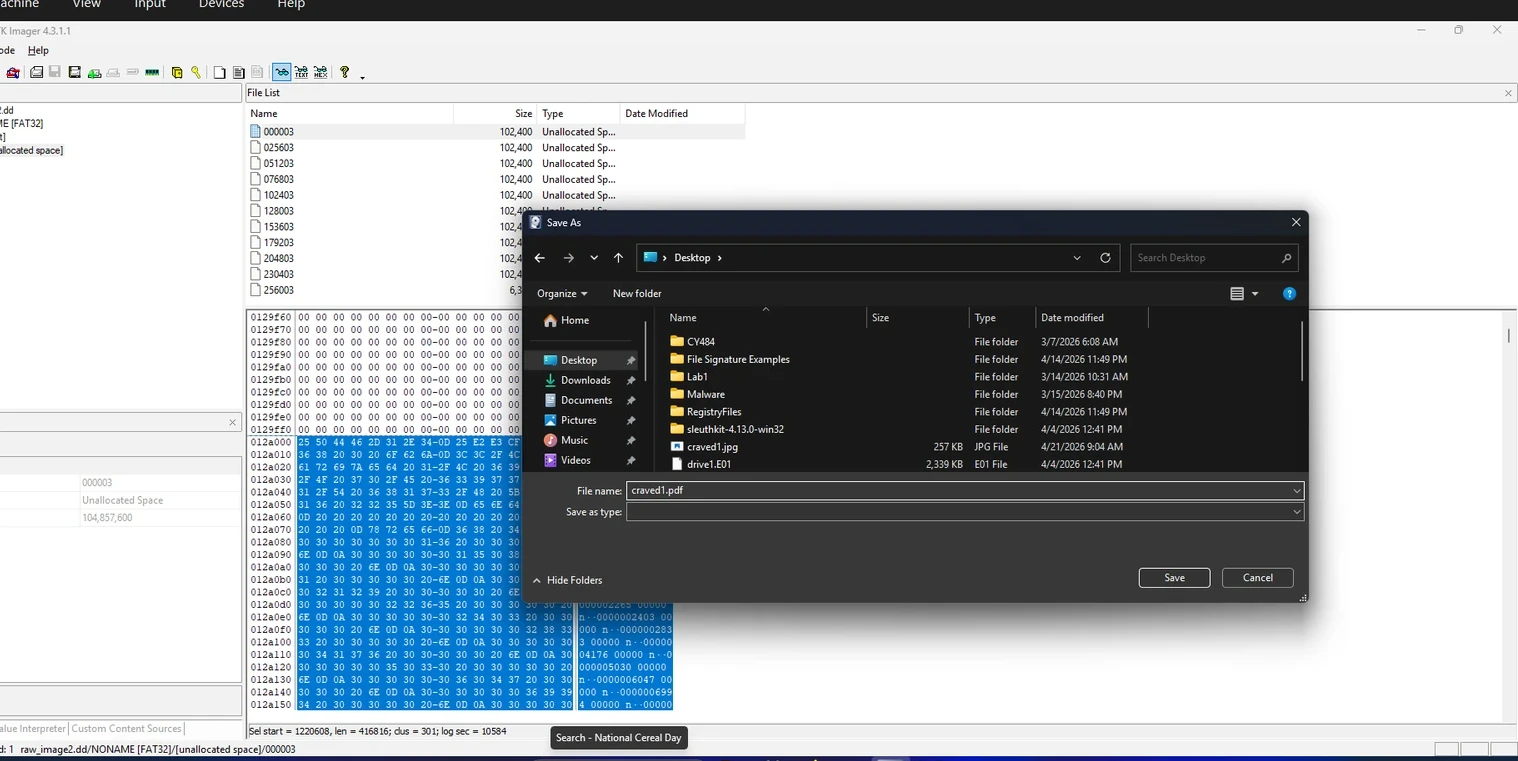 Selecting the byte range from
%PDF to %%EOF and saving it out
The carved PDF turned out to be more interesting than the poster:
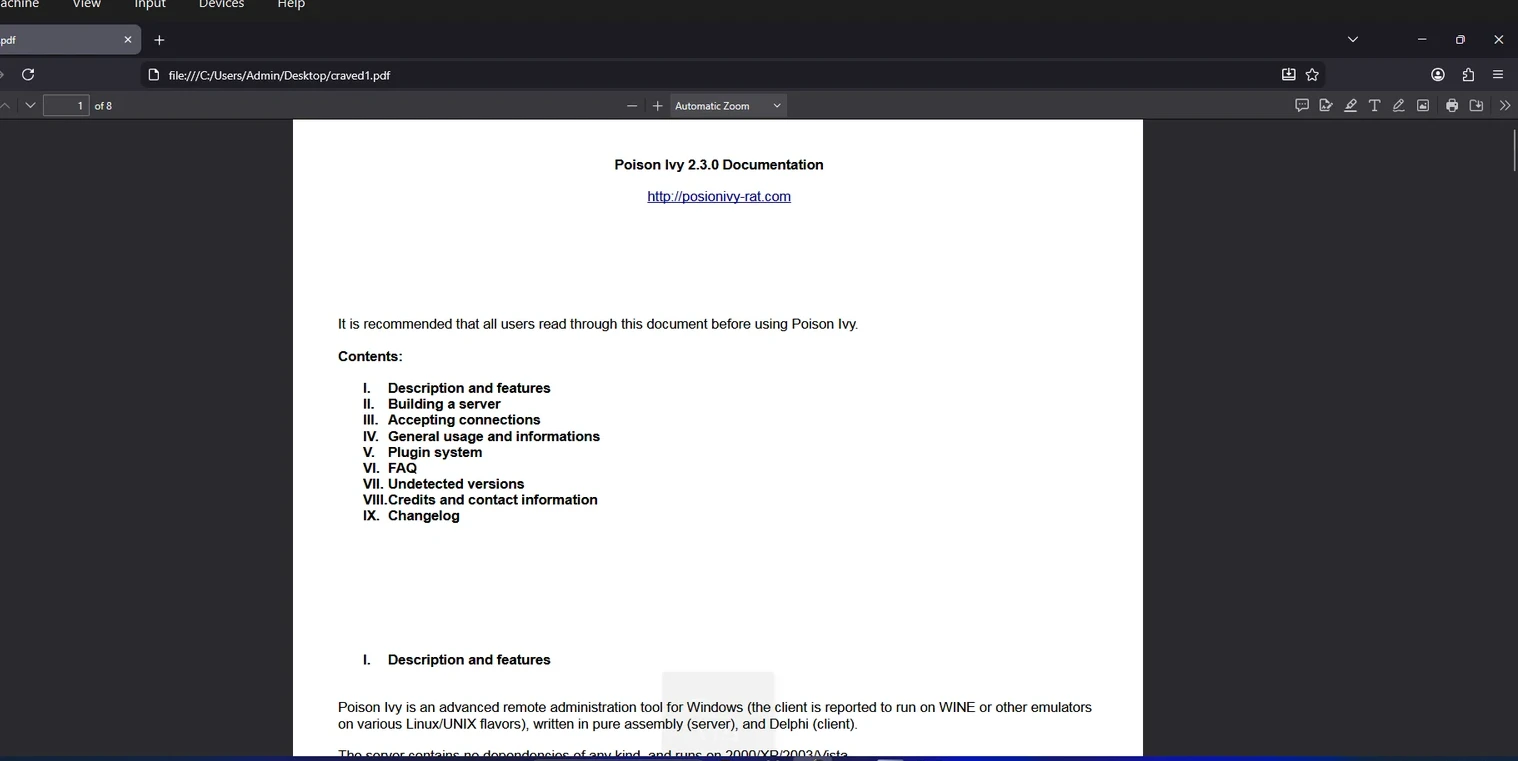 The recovered PDF is the documentation for Poison Ivy 2.3.0, a well-known remote access trojan
Step 2: Automated Carving with Carver Recovery
Next, I pointed Carver Recovery at the same image with an output folder and ran a full search.
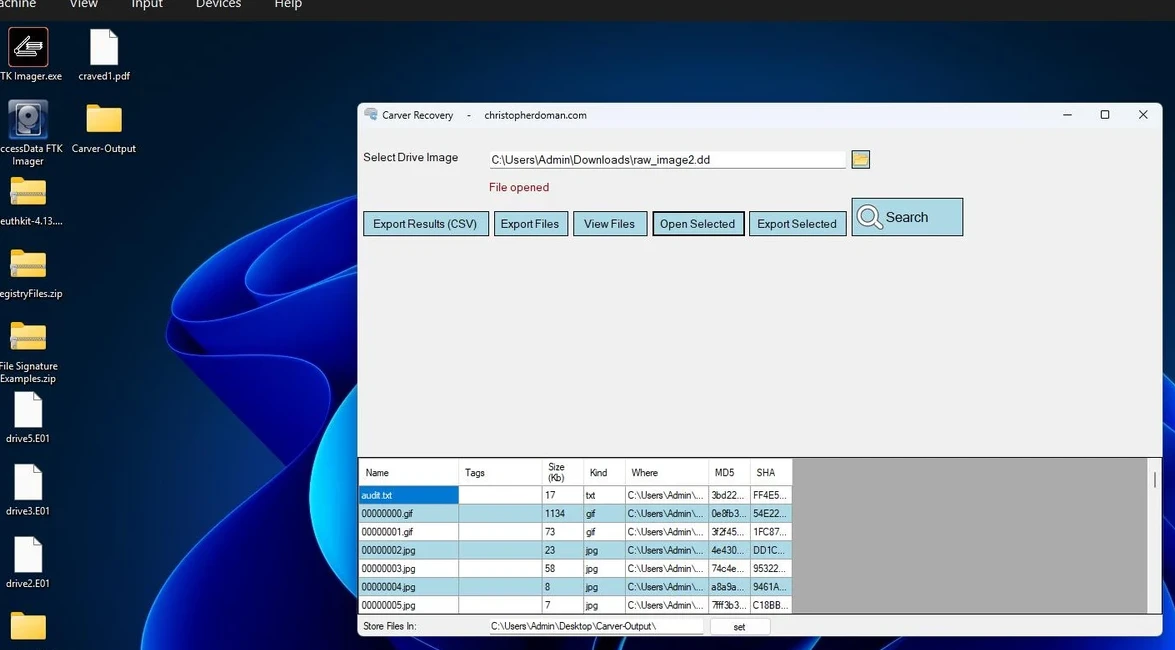 Carver Recovery scanning
raw_image2.dd
The audit log listed GIFs, JPGs, PDFs, ZIPs, and MSO (Office) files — including two GIFs, even though the media only held one.
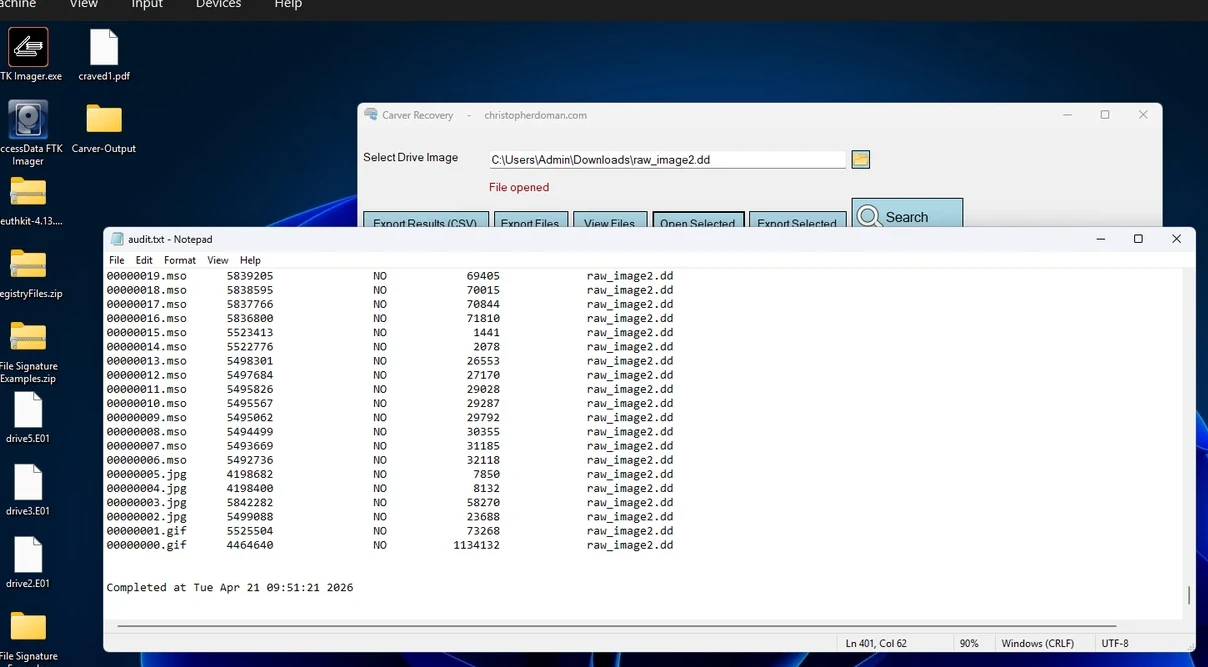 Audit output: every carved file with its offset and length
That’s expected behaviour, not a bug. Carvers match headers and footers in raw bytes without any file-system context, so they also pick up:
- fragments or partial copies of the same file
- images embedded inside other files (thumbnails, Office documents)
- old deleted copies
- false positives where random data happens to match a signature
Automated carving is fast, but its output needs validation — duplicate and partial files are normal, and each result should be checked before it’s treated as evidence.
Step 3: Artifact Extraction with Bulk Extractor
Carving recovers files; Bulk Extractor recovers features — URLs, emails, Prefetch entries, and other artifacts scattered through the image, whether or not they belong to an intact file.
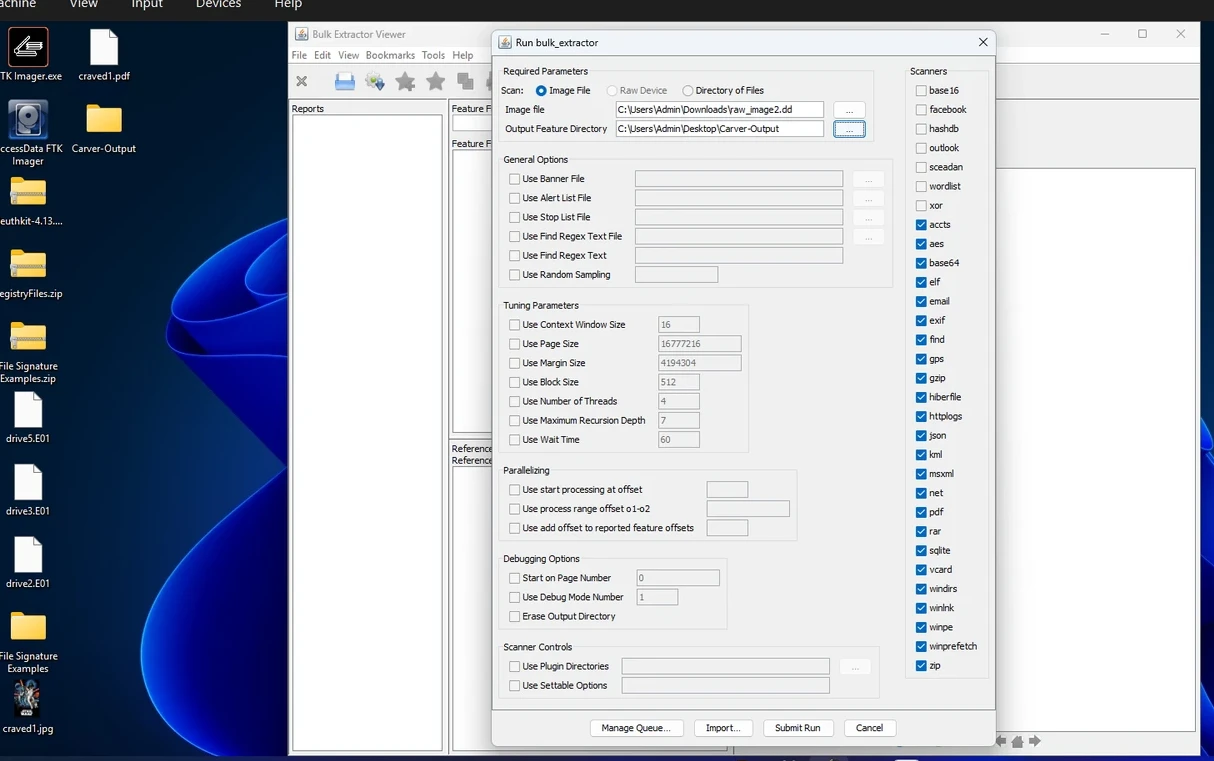 Bulk Extractor configured against
raw_image2.dd with the default scanners
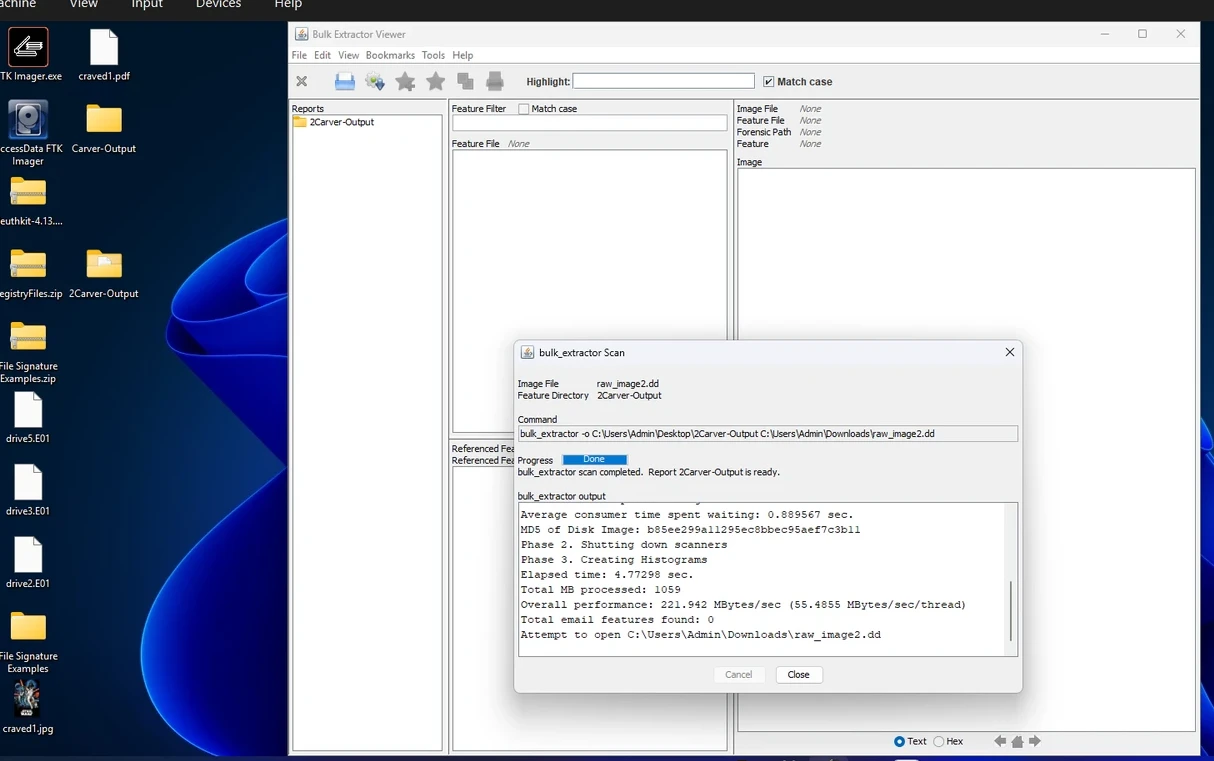 Scan complete — results written to the output directory
Prefetch: what ran
winprefetch.txt contained a Prefetch entry for SVCHOST.EXE. Prefetch files are created when a program executes, so this is evidence that a binary with that name ran on the system — a name malware often borrows to blend in.
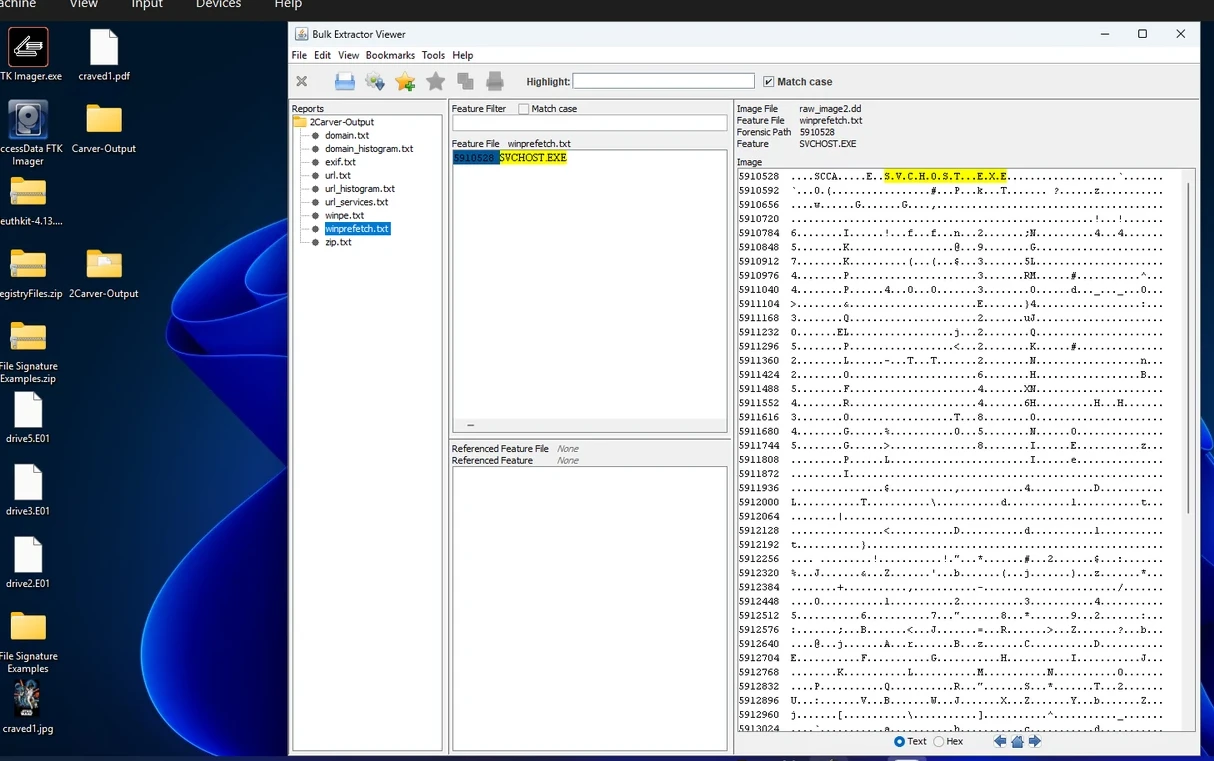 Bulk Extractor Viewer showing the recovered Prefetch record for
SVCHOST.EXE
URLs: where it called home
url_services.txt listed the domains found anywhere in the image. One stood out immediately: poisonivy-rat.com.
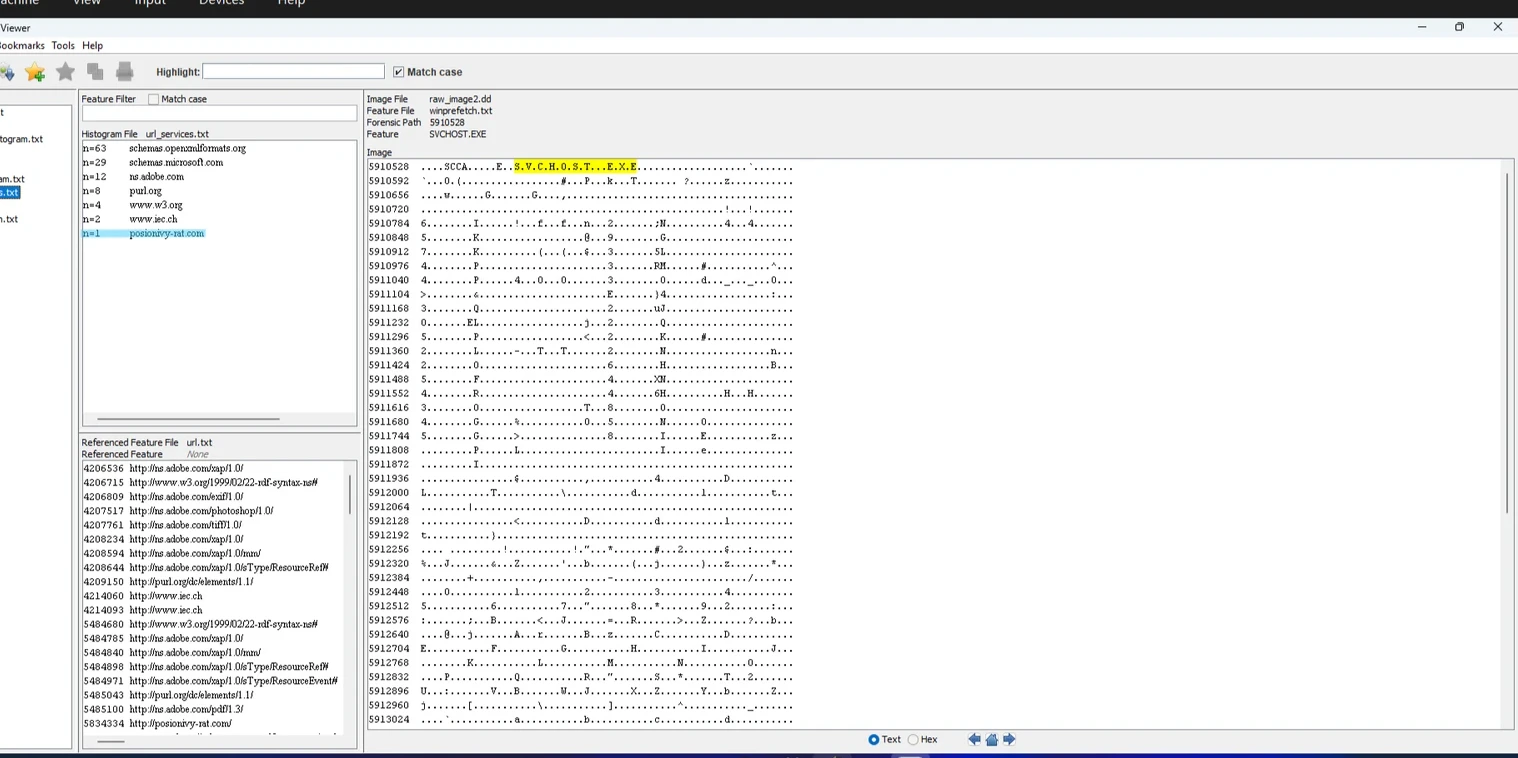
poisonivy-rat.com among the extracted URLs
Conclusion
Three tools, one image, one story. Manual carving recovered a JPEG and a PDF from unallocated space — and the PDF was Poison Ivy RAT documentation. Bulk Extractor then tied that together with a Prefetch record for SVCHOST.EXE and a Poison Ivy domain, suggesting a RAT was present on this system and that a binary posing as svchost was executed.
Key takeaways:
- Signatures find files; context validates them. The first
FF D9was a thumbnail, not the end of the image. - Sector alignment is a strong hint that a header is the real start of a file.
- Automated carvers over-report. Duplicates and fragments are normal and need checking.
- Carving and feature extraction complement each other — files show what was on the disk, artifacts like Prefetch and URLs show what happened.
Digital Forensics Labs series
- Evidence Acquisition: Write Blocking, Imaging & RAM Capture
- File Systems, Offline Registry & File Signatures
- File Carving: Recovering a JPEG & PDF from Unallocated Space (you are here)
- Autopsy Investigations & Office Document Metadata
- Browser & Email Artifacts: Chrome, Firefox & Mail Headers