Browser & Email Artifacts: Chrome, Firefox & Mail Headers
Reconstructing browsing activity from Chrome and Firefox cache and history, then tracing emails hop by hop through their headers to find who really sent them.
Overview
Fifth and final post in the Digital Forensics Labs series. Disk, file system, and registry evidence show what was on a machine; browser and email artifacts show what the user did — where they went online and who they talked to.
- Chrome cache and history
- Firefox cache and history
- Email header analysis across four providers
All analysis was performed on course-provided datasets inside an isolated lab VM.
Step 1: Chrome Cache & History
NirSoft’s ChromeCacheView and ChromeHistoryView read a Chrome profile’s files directly, without needing Chrome itself. I pointed them at the cache folder and the History database extracted from the dataset.
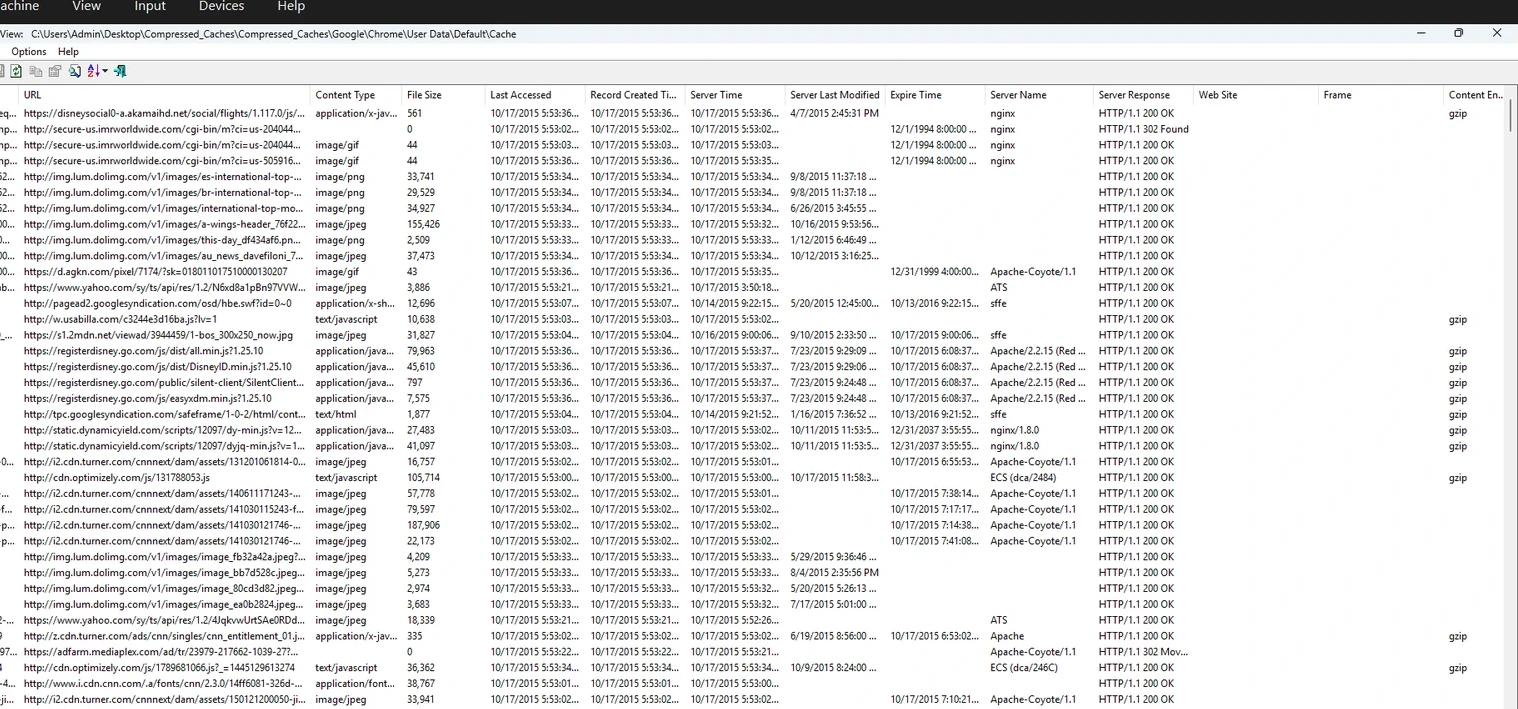 The extracted Chrome cache loaded in ChromeCacheView
When were the sites visited?
Sorting the cache by URL surfaces each site’s entries with their timestamps:
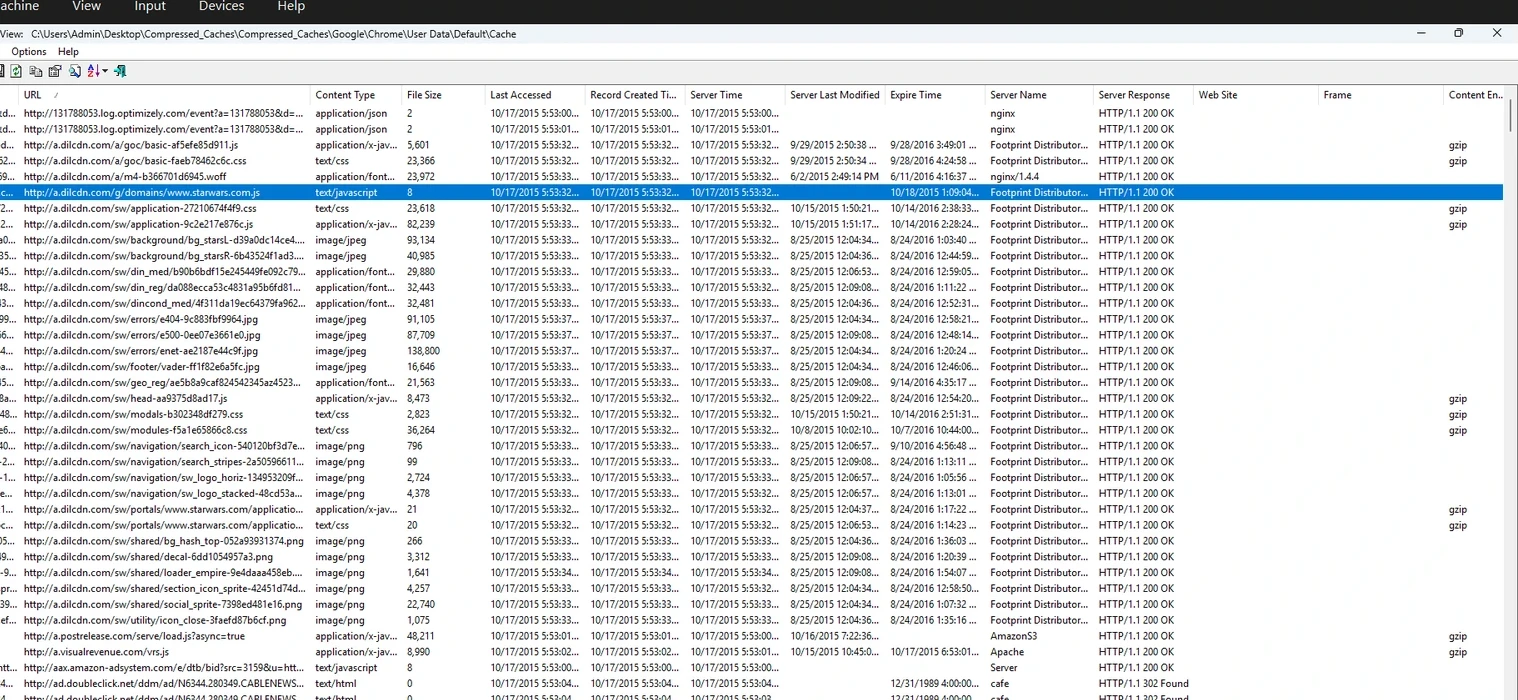 Cache entries for
www.starwars.com, including apple-touch-icon.png
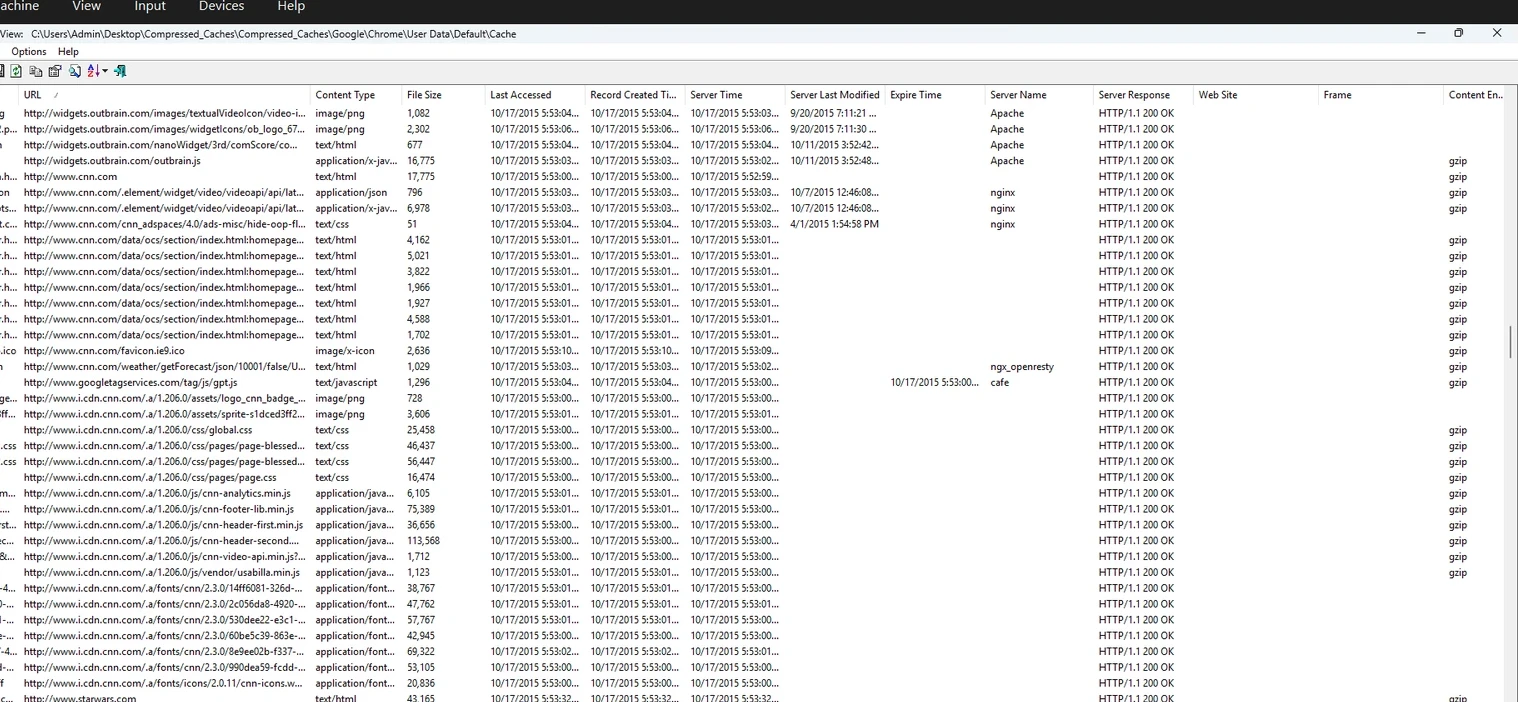 Cache entries for
www.cnn.com
| Artifact | Time |
|---|---|
www.cnn.com visited | 17 Oct 2015, 5:53:00 PM |
www.starwars.com visited | 17 Oct 2015, 5:53:32 PM |
apple-touch-icon.png last modified on the server | 15 Oct 2015, 1:51:17 PM |
The two kinds of timestamp tell different stories: visit times describe the user, while the Last-Modified header describes when the website changed the file — two days before the visit.
How many sites?
 ChromeHistoryView showing the four sites visited
The History database shows 4 sites visited, all returning 200 OK. Sorting the cache by server response told a different story: the 301/302 redirects came almost entirely from advertising and tracking domains — doubleclick.net, imrworldwide.com, mediaplex.com, adadvisor.net, dotomi.com, bluekai.com, plus Google and YouTube. A handful of page visits pulls in a large crowd of third-party requests, all of which leave traces in the cache.
Step 2: Firefox Cache & History
Firefox keeps history in the SQLite database places.sqlite and cached objects in the cache2 folder. NirSoft’s MozillaHistoryView and MozillaCacheView read both.
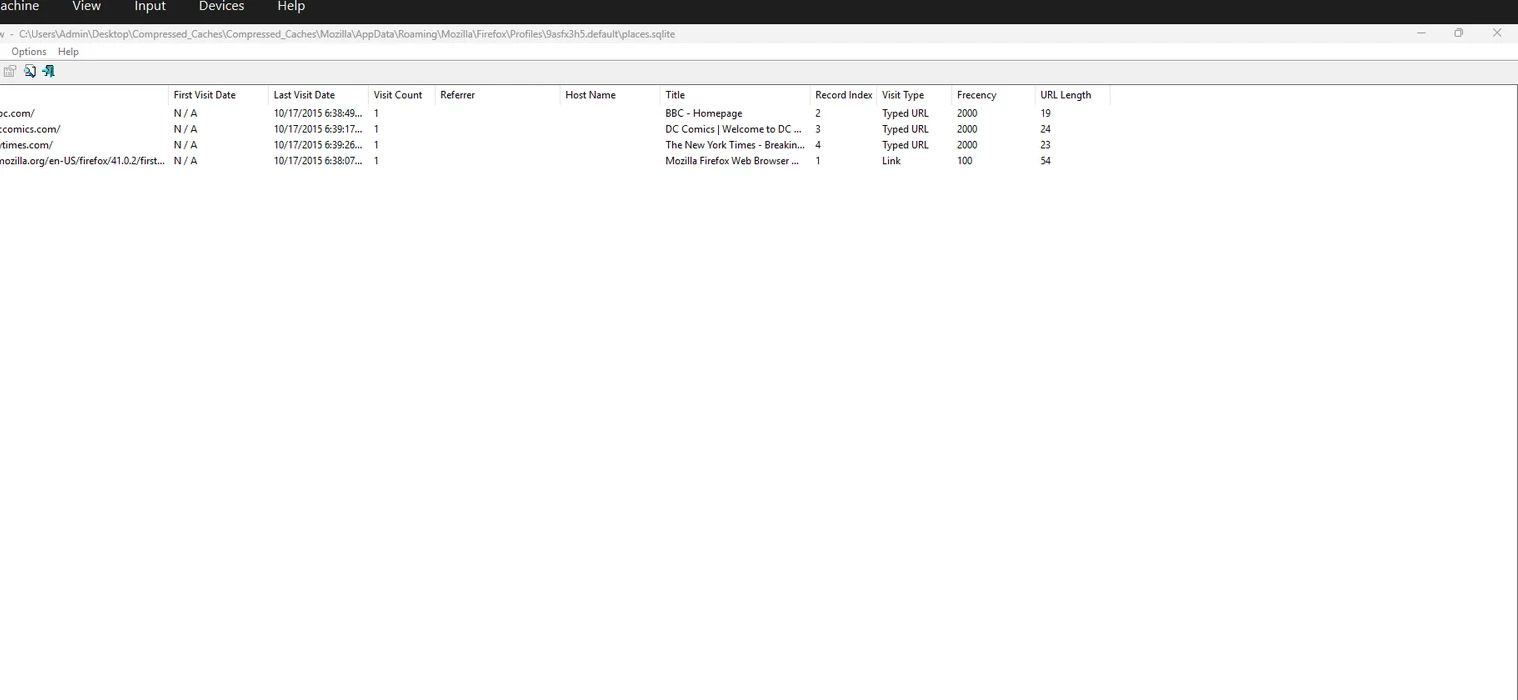 MozillaHistoryView: four sites visited, with
www.nytimes.com last
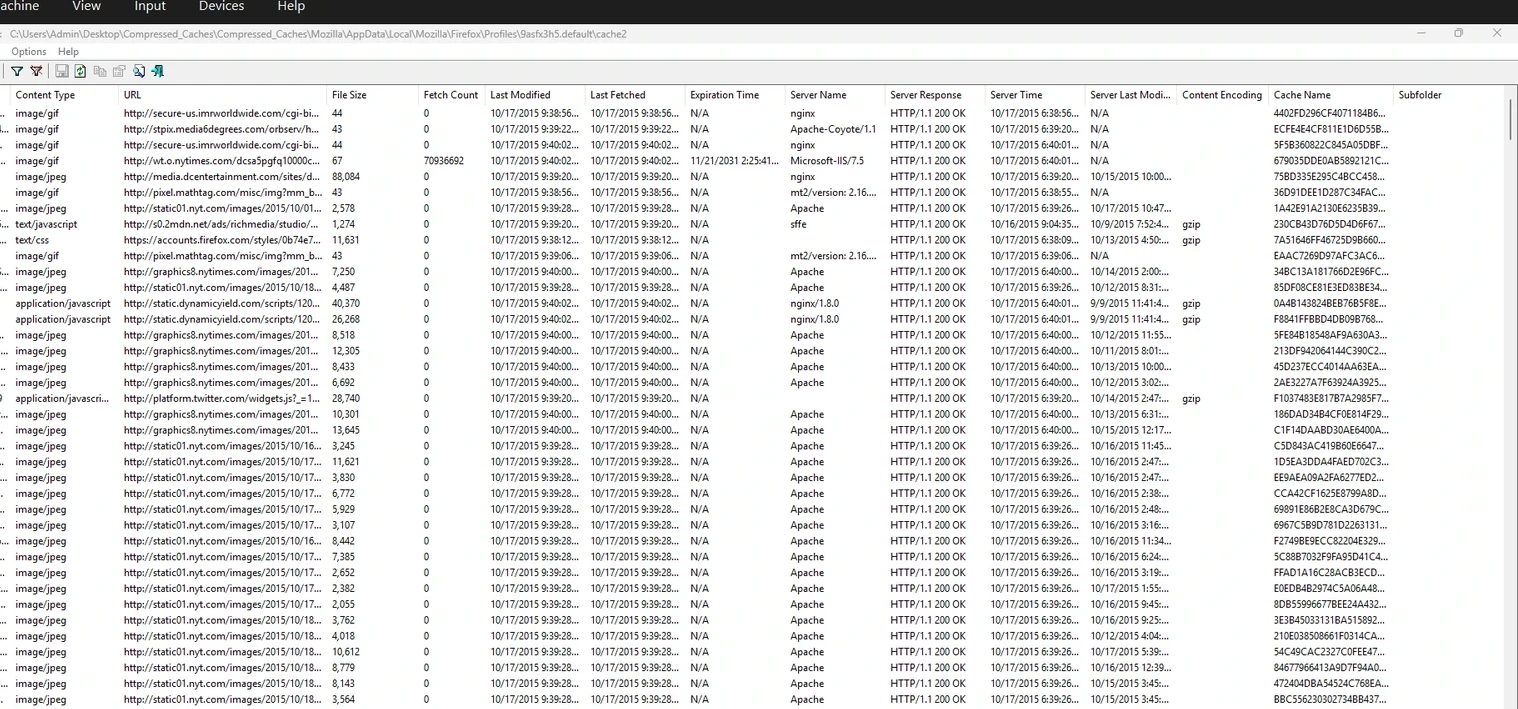 587 cached items for just four page visits
| Question | Finding |
|---|---|
| Sites visited | 4 |
| Last site visited | www.nytimes.com |
| Cached items | 587 |
Only 206 response | r9---sn-5uaezney.c.2mdn.net |
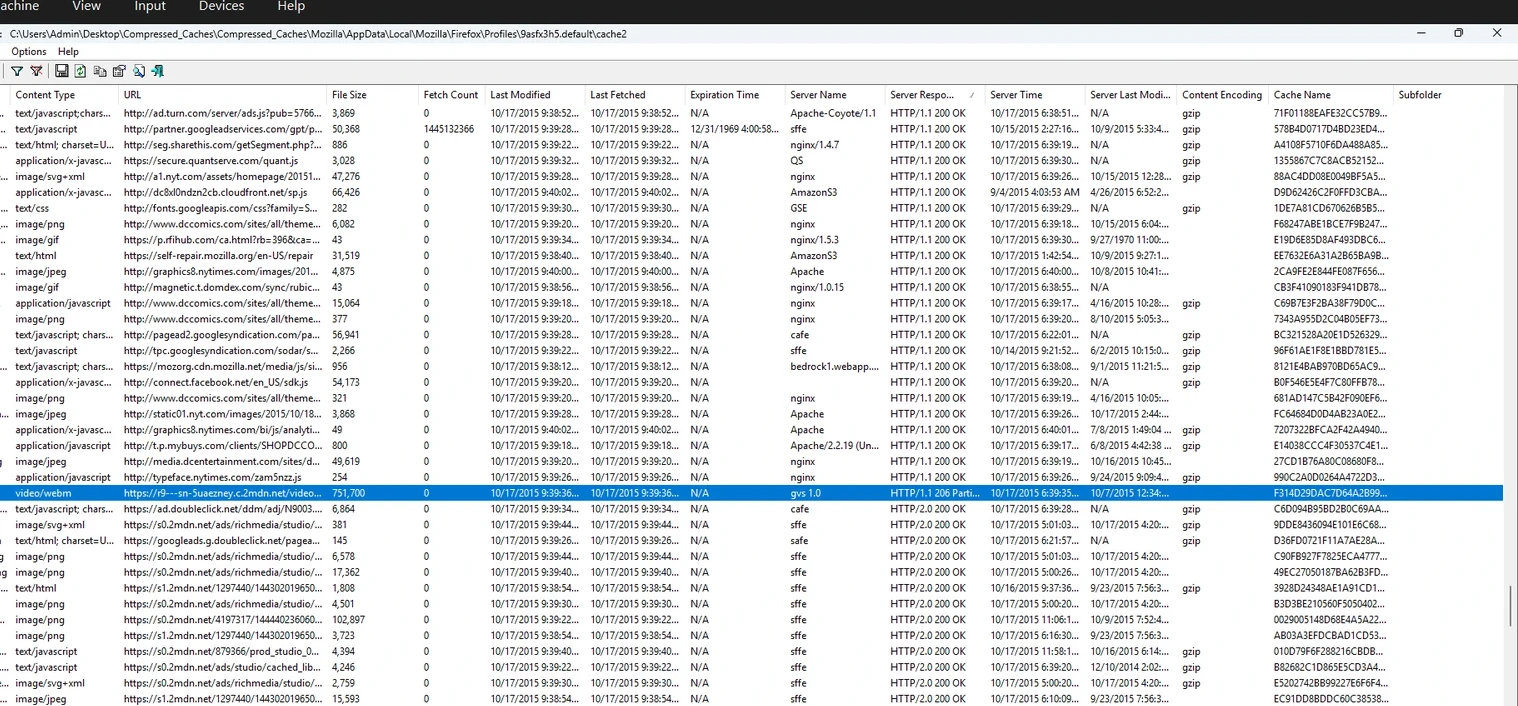 The single
HTTP/1.1 206 Partial Content entry
206 Partial Content is returned for range requests — the browser asked for part of a file, which is typical for streamed video. 2mdn.net is a Google ad-serving domain, so this was most likely a video advert rather than something the user chose to watch.
Step 3: Email Header Analysis
Email headers are written bottom-up: every mail server that handles a message adds a Received: line on top. Reading them from the bottom upwards traces the message from the sender to the recipient.
Gmail → Yahoo
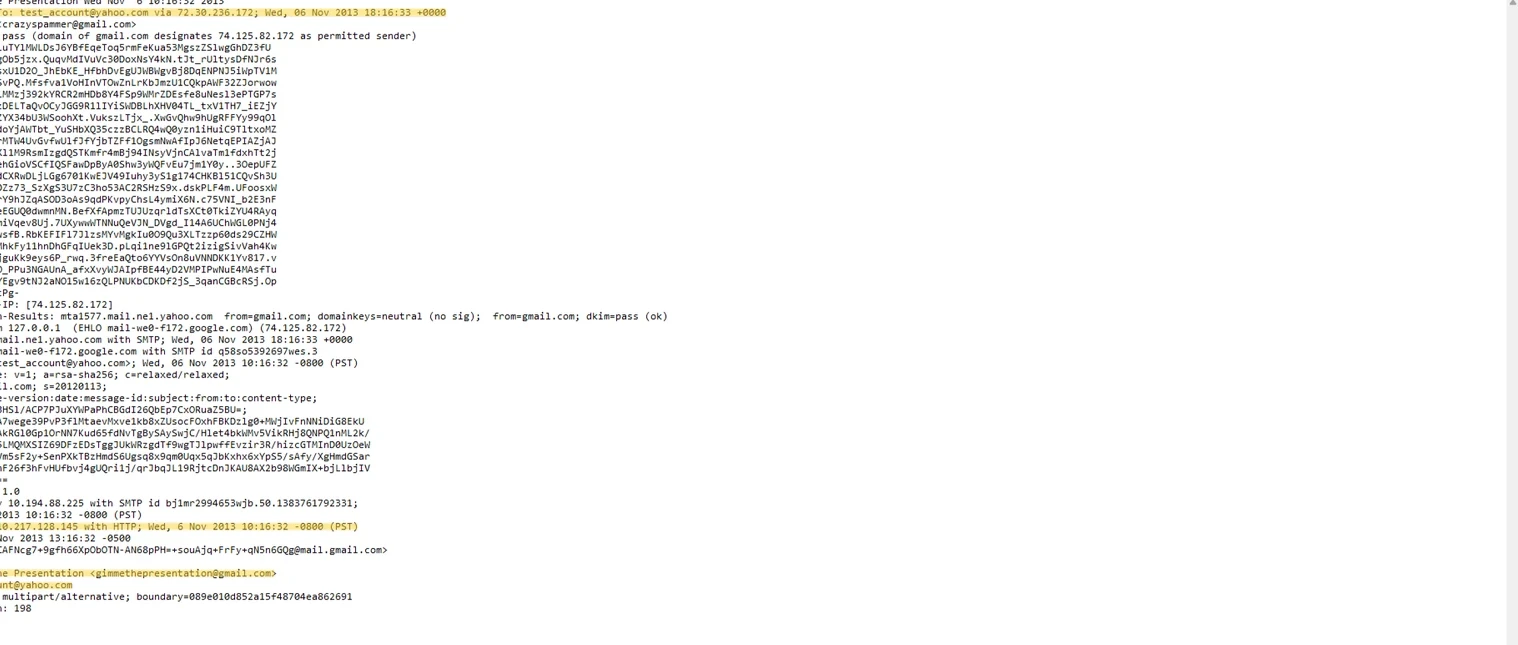 Header of a message received in a Yahoo mailbox
| Question | Finding |
|---|---|
| Sender | a Gmail account |
| Sending server | mail-we0-f172.google.com (74.125.82.172) |
| Receiving server | mta1577.mail.ne1.yahoo.com |
| Received by Yahoo | Wed, 06 Nov 2013 18:16:33 +0000 |
| Replies go to | the original Gmail sender |
AOL webmail → Gmail
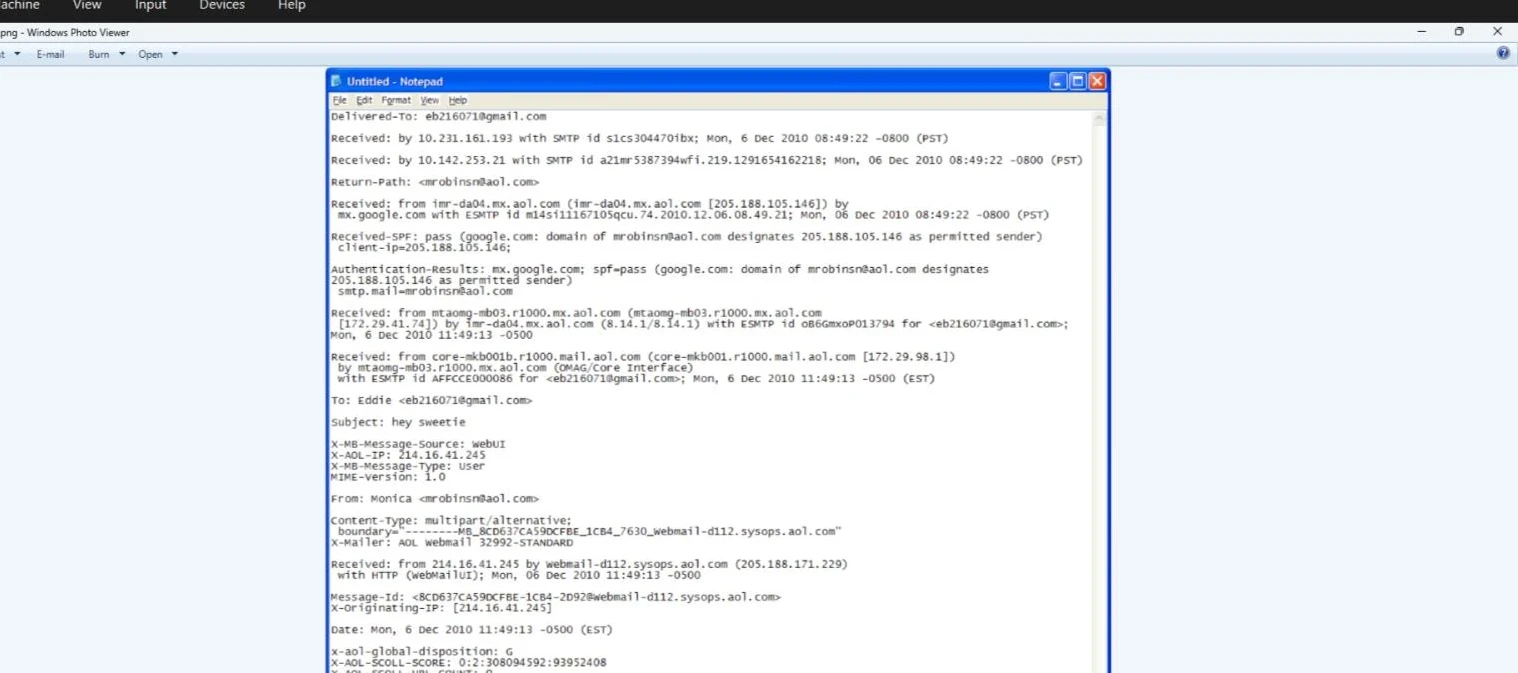 A message from AOL webmail as received by Gmail
The Received chain runs through AOL’s internal servers (core-mkb001.r1000.mail.aol.com, mtaomg-mb03.r1000.mx.aol.com) to its outbound relay imr-da04.mx.aol.com (205.188.105.146), then into Google’s receiving servers. The headers show the message was composed in a browser (webmail) rather than a desktop client, and AOL recorded the sender’s public IP as 214.16.41.245 — the address of the person who wrote the email, not of any mail server.
Yahoo → Gmail
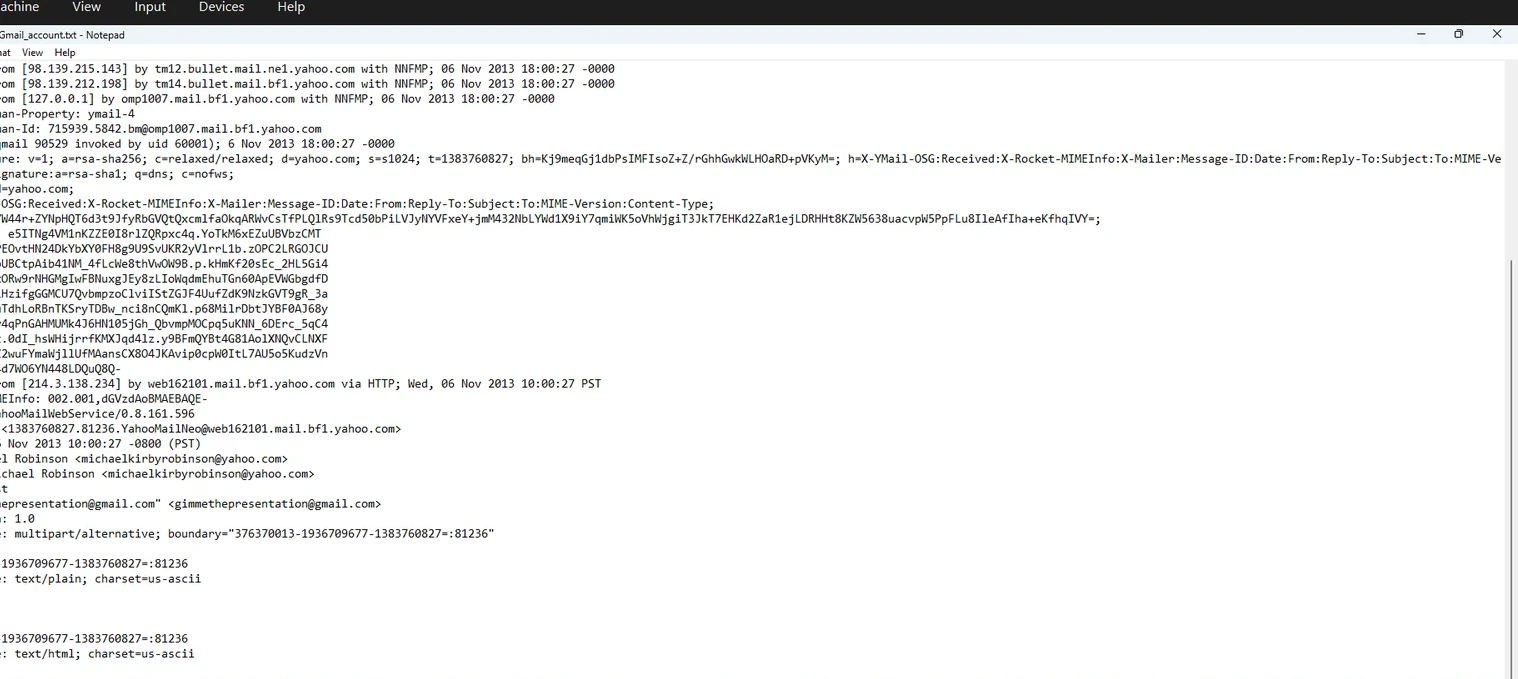 A message from a Yahoo account as received by Gmail
The first server to accept and forward the message was web162101.mail.bf1.yahoo.com, and Yahoo recorded the sending computer’s public IP as 214.3.138.234.
Office 365 mailing list
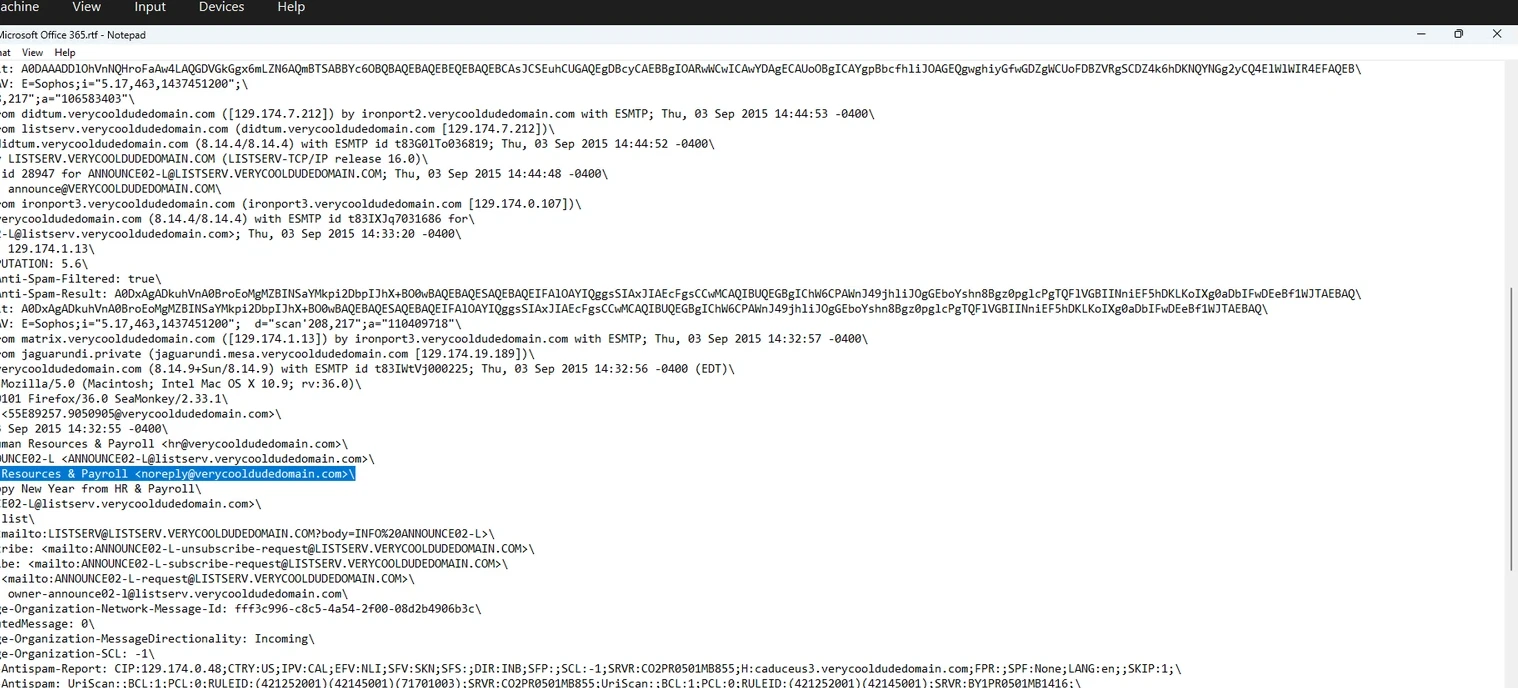 A list announcement relayed through Office 365
The message came from a noreply@ address to a LISTSERV distribution list, and the headers show it was scanned by an IronPort mail appliance with Sophos anti-virus before delivery.
Only the
Receivedlines added by servers you trust are reliable — anything below them could have been forged by the sender. That’s why the sender’s IP recorded by the first provider’s own server is the valuable field.
Conclusion
Browser and email artifacts put a person behind the activity: which sites were opened and when, and which accounts, servers, and IP addresses an email passed through on its way.
Key takeaways:
- Browser databases can be read without the browser — NirSoft’s tools parse Chrome and Firefox profiles directly.
- Visit times describe the user; server timestamps describe the website. Keep them apart on a timeline.
- Most cache entries and redirects are third parties — ads and trackers far outnumber the pages actually visited.
- Read
Receivedheaders bottom-up, and trust only the hops added by servers you control or trust.
This wraps up the series — from acquiring evidence without changing it, through file systems, carving and Autopsy, to what users did online.
Digital Forensics Labs series
- Evidence Acquisition: Write Blocking, Imaging & RAM Capture
- File Systems, Offline Registry & File Signatures
- File Carving: Recovering a JPEG & PDF from Unallocated Space
- Autopsy Investigations & Office Document Metadata
- Browser & Email Artifacts: Chrome, Firefox & Mail Headers (you are here)